The Creality Ender 3 is a family of open-frame FDM printers that share a 220 mm-class bed. The original Ender 3, Pro and V2 use manual leveling and a Bowden extruder; the S1 added a CR Touch probe and direct drive; the V3 SE, V3 KE, V3 and V4 add faster motion and automatic calibration.
That spread matters whether you shop new, buy a used 3D printer or need to identify the machine on your bench. Specs come from Creality’s pages and manuals; prices and stock from its US store on October 4, 2026.
The short answer
| If you want… | Look at | Why |
|---|---|---|
| The cheapest new Ender 3 | Ender-3 V3 SE | $199, auto leveling, direct drive |
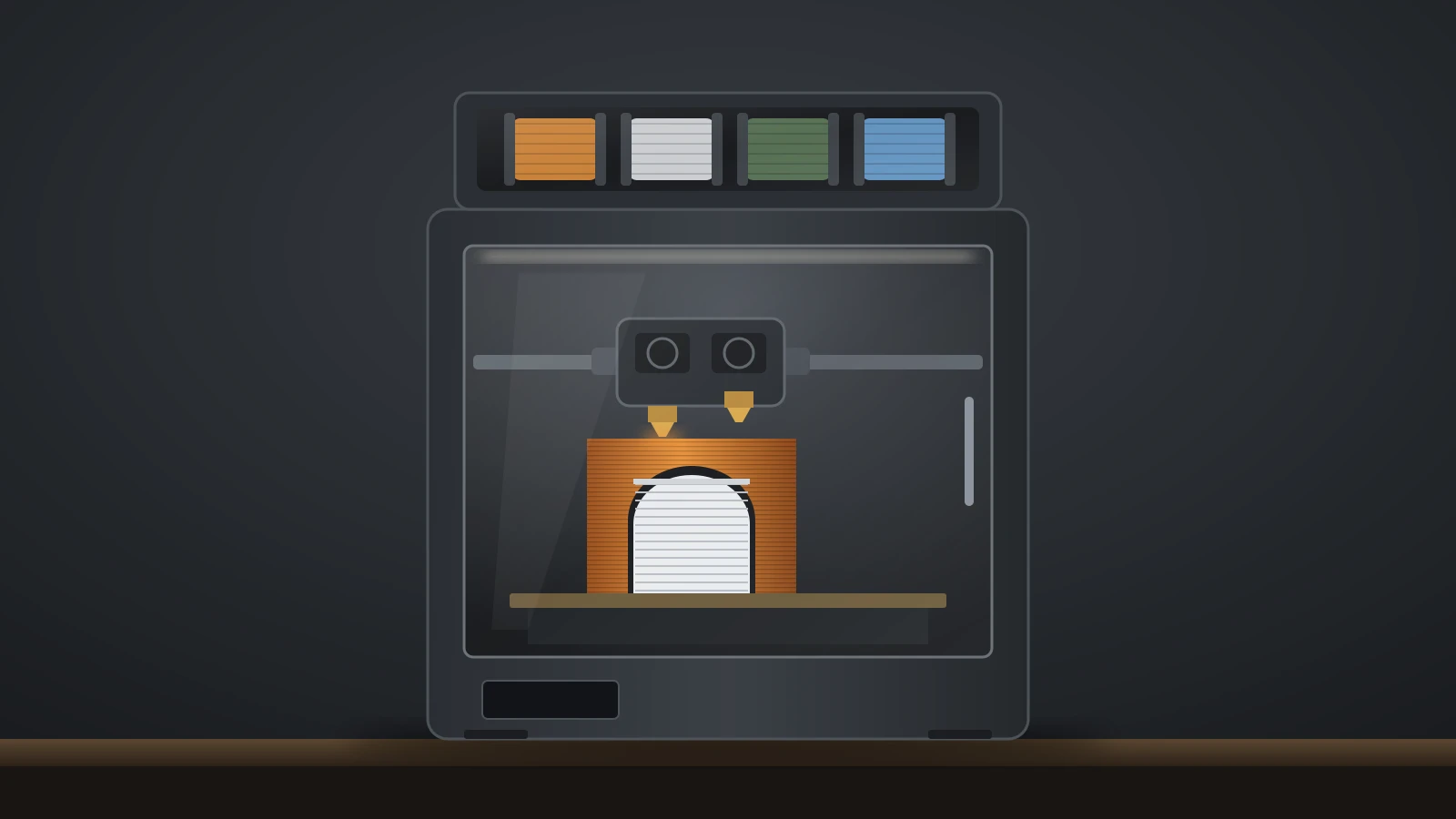
| Multicolor on an Ender | Ender-3 V4 Combo | $399 with a four-spool CFS unit |
| The fastest compact Ender | Ender-3 V3 (CoreXZ) | 600 mm/s, 20,000 mm/s² |
| A cheap used project printer | Ender 3, Pro or V2 | Simple, well documented, manual leveling |
| A used printer with a probe | Ender-3 S1 or S1 Pro | CR Touch and Sprite direct drive |
What is the Creality Ender 3?
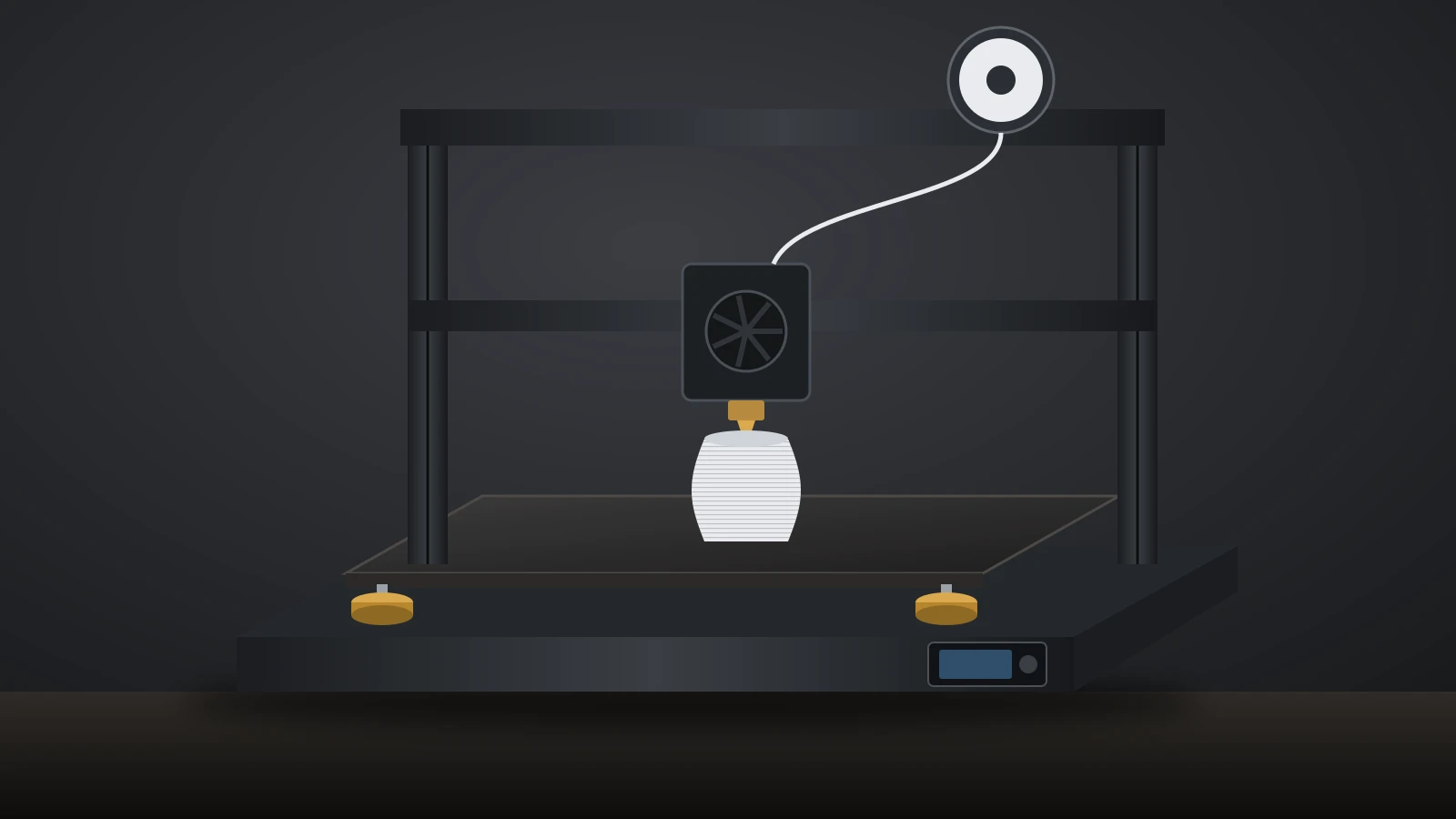
The Ender 3 is Creality’s entry-level line of open-frame FDM (fused deposition modeling) printers, built around a bed that moves front to back under a gantry. Creality calls the original “the original affordable Ender-3 platform”, and the name now covers more than ten models.
Each generation changed one major system. The first models used a Bowden extruder, where the motor sits on the frame and pushes filament through a tube, and four leveling knobs. Later models moved the extruder onto the print head, added a bed probe and finally switched to Klipper-based Creality OS with automatic calibration.
Ender 3 versions compared
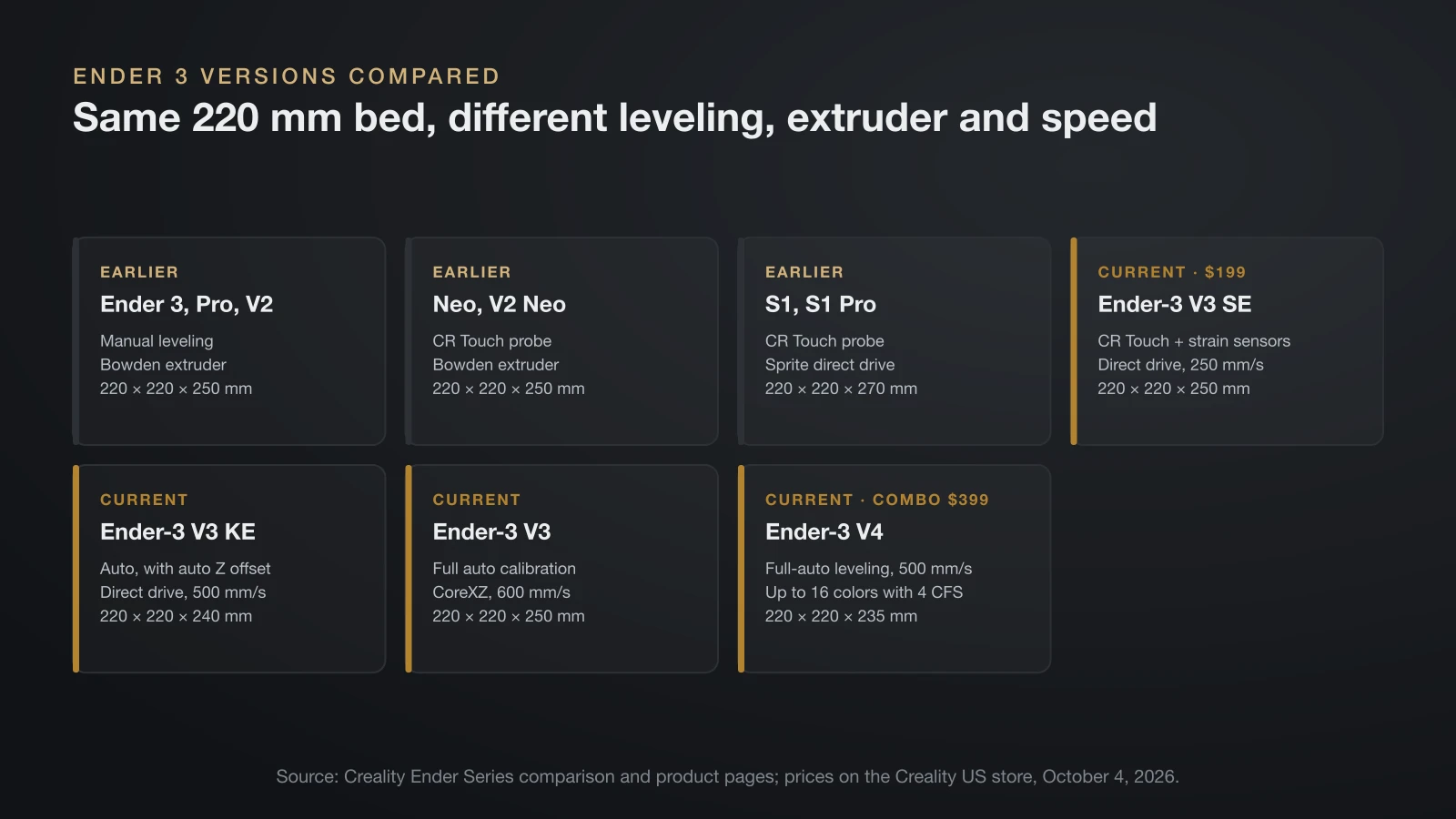
All classic Ender 3 versions print about 220 × 220 mm; what separates them is the extruder, the leveling system and speed. The two tables follow Creality’s own split between earlier generations and current machines.
Earlier Ender 3 generations
| Model | Build volume (mm) | Leveling | Extruder |
|---|---|---|---|
| Ender 3 | 220 × 220 × 250 | Manual | Bowden |
| Ender 3 Pro | 220 × 220 × 250 | Manual | Bowden |
| Ender 3 V2 | 220 × 220 × 250 | Manual | Bowden |
| Ender 3 Neo | 220 × 220 × 250 | CR Touch | Bowden |
| Ender 3 V2 Neo | 220 × 220 × 250 | CR Touch | Bowden |
| Ender 3 S1 | 220 × 220 × 270 | CR Touch | Sprite direct drive |
| Ender 3 S1 Pro | 220 × 220 × 270 | CR Touch | Sprite direct drive, 300 °C hotend |
Creality credits the V2 with an improved interface and quieter electronics. The S1 Pro adds a spring steel PEI (polyetherimide) magnetic build plate.
Current Ender 3 V3 and V4 models
| Model | Build volume (mm) | Max speed | Acceleration | Max nozzle | Motion | Leveling |
|---|---|---|---|---|---|---|
| Ender-3 V3 SE | 220 × 220 × 250 | 250 mm/s | 2,500 mm/s² | 260 °C | Bed slinger (i3) | CR Touch + strain sensors |
| Ender-3 V3 KE | 220 × 220 × 240 | 500 mm/s | 8,000 mm/s² | 300 °C | Bed slinger (i3) | Auto, with auto Z offset |
| Ender-3 V3 | 220 × 220 × 250 | 600 mm/s | 20,000 mm/s² | 300 °C | CoreXZ | Full auto calibration |
| Ender-3 V4 | 220 × 220 × 235 | 500 mm/s | 12,000 mm/s² | 300 °C | Bed slinger (i3) | Full-auto leveling |
All four use a direct drive extruder; the V3 models print on a flexible build plate and the V4 on a PEI plate. The V3 has a hardened steel nozzle tip, and its spec sheet adds PLA-CF and PETG-CF, while the V3 SE lists only PLA, PETG and TPU 95A. The V3 SE stores files on an SD card and runs Marlin; the KE, V3 and V4 run Creality OS (Klipper) with Wi-Fi.
Which Ender 3 models are still sold?
Creality’s Ender Series menu in October 2026 lists the Ender-3 V3 SE, V3 KE, V3 Plus and V4, plus the larger Ender-5 Max. Older models still have product pages, and none is marked discontinued, but most were out of stock on the US store.
| Model | Creality US store, October 4, 2026 |
|---|---|
| Ender-3 V3 SE | In stock, $199 |
| Ender-3 V4 Combo | In stock, $399 |
| Ender-3 V3, V3 KE, V3 Plus | Out of stock |
| Ender 3 Pro, V2, S1 | Out of stock |
The original Ender-3 had no usable US store price on that date. Creality’s store lists up to a 12-month warranty and a 14-day return window on the V3 SE and V4 Combo.
Buying a used Ender 3
A used Ender 3 is easy to repair because parts and documentation are everywhere, but older ones lack the probe and direct drive of current models. Before paying, check the following:
- Model and version: the label on the frame tells you whether you are getting a Bowden original, a Neo with a probe or an S1.
- Bed and frame: a warped bed or a gantry that is not square makes manual leveling a constant fight.
- Firmware: older boards may need a firmware update before a probe upgrade works.
Ender 3 V3 SE: Creality’s entry model
The Ender-3 V3 SE is the cheapest Ender 3 in Creality’s lineup, at $199 on the US store in October 2026. It keeps the classic 220 × 220 × 250 mm volume but changes most of the hardware.
- Auto leveling and Z offset: a CR Touch probe plus strain sensors set the bed mesh and nozzle height, so you skip the paper test on the corners.
- “Sprite” direct drive: Creality says it handles PLA, PETG and flexible TPU.
- Stiffer motion: a dual Z-axis and twin Y-axis linear shafts.
- Speed: up to 250 mm/s and 2,500 mm/s², about a third of the V3 KE’s acceleration.
- Auto load and unload: “Extrude” and “Retract” menu items feed and pull filament.
Its limits are the 260 °C nozzle, SD-card-only file transfer, Marlin firmware instead of Creality OS, and the lowest acceleration of the current models. If you want Wi-Fi, a 300 °C hotend or ABS, the KE, V3 or V4 is the step up.
Ender 3 V3, V3 KE and V4: what changes
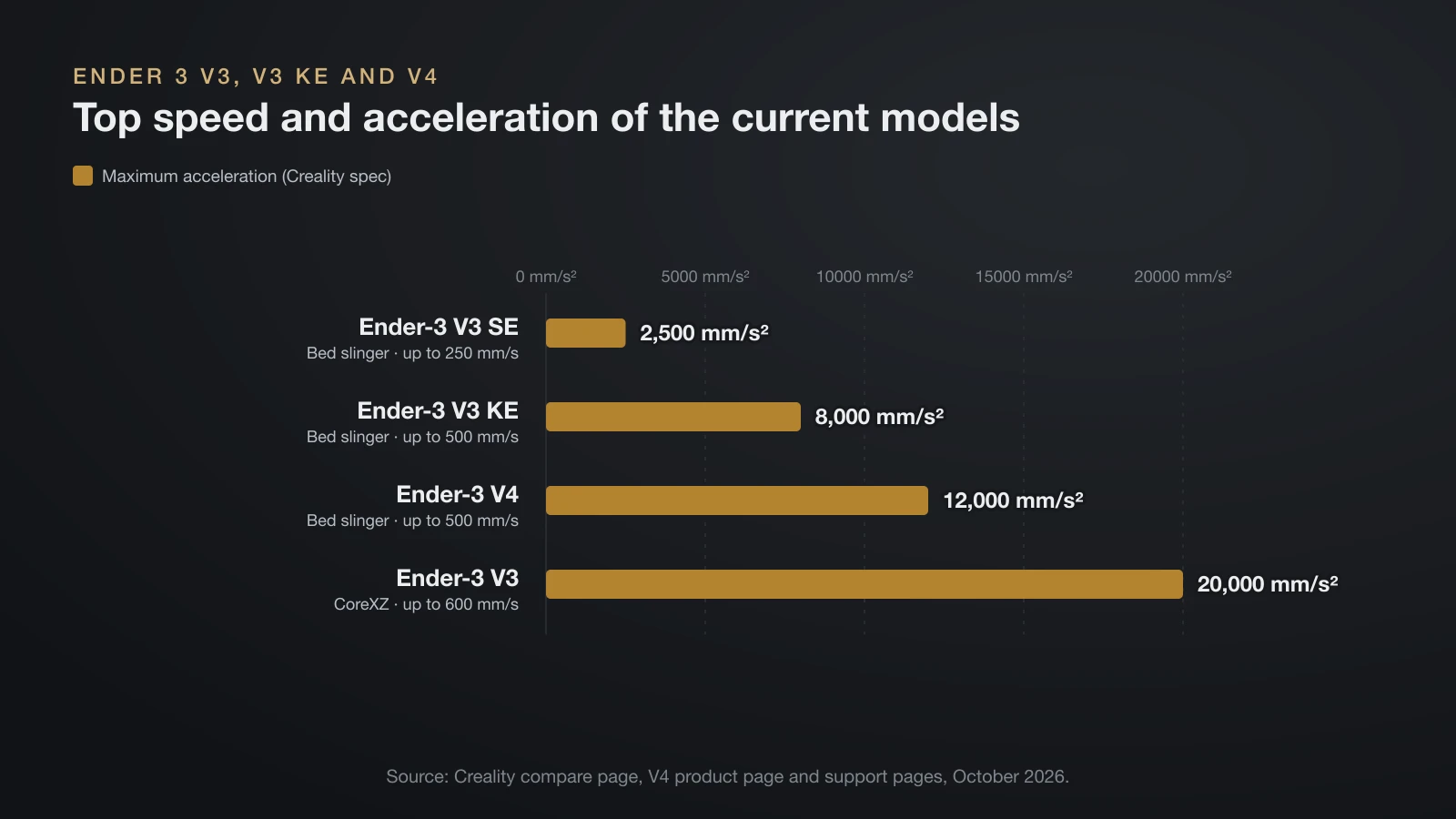
The V3 KE, V3 and V4 move the Ender 3 to Creality OS, Klipper firmware with Wi-Fi, a 300 °C hotend and automatic calibration. They differ mainly in motion system and multicolor support.
- V3 KE: the same bed-slinger layout as the SE, but 500 mm/s, 8,000 mm/s², Wi-Fi and a color touchscreen.
- V3: a CoreXZ gantry, where two motors share the X and Z work, for 600 mm/s and 20,000 mm/s². Creality lists accuracy at ±0.2 mm, against ±0.1 mm for the SE and KE.
- V4: 500 mm/s and 12,000 mm/s² with input shaping, a quick-swap nozzle and a 2.8-inch touchscreen. It connects to up to four CFS (Creality Filament System) units for up to 16 colors.
Creality’s wiki also publishes a guide for using OrcaSlicer with the Ender-3 V3; our OrcaSlicer guide covers setup and calibration tools.
How to level an Ender 3 bed
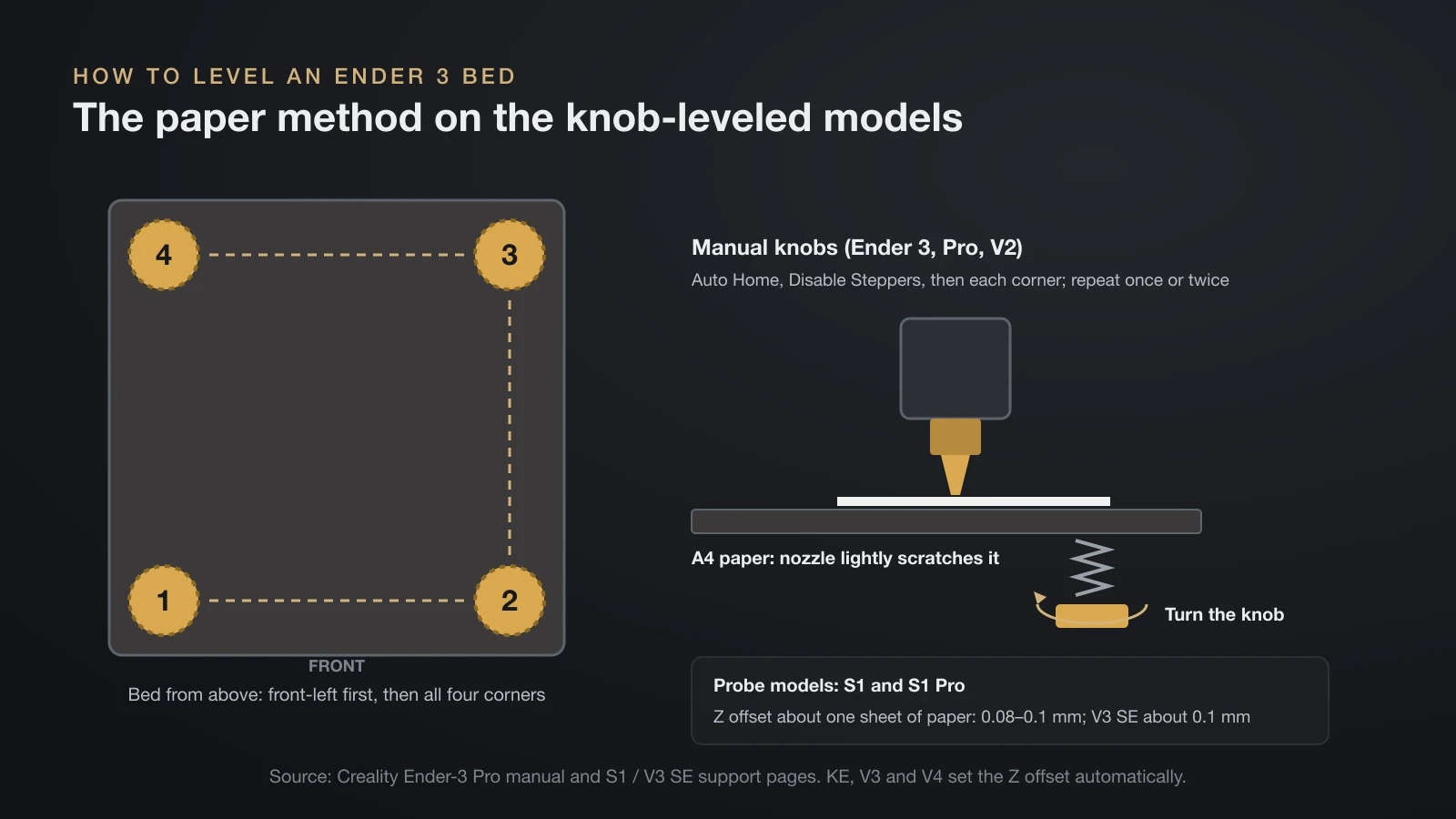
How you level an Ender 3 bed depends on the model: the original, Pro and V2 are leveled by hand with four knobs, while the S1 and newer models probe the bed and you only set the Z offset. For the general theory, see our guide to leveling a 3D printer bed.
Manual knobs: Ender 3, Pro and V2
Creality’s Ender-3 Pro manual uses the paper method:
- Select Prepare > Auto Home and wait for the nozzle to park at the front left.
- Select Prepare > Disable Steppers so you can move the head and bed by hand.
- Move the nozzle over the front-left knob and turn the knob under the bed until the nozzle lightly scratches a sheet of A4 paper.
- Repeat at all four corners.
- Repeat the round once or twice if needed.
CR Touch: S1 and S1 Pro
On the S1, choosing Level homes the printer, probes 16 points and homes again. Then set the Z offset under Prepare > Z-offset until the gap is about one sheet of A4 paper, 0.08–0.1 mm by Creality’s figure. If the bed tilts more than 2 mm, the CR Touch routine fails; level the corners with the knobs first (auxiliary leveling), then probe again.
V3 SE, V3 KE, V3 and V4
On the V3 SE you select Leveling and wait, then adjust Z compensation for a gap of about 0.1 mm if the first layer looks wrong. The KE, V3 and V4 also set the Z offset automatically.
How to change filament on an Ender 3
To change filament on an Ender 3, heat the nozzle, pull the old filament out while it is soft, then push new filament through the extruder until it flows from the nozzle. The exact controls depend on the extruder.
- Heat the nozzle. The S1 Pro manual says 185 °C (365 °F) or higher, so the filament in the nozzle softens.
- Release the extruder. Press and hold the extruder lever or handle.
- Pull the old filament out quickly, which the S1 Pro manual says keeps it from clogging in the heat break.
- Trim the new filament to a 45° point.
- Feed it in. On Bowden models, push 1.75 mm filament through the small hole in the extruder until it comes out of the nozzle. On S1 models, pass it through the filament sensor first.
- Watch for flow. Loading is done when filament flows evenly from the hot nozzle.
On the V3 SE, the Extrude and Retract menu items do the loading and unloading for you.
Common Ender 3 upgrades
The most common Ender 3 upgrades add what the newer models ship with: a bed probe, a flexible build plate and a direct drive extruder. They make most sense on the Bowden originals.
- Auto-level probe: Creality sells a CR Touch kit as a separate accessory. You need firmware built for the probe and a measured probe offset, so check that the kit lists your exact model.
- PEI build plate: Creality says the classic bed measures 235 × 235 mm and sells a smooth PEI plate in that size. Our build plate guide explains which surface suits which filament.
- Direct drive extruder: the biggest change, because the firmware steps, motor direction and retraction all need new values. Our walkthrough of the Ender 3 direct drive conversion lists them.
Is the Ender 3 good for beginners?
The Ender 3 can be good for beginners, but the answer depends on the version, because manual and automatic models ask very different amounts of the owner.
- Setup: the V3 SE arrives partly assembled, with the gantry, screen and spool holder to bolt on, while Creality pitches the V4 as unbox, set up and print in minutes.
- Leveling: the originals need the paper test whenever the first layer drifts; the V3 and V4 models do it themselves.
- Materials: Bowden originals are happiest with PLA and PETG; direct drive models also list TPU.
- Tinkering: the classic models suit owners who enjoy fixing and upgrading.
The bottom line
“Ender 3” covers everything from the manual-leveling original to the Klipper-based V3 and V4. In October 2026, Creality’s US store sold the V3 SE at $199 and the V4 Combo at $399 new, with older models out of stock. The classic models need manual leveling and upgrades; the V3 SE, KE, V3 and V4 probe the bed and set the Z offset themselves.
Sources
- Creality Store (US): Ender Series parameter comparison (September 18, 2026), Ender 3 bed size, and product pages read October 4, 2026 for the V3 SE, V4 Combo, V3, Pro, V2 and S1 (prices, stock, warranty)
- Creality: Ender-3 V4 and S1 Pro product pages, Compare Ender-3 V3 Series, support specs for the V3 SE, V3 KE and V3
- Creality manuals: Ender-3 Pro user guide (manual leveling, filament changes) and Ender-3 S1 quick guide (CR Touch, Z offset, 2 mm tilt limit)
- Creality Wiki: Ender-3 S1 Pro manual, Ender-3 V3 SE manual and OrcaSlicer with the Ender-3 V3