A 3D printer kit is a printer you assemble yourself from boxed parts and a manual, usually for less money than the factory-built version. Prusa’s US store sold the MK4S kit for $709 and the assembled MK4S for $999 in October 2026, so the kit saves $290 in exchange for many hours of careful building.
Kits range from partly assembled printers that take minutes to finish, to complete builds and open-source projects you source part by part. If you just want a working printer quickly, an assembled model or one of the used 3D printers on the market may suit you better.
The short answer
| Question | Answer |
|---|---|
| How much does a kit save? | $290 to $300 on Prusa’s current printers (US store, October 2026) |
| How long does a build take? | About 12 hours for the Prusa CORE One+ kit, by Prusa’s estimate |
| Do you need to solder? | No, on commercial kits such as Prusa’s MK4S |
| Are tools included? | Yes, in Prusa’s kits, down to the wrenches and key sets |
| Is the result different? | No, Prusa says the kit ends up as the same machine as the assembled one |
| Who it suits | People who want to learn how the printer works and repair it themselves |
Types of DIY 3D printer kits
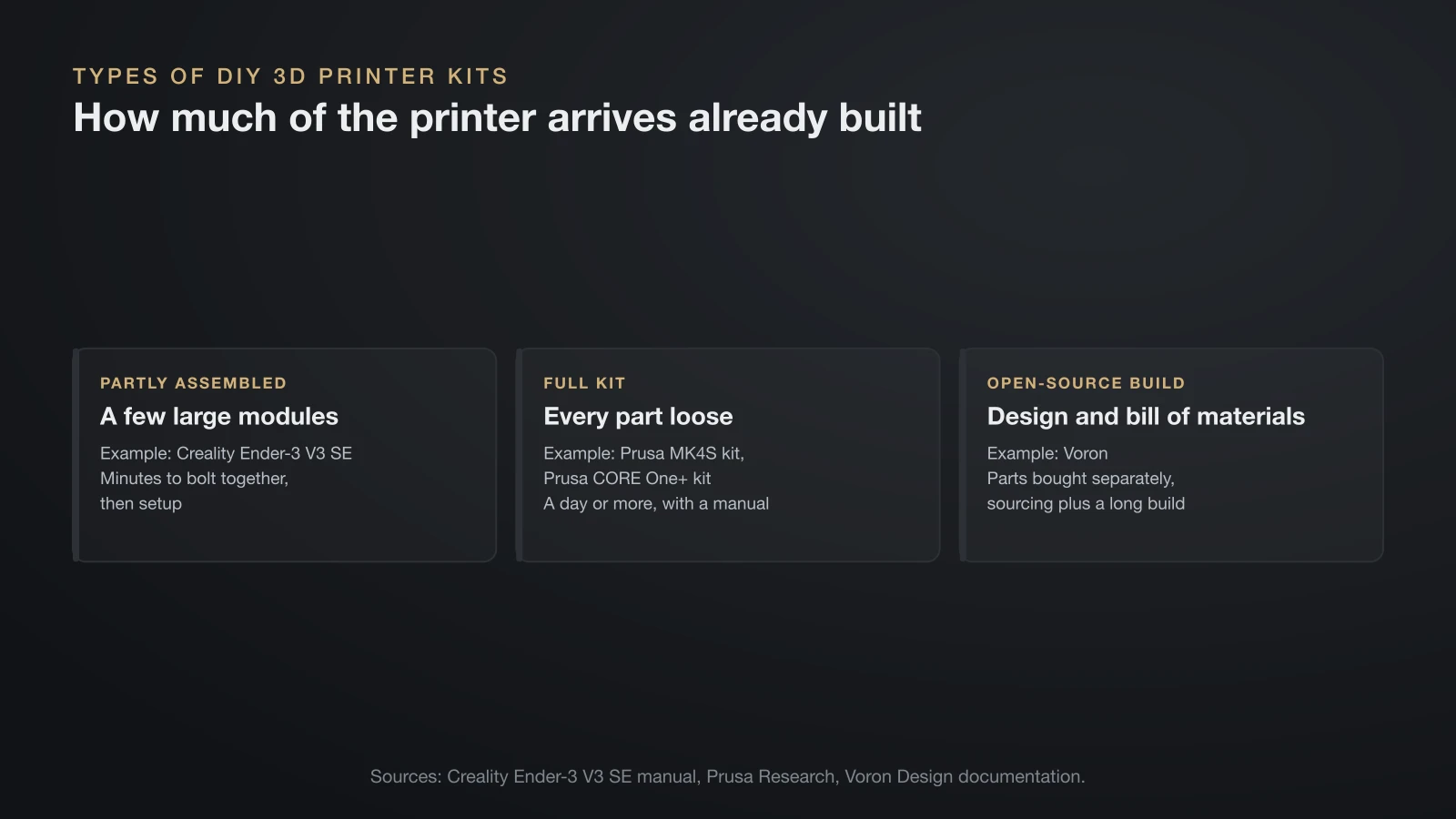
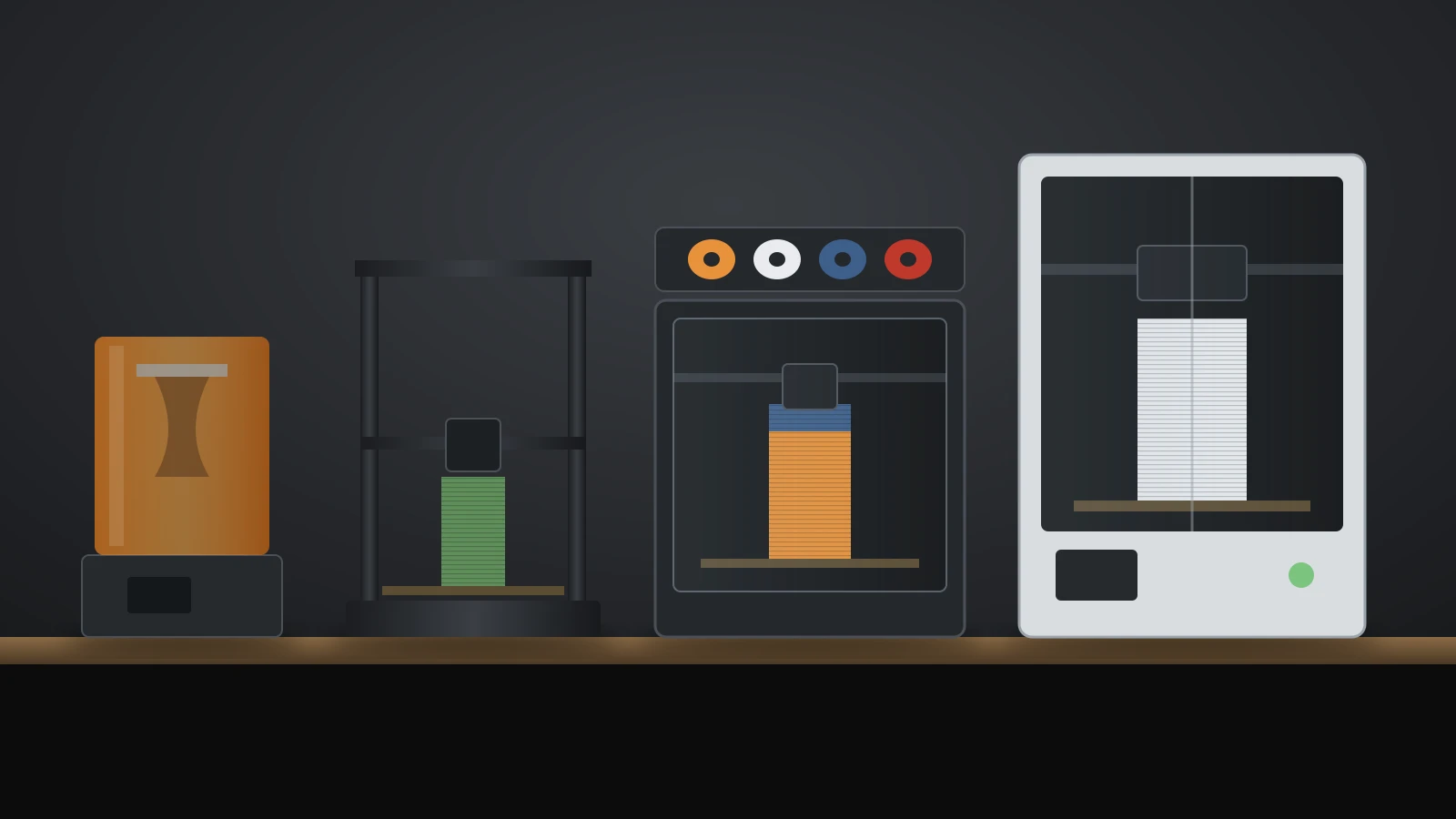
A DIY 3D printer kit comes in one of three forms, and the difference is how much of the printer arrives already built. Pick the type before comparing models, because the time and skill involved differ more between types than between brands.
| Type | What arrives | Example | Typical effort |
|---|---|---|---|
| Partly assembled | A few large modules and some screws | Creality Ender-3 V3 SE | Minutes to bolt together, then setup |
| Full kit | Every part loose, with a step-by-step manual | Prusa MK4S kit, Prusa CORE One+ kit | A day or more |
| Open-source build | A published design and bill of materials; parts bought separately | Voron | Sourcing plus a long build |
Partly assembled printers are sold as normal printers. Creality’s Ender-3 V3 SE manual has you place the gantry frame on the base, fit the screen and filament rack, connect the extruder and motor cables, then run auto leveling. That is a 3D printer kit only in the loosest sense.
Full kits start from loose parts. Prusa has sold its printers as kits since it began, and it says the kits are still its most popular option.
Open-source builds are for people who want to choose every part. Voron Design, a community group of engineers, publishes its printers on GitHub (the Voron 0 repository is licensed under GPL v3) and does not sell kits itself.
3D printer kit vs assembled: what you gain and give up
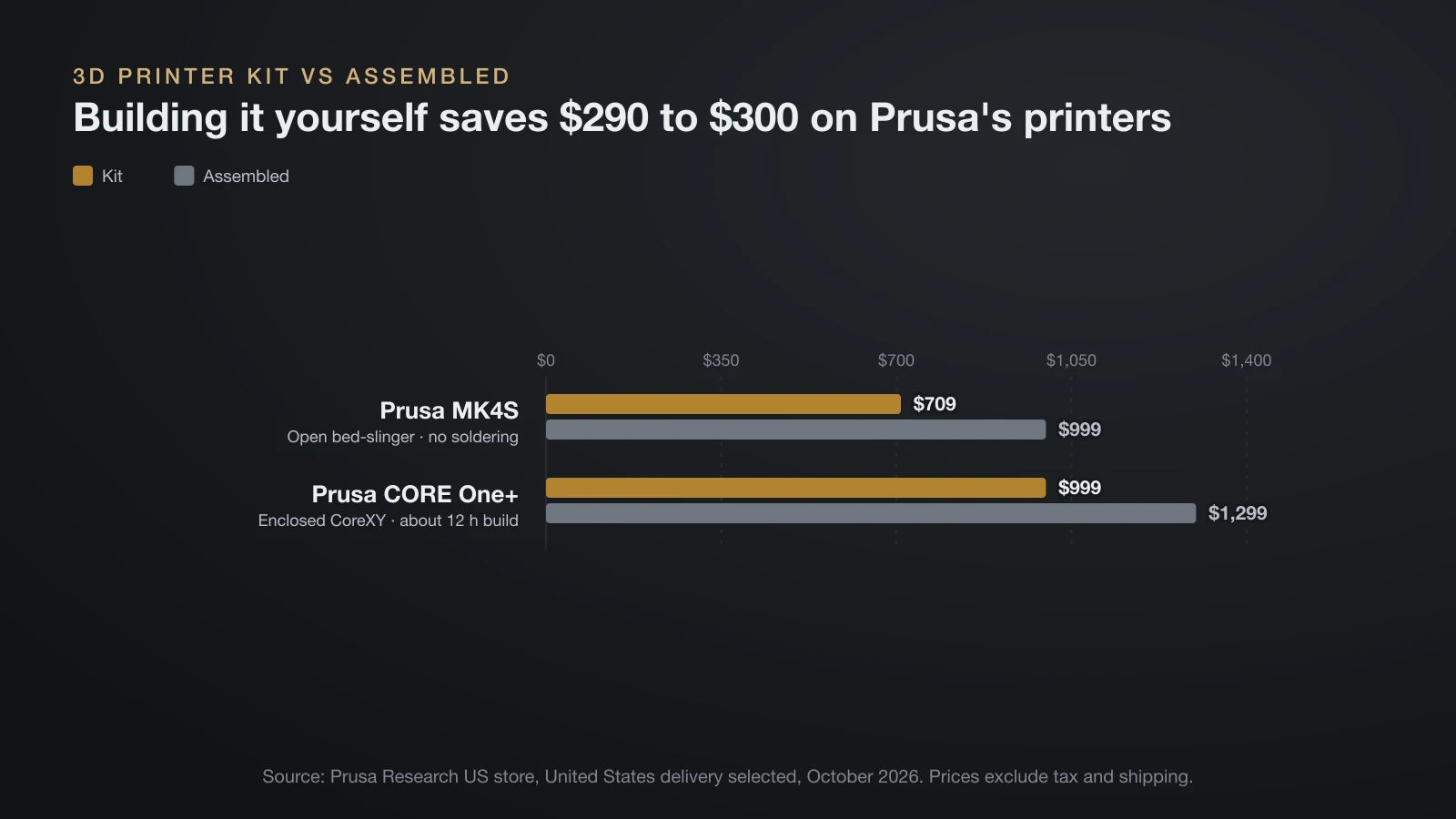
A 3D printer kit trades money for time and knowledge, while an assembled printer trades money for a machine that works out of the box. Prusa’s current lineup makes the comparison easy, because both versions end up as the same printer.
| Kit | Assembled | |
|---|---|---|
| Prusa MK4S price (US, October 2026) | $709 | $999 |
| Prusa CORE One+ price (US, October 2026) | $999 | $1,299 |
| Build time | About 12 hours for the CORE One+ (Prusa estimate) | Unbox and run the setup wizard |
| Tools | Toolset included: wrenches, pliers, Allen and Torx keys | Not needed |
| Filament in the box (CORE One+) | 2 × 25 g Prusament samples | 1 kg Prusament PLA |
| Lubricant | Prusa bearing lubricant included | Parts come pre-lubricated |
| What you learn | Every part, cable and adjustment | The front panel and slicer |
The included filament is easy to miss: the assembled CORE One+ ships with a full 1 kg spool, the kit with two small samples. Budget a spool for your first prints, or see our guide to what a 3D printer costs for the wider price picture.
The real benefit of a kit shows up later. If you built the extruder yourself, replacing a nozzle, clearing a clog or adjusting a belt is far less intimidating.
3D printer kit examples and prices
The kits below come from the makers’ own US stores, with prices read in October 2026. Prices exclude tax and shipping, and discounts change often.
| Kit | Type | Kit price | Assembled price | Notes from the maker |
|---|---|---|---|---|
| Prusa MK4S kit | Full kit, open bed-slinger | $709 | $999 | No soldering; cables cut to length |
| Prusa CORE One+ kit | Full kit, enclosed CoreXY | $999 | $1,299 | About 12 hours of building |
| Creality Ender-3 V3 SE | Partly assembled | $199 ($179 on sale, October 20, 2026) | Only sold this way | Gantry, screen and rack bolt on |
| Voron printers | Open-source build | No official price | Not sold by Voron | Parts from vendors or the sourcing guide |
Prusa’s store sets prices by delivery country even when it shows US dollars, so the Prusa figures here are the prices with United States selected as the delivery country. For the Ender-3 V3 SE and the newer Ender models, our Ender 3 comparison covers the differences.
Voron: building from a bill of materials
Voron printers have no single kit or price. Voron’s documentation says a growing number of suppliers assemble kits, but it does not endorse any of them, and it calls the bill of materials generated by its online configurator the absolute guide to what a build needs. The printed parts are ABS; you print them yourself or get them through Print it Forward, a non-profit community service with vetted providers.
Some commercial printers borrow the design. Sovol says its SV08 was inspired by the Voron 2.4 and that it set up a donation program with the Voron team.
How to build a 3D printer: the steps in Prusa’s manual
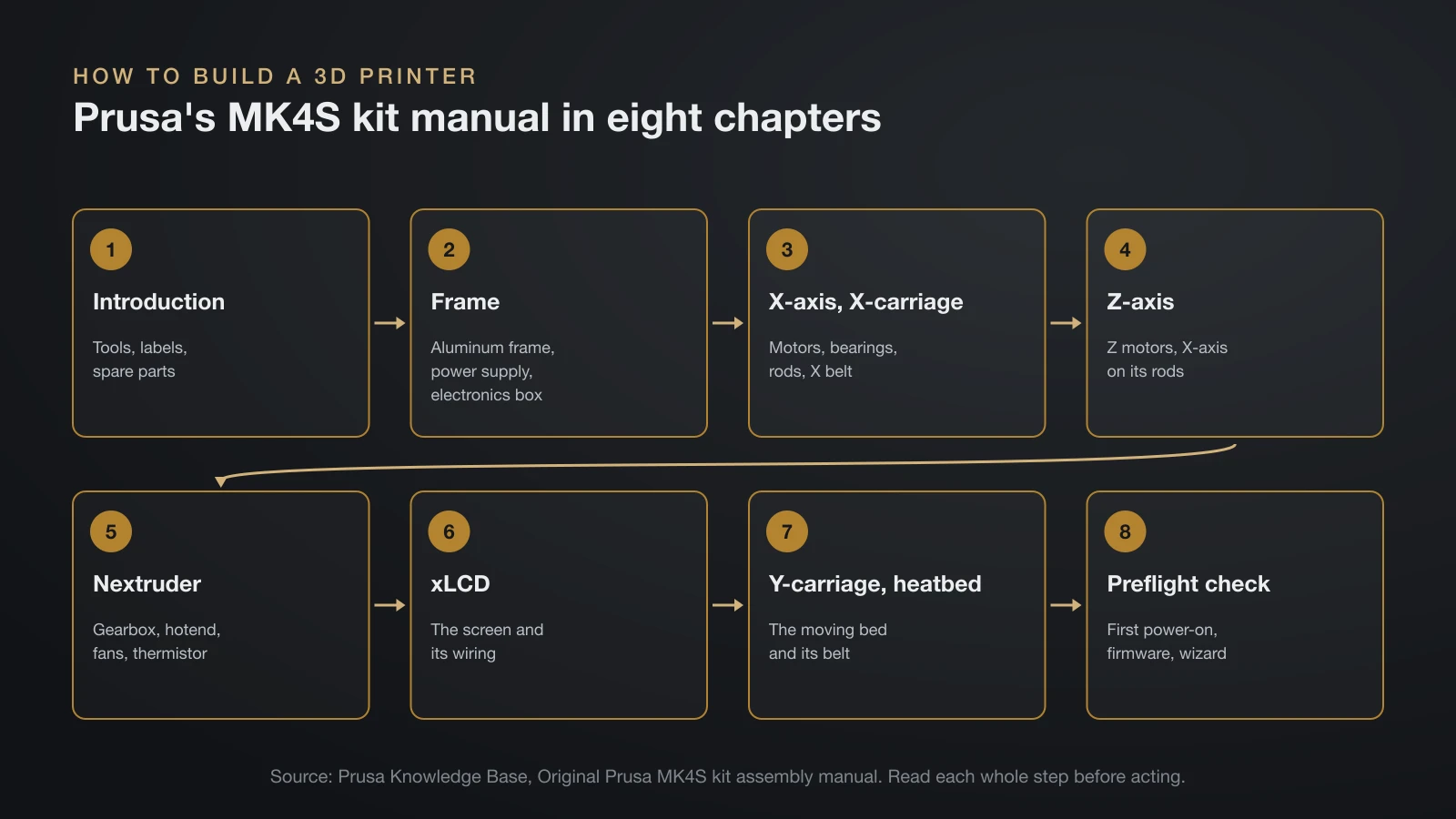
Building a 3D printer from a full kit follows the same order on most designs: frame first, then the axes, the print head, the screen and finally the bed. Prusa’s MK4S kit manual is a good model, with eight chapters:
- Introduction: tools, labels, spare parts and electronics protection.
- Frame assembly: the aluminum frame, power supply and electronics box.
- X-axis and X-carriage: motors, bearings, smooth rods and the X belt.
- Z-axis: Z motors, the X-axis on its rods and the main extruder cable.
- Nextruder: the extruder gearbox, hotend, fans and thermistor.
- xLCD: the screen and its wiring.
- Y-carriage and heatbed: the moving bed and its belt.
- Preflight check: the first power-on, firmware update, self-test wizard and filament loading.
Prusa’s advice for finishing a kit is simple: read every instruction in the current step before acting, don’t follow the pictures alone, check the comments other builders leave under each step, and use reasonable force, because printed parts are tough but not unbreakable.
Tools needed to build a 3D printer kit
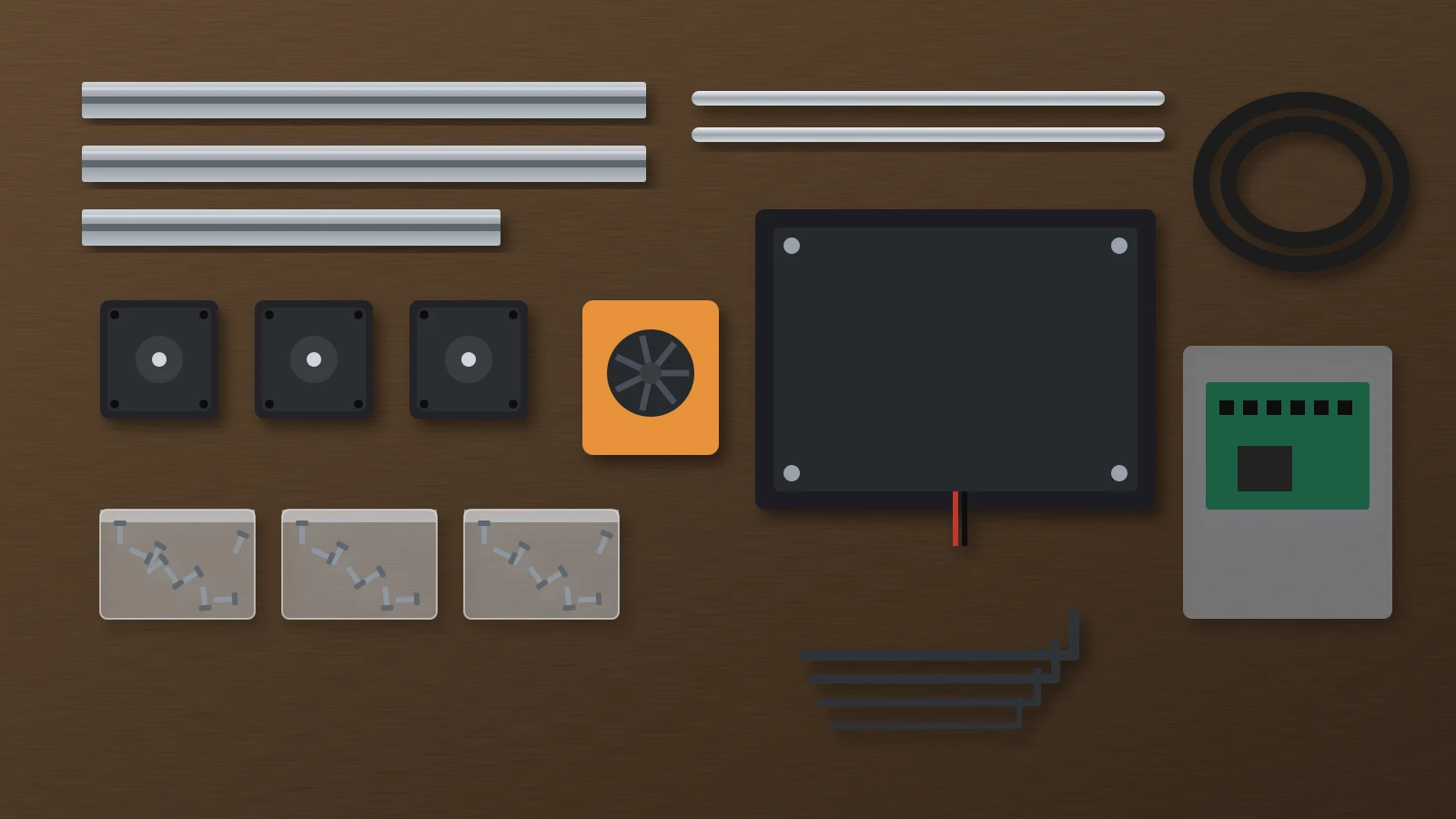
Prusa’s MK4S kit includes every tool the build needs. The tool package holds needle-nose pliers, a Phillips (PH2) screwdriver, a universal wrench, a 13 mm wrench, Allen and Torx key sets and lubricant.
You supply a few household items: scissors for the bearing bag, a dark permanent marker for marking bearings and magnets, and paper towels or a cloth for wiping off excess grease. Prusa also suggests a clear, well-lit, flat workbench and a box for packaging, so small parts don’t get thrown out.
Safety when building a 3D printer
A kit is safe to build when you leave the mains wiring and the firmware’s heater protection as the maker designed them. Commercial kits are designed so you never cut, strip or solder power cables, only plug them in as the manual shows: Prusa states that the MK4S needs no soldering or crimping, because the cables come cut to length and ready to plug in.
- Protect the electronics from static. Prusa tells builders to keep boards in their antistatic bags until the step that installs them, hold boards by the edges and touch a metal object first to discharge yourself.
- Use the supplied power supply and cables. Don’t substitute a cheaper power supply or rewire the mains side.
- Keep thermal runaway protection on. Marlin’s thermal protection shuts the heaters down when a thermistor comes loose or the temperature drifts too far from target. Klipper enables heater verification for every heater by default, with a 20-second heating check for extruders and 60 seconds for heated beds.
- Power on only when the manual says so, after checking every connection, with the printer on a stable surface and nothing loose near the bed or hotend.
On open-source builds, you choose and wire the power supply yourself. Follow the project’s wiring guide exactly, and get mains wiring checked by someone qualified if you are not.
After the build: calibration and your first print
After the last screw, the printer needs the same setup any new printer gets, plus a few extra checks. Prusa ends its manual with a preflight check chapter in which you power the printer on, update the firmware and run the same on-screen setup wizard and self-test an owner of an assembled printer would.
Work through the bed next: level it or let the probe measure it, as our guide on how to level a 3D printer bed explains, then set the first layer.
A self-built printer also deserves the full calibration sequence in our guide on how to calibrate a 3D printer, because belt tension and extruder settings depend on your assembly; a slack belt shows up as a layer shift. For the step-by-step routine from loading filament to removing a finished part, see our guide on how to use a 3D printer.
Choosing a kit or a brand
The right kit depends less on the printer than on the support around it. Before you buy, check four things on the maker’s own site:
- A complete online manual with photos for every step and a way to ask questions.
- Spare parts sold individually, especially hotend parts, belts and fans.
- Open firmware or published sources, so the printer can be repaired and upgraded for years.
- An assembled version of the same model, which shows the kit is a supported product, not a leftover.
Our overview of 3D printer brands compares how open each maker’s ecosystem is, from Prusa’s published firmware and CAD files to closed systems.
3D printed model kits
3D printed model kits are something else: models you print and assemble, not printers you build. Designers publish snap-together vehicles, figures and mechanical toys, either as flat parts on a frame like a plastic model kit or as print-in-place designs with moving joints. Our list of 3D print ideas includes many of them, and the license on each model page says whether you may sell what you print.
The bottom line
A 3D printer kit saves about $300 on Prusa’s current printers and about 12 hours of careful building for the CORE One+, in return for a machine you understand inside out. Partly assembled printers like the Ender-3 V3 SE take minutes to finish, while open-source Voron builds mean sourcing every part yourself. Whichever you choose, use the supplied wiring, keep thermal runaway protection on and calibrate fully before the first real print.
Sources
- Prusa Research store, US prices read October 13, 2026: MK4S kit (no soldering, kits most popular), MK4S, CORE One+ kit (about 12 hours of building, toolset, package contents) and CORE One+
- Prusa Knowledge Base: Original Prusa MK4S kit assembly and its Introduction chapter (chapters, tools, extra items, electronics protection, assembly advice)
- Creality: Ender-3 V3 SE store page (price read October 13, 2026) and Ender-3 V3 SE user manual (assembly steps)
- Voron Design: Sourcing guide (kit vendors, bill of materials, Print it Forward) and Voron 0 on GitHub (GPL v3); Sovol: About Sovol (SV08 and Voron 2.4)
- Firmware documentation: Marlin Configuration (thermal protection) and Klipper Configuration reference (verify_heater defaults)