
A professional 3D printer is a machine built for business use: it runs for long jobs with little supervision, prints engineering materials such as nylon, polycarbonate or carbon fiber blends, and comes with software, service and support. It can be a desktop FDM printer under $3,000 or a powder system sold only by quote.
The line between hobby and professional has blurred. Enclosed dual-nozzle machines such as the Bambu Lab H2D now print engineering plastics on a desk, while factory systems still use technologies no home printer has.
The short answer
| Category | Example systems | Price note (October 2026) |
|---|---|---|
| Prosumer FDM | Bambu Lab H2D, Prusa XL+, UltiMaker S7 | From $1,549 (H2D on sale), $2,299 (XL+ single tool); S7 quote-based |
| Industrial FDM | Stratasys F-series and Fortus 450mc | Quote-based |
| Resin (SLA, MSLA, DLS) | Formlabs Form 4, Carbon M and L series | Form 4 from $2,625; Carbon quote-based |
| Powder (SLS, MJF) | Formlabs Fuse 1+ 30W and Fuse X1, HP Jet Fusion | Fuse from $24,649 and $84,999; HP quote-based |
| Metal | Laser powder bed fusion, binder jetting | Quote-based |
What makes a 3D printer professional?
A professional 3D printer is defined by what it lets a business rely on, not by size or price. The features that separate it from a hobby machine are practical ones:
- Uptime and repeatability: long prints that finish without babysitting. UltiMaker, for example, lists “safe unattended professional use” among the S7’s certifications.
- Material range: engineering plastics such as polycarbonate, nylon, carbon or glass filled blends, and flexible TPU, often from a validated material library. UltiMaker lists more than 280 compatible materials for the S7; Formlabs lists 23 of its own resins for the Form 4.
- Heat management: a closed or heated chamber. The H2D actively heats its chamber to 65 °C (149 °F); our guide to enclosed 3D printers explains why that matters for warping.
- Second material for supports: dual extrusion lets a printer lay down water-soluble support, which the S7 does with a dedicated print core for PVA (polyvinyl alcohol).
- Fleet and file management: software that queues jobs across several printers. UltiMaker’s Digital Factory manages printers and jobs over a local network or the cloud.
- Service and paperwork: paid service plans, filtration claims and safety and electrical certifications (the S7 page lists CE, FCC, RoHS and REACH among others).
Hobby vs professional vs industrial 3D printers
Hobby, professional and industrial 3D printers differ mainly in who runs them, how they are bought and what happens after printing. “Commercial” has no fixed definition; it usually means a printer a business buys, which can fall in either of the last two columns.
| Hobby | Professional (prosumer and benchtop) | Industrial | |
|---|---|---|---|
| Typical buyer | Individuals, makers | Designers, engineering teams, labs, small manufacturers | Factories, service bureaus, aerospace and medical producers |
| How it is sold | Online store, fixed price | Store price or reseller quote | Sales quote, installation and training |
| Who runs it | The owner | Engineers or a shared lab | Trained operators |
| Post-processing | Remove supports | Wash and cure stations, support dissolving, sifting stations | Depowdering, furnaces, machining, inspection |
| Price signal | Under a few hundred to about $1,500 | About $1,500 to tens of thousands of dollars | Quote-based; HP places enterprise systems at $100,000 and up |
The bands above are this guide’s own grouping from the published prices in this article and HP’s cost guide, not an industry standard. Bigger build volume alone does not make a printer professional; our guide to large 3D printers covers size as its own question.
Professional 3D printer categories compared
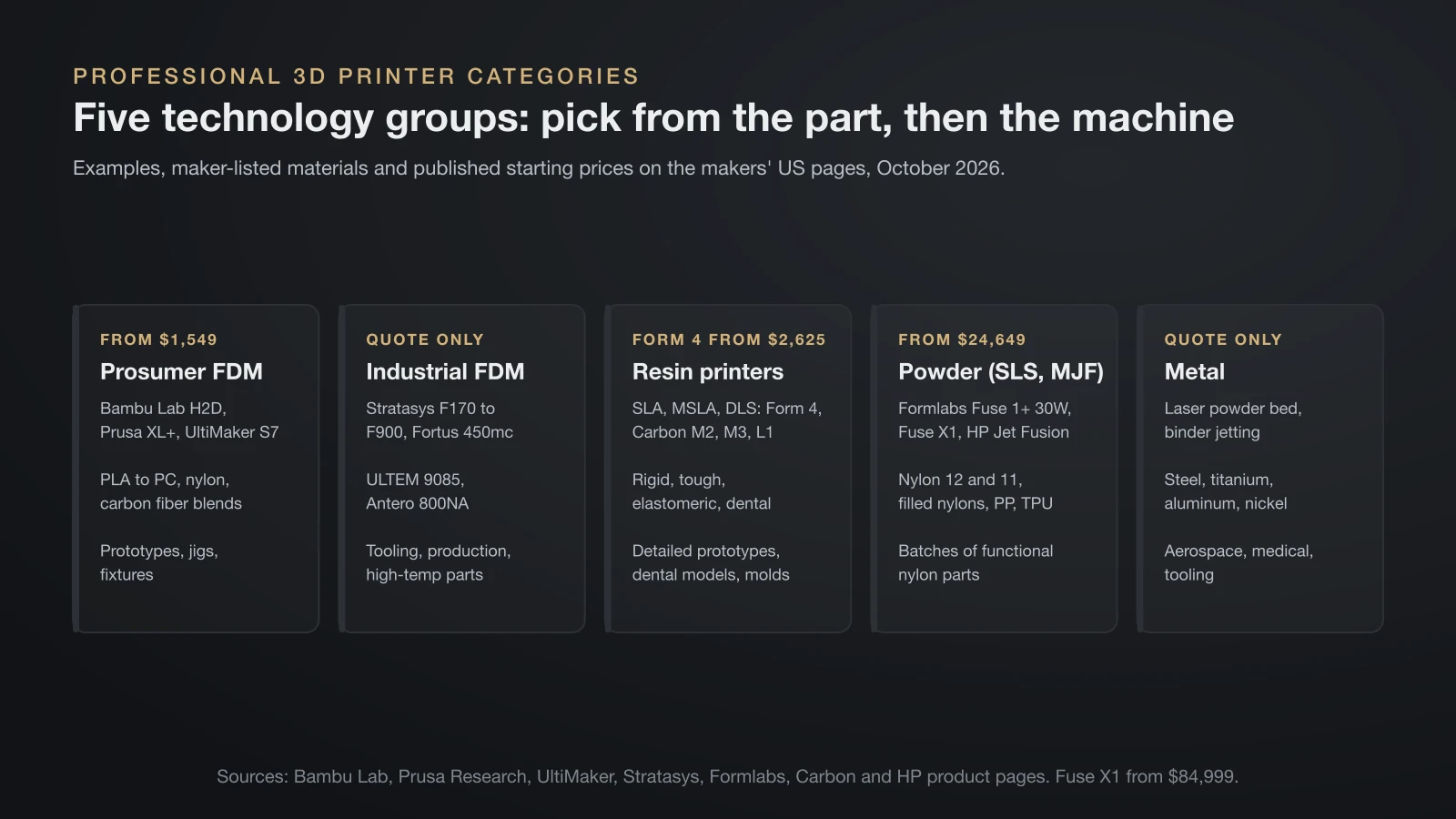
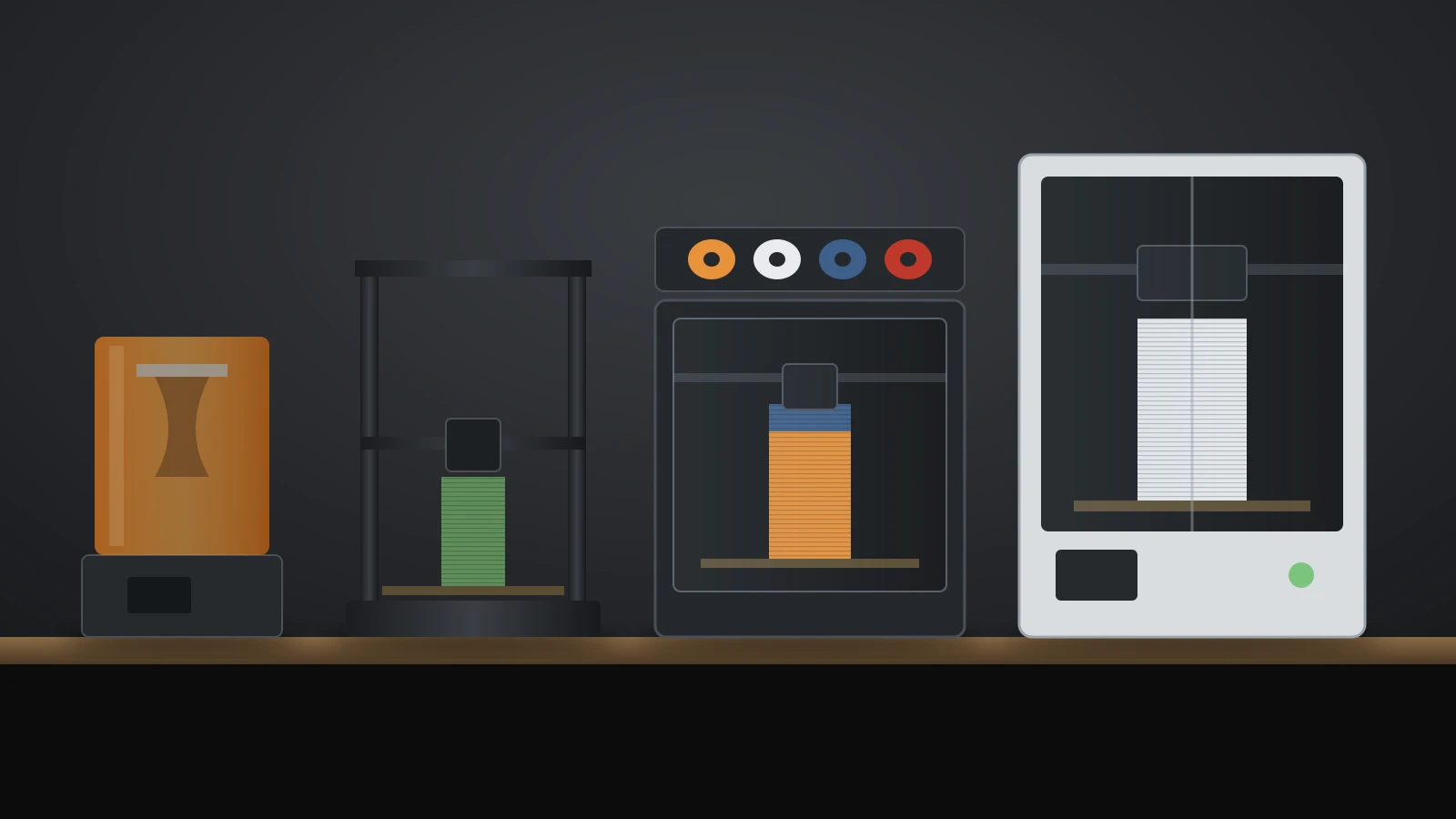
Professional 3D printers fall into five technology groups, and each one suits a different kind of part. Pick the technology from the part first, then compare machines within it.
| Technology | Examples | Typical materials (maker-listed) | Typical jobs |
|---|---|---|---|
| Prosumer FDM (fused deposition modeling) | Bambu Lab H2D, Prusa XL+, UltiMaker S7 | PLA, PETG, ABS, PC, nylon, TPU, carbon fiber blends | Prototypes, jigs, fixtures, enclosures |
| Industrial FDM | Stratasys F170 to F900, Fortus 450mc | ABS-M30, polycarbonate, ULTEM 9085, Antero 800NA, Nylon 12CF | Tooling, production parts, high-temperature parts |
| Resin: SLA, MSLA, DLS | Formlabs Form 4, Carbon M2, M3 and L1 | Rigid, tough, elastomeric and dental resins | Detailed prototypes, dental models, molds, elastomer parts |
| Powder: SLS, MJF | Formlabs Fuse 1+ 30W and Fuse X1, HP Jet Fusion 5200 | Nylon 12, nylon 11, filled nylons, polypropylene, TPU | Batches of functional nylon parts, end-use parts |
| Metal | Laser powder bed fusion, binder jetting, bound metal | Stainless steel, titanium, aluminum, nickel alloys | Aerospace, medical, tooling |
Powder printers are covered in depth in our guide to SLS 3D printing, and metal systems in our guide to metal 3D printing.
Prosumer FDM: the professional desktop
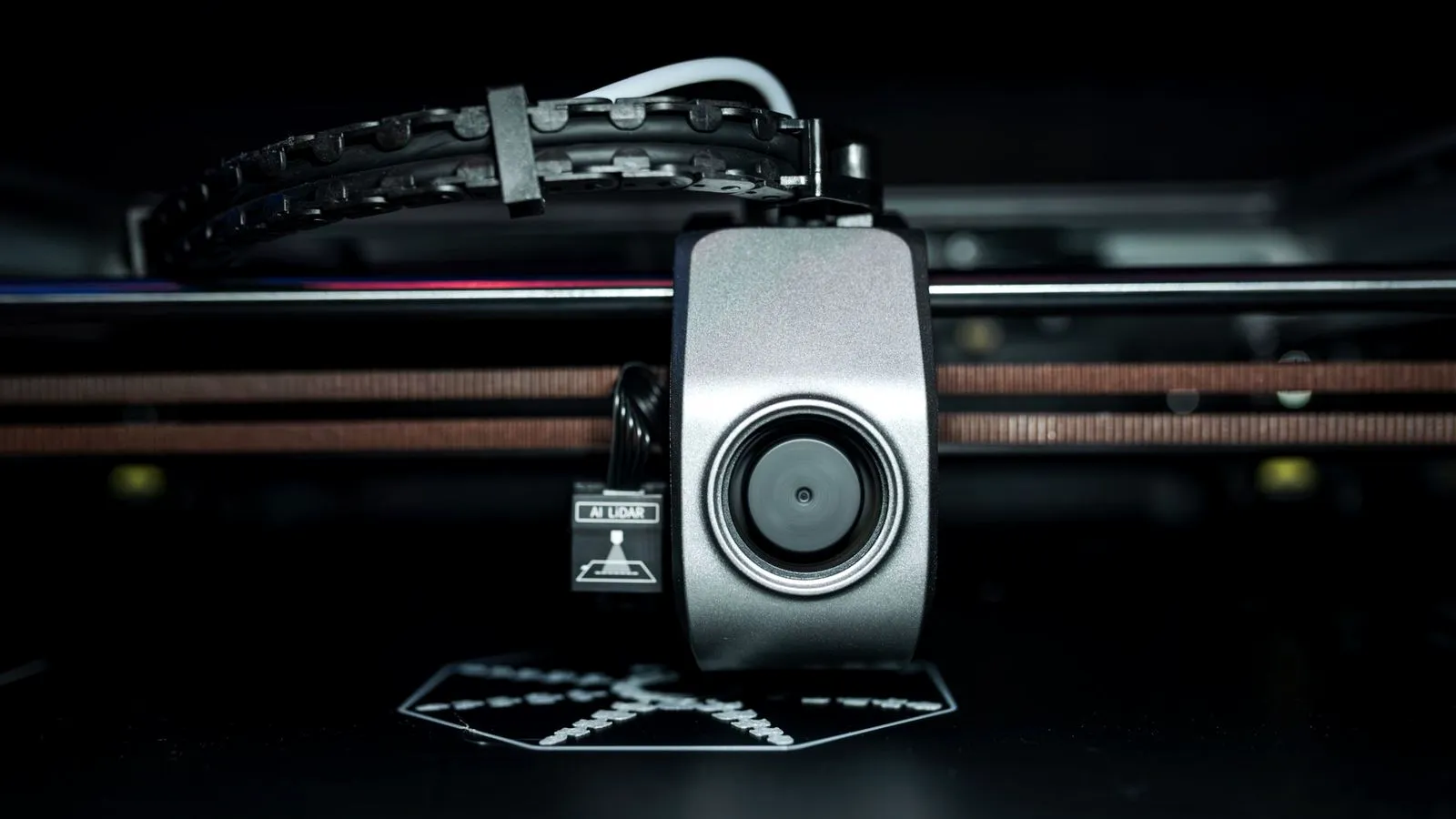
Prosumer FDM printers are where most small businesses start, because they print engineering plastics at a published price and fit on a bench. Three examples show the range:
| Bambu Lab H2D | Prusa XL+ | UltiMaker S7 | |
|---|---|---|---|
| Build volume | 325 × 320 × 325 mm one nozzle | 360 × 360 × 360 mm | 330 × 240 × 300 mm |
| Extrusion | Two nozzles | Up to 5 toolheads | Dual extrusion (Bowden) |
| Chamber | Enclosed, actively heated to 65 °C | Open frame, optional enclosure | Enclosed, passively heated |
| US price | $1,549 (regular $1,749), October 19, 2026 | $2,299 single tool, October 20, 2026 | Request a quote |
Store prices move with sales: on November 4, 2026, Bambu Lab listed the H2D printer alone at $1,399. Bambu Lab rates the H2D nozzle to 350 °C (662 °F), and UltiMaker lists 180–280 °C for the S7. The S7 adds an integrated air manager with a replaceable EPA filter, which UltiMaker says removes up to 95% of ultrafine particles in Fraunhofer WKI testing with UltiMaker materials. It also uses 2.85 mm filament rather than the 1.75 mm common on desktop printers.
Industrial FDM, resin and powder systems
Industrial FDM, professional resin and powder systems are sold more like equipment than products, and most publish no price. What each maker states:
- Stratasys FDM: the F-series line runs from the F170 to the F900 and F3300, plus the Fortus 450mc, with materials such as ULTEM 9085, Antero 800NA and Nylon 12CF. Stratasys sells through quotes and expert consultations.
- Formlabs Form 4: an MSLA (masked stereolithography) printer that Formlabs calls Low Force Display technology, with a 200 × 125 × 210 mm build volume and a Basic Package at $2,625 in October 2026.
- Carbon DLS (Digital Light Synthesis): UV light is projected through an oxygen-permeable window; oxygen keeps a thin “dead zone” of liquid resin from curing onto the window, and parts are then baked so a second, heat-activated chemistry sets their final properties. Carbon offers its M2, M3 and L1 by quote, mostly as subscriptions rather than one-time sales.
- Formlabs Fuse: benchtop SLS from $24,649 (Fuse 1+ 30W) and $84,999 (Fuse X1).
- HP Multi Jet Fusion: Jet Fusion 5200, 5400, 5600 and 4200 series and the MJF 1200, sold through consultations with HP.
Workflow and post-processing by technology
Post-processing decides how much floor space and labor a professional printer really needs, and it differs sharply by technology.
| Technology | After the print | Extra equipment named by makers |
|---|---|---|
| FDM with soluble supports | Dissolve PVA supports in water, remove breakaway supports | UltiMaker PVA Removal Station |
| Resin (SLA, MSLA) | Wash off liquid resin, then post-cure | Formlabs Form Wash and Form Cure |
| Carbon DLS | Wash, then oven bake for dual-cure resins | Carbon Smart Part Washer, oven |
| SLS | Cool, depowder, sieve powder for reuse, blast the surface | Formlabs Fuse Sift (depowder in about 10 minutes) and Fuse Blast |
| MJF | Cool, depowder, reuse surplus powder | HP post-processing equipment, sold as part of a solution |
| Metal | Remove powder, sinter or heat treat, machine | Furnaces and machine tools |
Resin and powder workflows also bring materials handling: resin needs gloves and ventilation, and nylon powder is a combustible dust that Formlabs says to clean with grounded vacuums approved for dust collection.
Total cost of ownership: what to budget for
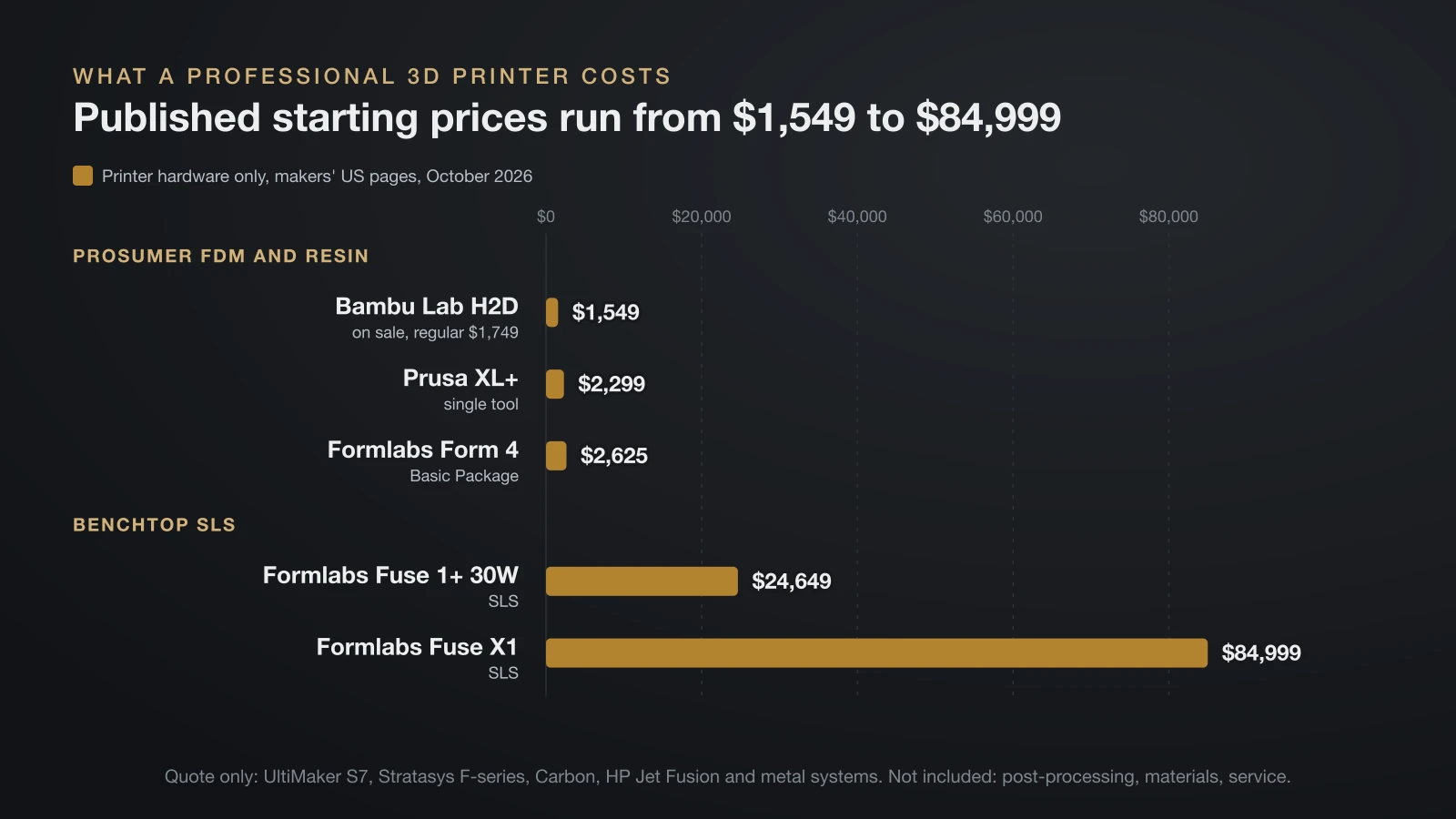
The total cost of a professional 3D printer is the printer plus everything needed to keep it producing usable parts. HP’s guide to industrial printer costs names running, material and maintenance costs on top of the purchase price, and the full budget looks like this:
- Purchase price of the printer, or a financing or pay-per-use model where offered.
- Post-processing equipment: wash and cure units, sifting stations, PVA removal or furnaces.
- Materials: filament, resin or powder, including refresh powder for SLS and failed prints.
- Maintenance and service plans: wear parts such as nozzles, resin tanks and filters, plus optional paid support.
- Operator time: HP notes that industrial printers typically need an operator.
- Facility: space, power, ventilation and, for some powder systems, nitrogen and oxygen monitoring.
Throughput then spreads those costs over parts: a machine that runs full builds every day costs less per part than one that sits idle. Our guide to 3D printing cost shows how to price individual prints once the machine is in place.
Buy a professional 3D printer or outsource to a print service?
Buying makes sense when you print often, need parts within hours or must keep design files in-house; outsourcing makes sense for occasional, very large or metal parts. HP’s cost guide notes that third-party suppliers can lower cost per part at low volumes but add lead time and shipping.
Weigh these factors:
- Volume: a steady weekly need favors owning; a few parts a year favor a service.
- Speed: in-house printers turn a design around the same day; services add quoting and shipping.
- Technology access: a service can run SLS, MJF and metal without your buying any of it.
- Confidentiality: some companies keep files in-house for data security.
- Skills: professional printing still needs someone to prepare files, maintain machines and finish parts.
If you plan to sell printed parts or run printing as a service yourself, our guide to starting a 3D printing business covers pricing and setup.
How professional 3D printers are used
Professional 3D printers are used most for tooling, functional prototypes and short production runs. The makers’ own customer stories give concrete examples:
- Jigs and gauges: Moval, an Italian maker of hot-forged brass parts, prints jigs, fixtures, gauges and TPU gasket covers on an UltiMaker S8. One gauge took 1 hour 49 minutes to print, against 6 hours 34 minutes on its previous printer, and Moval cited data security as one reason for its choice.
- Bearing cages and seals: HP reports that Bowman International moved from SLS to Multi Jet Fusion for prototyping and volume manufacturing of bearing cages and seals, after warping and inconsistent properties with SLS.
- In-house nylon parts: in a Formlabs example, an automotive manifold cost $118.33 and 7–10 days from a service bureau, against $9.02 and 13 hours on a Fuse 1+ 30W, a maker’s comparison that leaves out the printer and labor.
The bottom line
A professional 3D printer is less about price than about reliability, engineering materials, post-processing and support. Prosumer FDM machines with published prices from about $1,500 cover most jigs and prototypes, while resin, SLS, MJF and metal systems fill specific needs at higher, often quote-based, costs. Pick the technology from the part, budget for the whole workflow, and use a print service until your volume justifies owning the machine.
Sources
- Prosumer FDM, read October 2026: Bambu Lab US Store H2D (price, build volume, 350 °C nozzle, 65 °C chamber); Prusa Research Original Prusa XL+ (price, build volume, toolheads, optional enclosure)
- UltiMaker: UltiMaker S7 (build volume, dual extrusion, 280 °C, EPA filter and 95% claim, PVA print core, 280+ materials, Digital Factory, certifications, request a quote) and Moval customer story (jigs, gauges, print times, data security)
- Formlabs: Form 4 (MSLA, build volume, $2,625 Basic Package, 23 materials, Form Wash and Form Cure), Fuse series (prices, Fuse Sift), SLS guide (manifold example) and SLS safety (powder cleaning)
- Industrial makers: Stratasys FDM printer catalog (models, materials, quotes) and Carbon DLS technology (process, dual cure, M2, M3, L1) and printer pricing (quote, subscription)
- HP: Industrial 3D printer costs (price tiers, cost factors, operators, outsourcing), MJF vs SLS (Bowman International case) and Multi Jet Fusion technology (printer series)