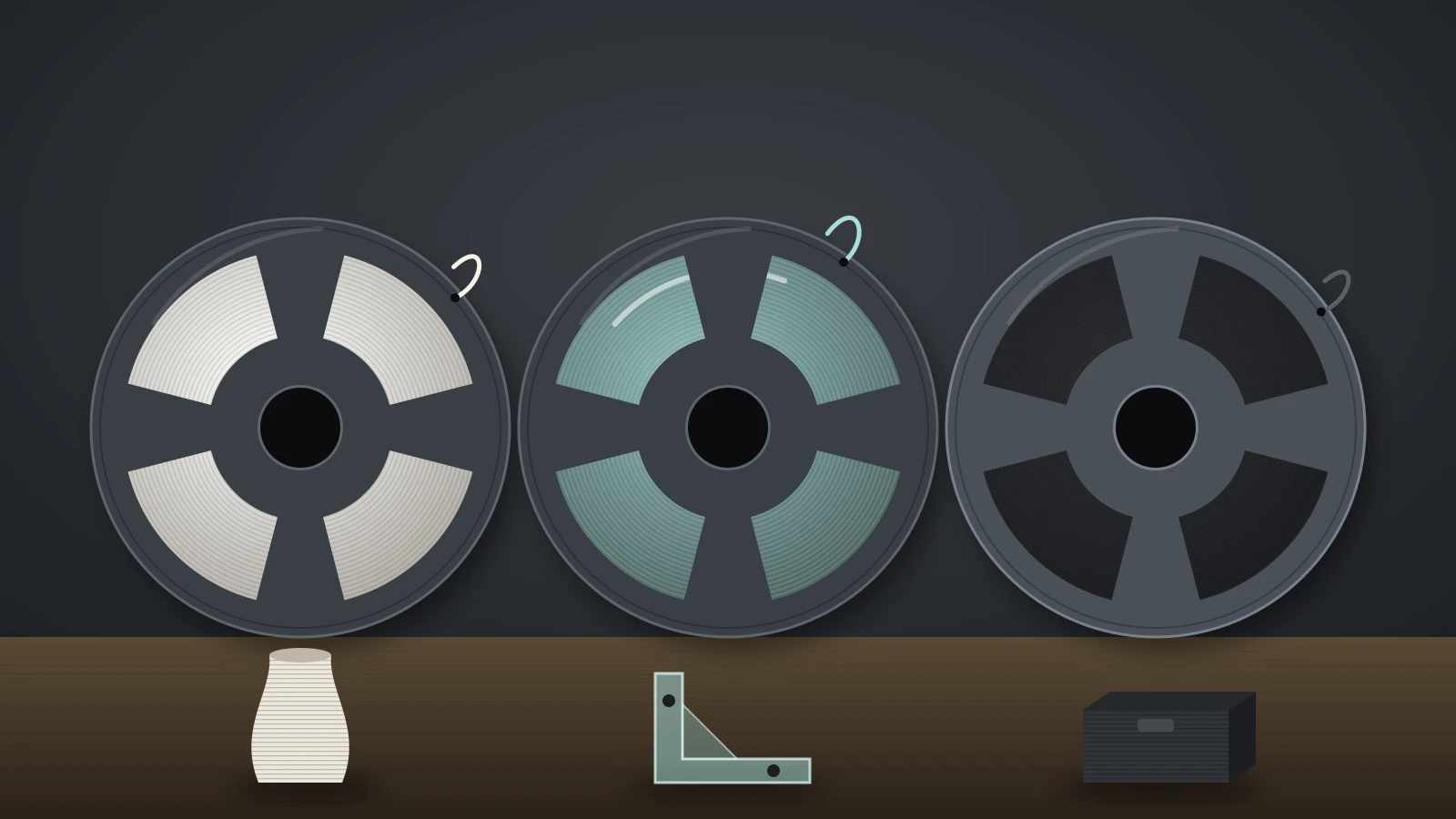
LW-PLA (lightweight PLA) is a foaming PLA filament that expands as it leaves the hot nozzle, filling the same volume with less plastic. Raise the temperature and it foams more, so parts can weigh up to 65% less than regular PLA, per colorFabb. The trade-off is lower strength and detail, which suits RC planes, drones and cosplay.
The name started with colorFabb’s LW-PLA, and other makers now sell their own foaming PLA, including Bambu Lab’s PLA Aero and Polymaker’s PolyLite LW-PLA. They do not all foam the same way, which changes how you print them. For ordinary PLA, see our PLA filament guide.
The short answer
| LW-PLA | |
|---|---|
| What it is | PLA with a foaming agent that expands it in the nozzle |
| Weight saving | Up to 65% vs regular PLA (colorFabb); about half the weight of PLA Basic (Bambu Lab) |
| Nozzle temperature | 195–260 °C (colorFabb); 210–260 °C (Bambu Lab PLA Aero) |
| Foaming starts | Around 230 °C (colorFabb); higher temperature means more foaming |
| Flow | Reduced to about 0.35–0.95 depending on temperature (Bambu Lab) |
| Cooling fan | Low: about 20–30% (Bambu Lab) |
| Speed | Slow: 40–100 mm/s (colorFabb) |
| Strength | Lower than regular PLA, especially across layers |
| Best for | RC aircraft, drones, cosplay props, large light models |
What is LW-PLA?
LW-PLA is PLA mixed with a foaming agent that creates small gas bubbles inside the extruded line. colorFabb describes its active foaming technology as letting the filament expand during printing: at around 230 °C (446 °F) the material starts foaming and can grow to nearly three times its volume. Bambu Lab explains PLA Aero the same way: it foams at high temperature and leaves small holes inside the print.
The filament itself is not light. Bambu Lab lists PLA Aero at 1.21 g/cm³ as filament, close to the 1.24 g/cm³ of its PLA Basic; only the printed part gets lighter. colorFabb gives 1.21–1.43 g/cm³ unfoamed and 0.403–0.476 g/cm³ at maximum foaming.
Active vs passive foaming PLA
Bambu Lab’s wiki splits lightweight PLA into two types, and it matters which one you buy:
| Type | How it foams | Examples (per Bambu Lab) | How to print it |
|---|---|---|---|
| Active foaming | Expands in the nozzle as it heats | colorFabb LW-PLA, eSUN eLW-PLA, Bambu Lab PLA Aero | Lower flow (around 0.5), temperature sets the density, avoid travel moves |
| Passive foaming | Expanded at the factory | Polymaker PolyLite LW-PLA | Near-normal flow, less sensitive to temperature, some travel is fine |
Passive foaming PLA is lighter than classic PLA but not as light as active foaming PLA printed hot, according to Bambu Lab. Polymaker gives a printed density of 0.9 g/cm³ for PolyLite LW-PLA and a normal PLA temperature range of 190–210 °C. Active foaming LW-PLA is the type that needs special settings.
How LW-PLA foaming works: temperature vs density
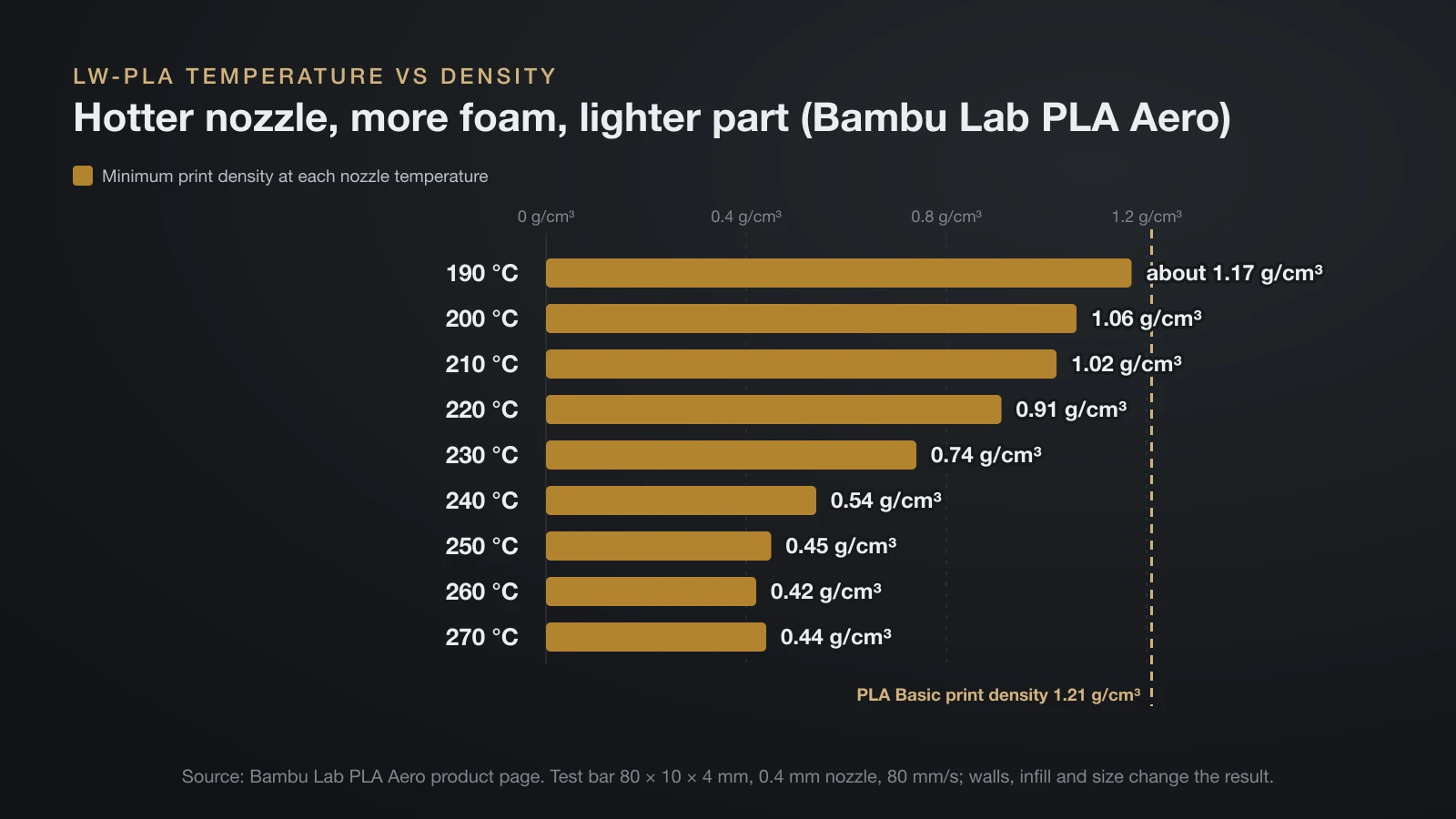
LW-PLA foams more the hotter you print it, so print temperature is the main control for part weight. Bambu Lab published the relationship for PLA Aero, measured on an 80 × 10 × 4 mm test bar printed with a 0.4 mm nozzle at 80 mm/s:
| Nozzle temperature | Minimum flow ratio | Maximum expansion (volume) | Minimum print density |
|---|---|---|---|
| 190 °C | About 0.95 | About 100% (no foaming) | About 1.17 g/cm³ |
| 200 °C | 0.89 | 110% | 1.06 g/cm³ |
| 210 °C | 0.85 | 115% | 1.02 g/cm³ |
| 220 °C | 0.76 | 129% | 0.91 g/cm³ |
| 230 °C | 0.62 | 158% | 0.74 g/cm³ |
| 240 °C | 0.45 | 217% | 0.54 g/cm³ |
| 250 °C | 0.38 | 258% | 0.45 g/cm³ |
| 260 °C | 0.35 | 280% | 0.42 g/cm³ |
| 270 °C | 0.37 | 265% | 0.44 g/cm³ |
Expansion peaks around 260 °C in this test and falls slightly at 270 °C, so hotter is not always lighter. Bambu Lab adds that the final density also changes with print speed, model size, wall loops and infill: more walls and denser infill make the part heavier, while larger models come out less dense.
Color changes with foaming too. colorFabb notes that its LW-PLA turns lighter in color when fully foamed and looks deeper and richer when unfoamed.
LW-PLA print settings
LW-PLA prints hot, slow and with reduced flow, and the right flow depends on the temperature you pick. These are the makers’ published starting points:
| Setting | colorFabb LW-PLA | Bambu Lab PLA Aero | Polymaker PolyLite LW-PLA (pre-foamed) |
|---|---|---|---|
| Nozzle temperature | 195–260 °C | 210–260 °C (245 °C default in the RC guide) | 190–210 °C |
| Bed temperature | 50–60 °C, heated bed optional | 35–45 °C | 25–60 °C |
| Flow ratio | About a third of normal at full foaming | 0.5–0.8; about 0.6 at 245 °C | Normal |
| Print speed | 40–100 mm/s | Below 180 mm/s; about 50 mm/s for RC parts | 50–100 mm/s |
| Part cooling fan | 0–50% (colorFabb tutorial) | About 20–30% | On |
| Retraction | 1–2 mm direct drive, 3–6 mm Bowden (colorFabb tutorial) | Reduced or off for RC parts | 3–6 mm at 40–60 mm/s |
| Drying | Not stated | 55 °C for 8 h | 55 °C for 6 h |
Flow is the setting that trips people up. If you print an active foaming filament hot at 100% flow, the expanding plastic overfills every line, giving the bulging walls and blobs described in our guide to 3D printing over-extrusion. colorFabb says one spool of LW-PLA can print as much as three spools of regular PLA, because the material multiplier drops to about a third.
Two Bambu Lab tips help the first layers: set the first layer about 10 °C hotter than the rest, and skip the automatic flow dynamics calibration on its printers, because foaming PLA responds so differently that the calibration line strings and oozes. Bambu Lab also rates PLA Aero as very sensitive to humidity, so dry it before use.
For how foaming PLA compares with ordinary PLA temperatures, see our PLA temperature guide.
Stringing, oozing and retraction with LW-PLA
LW-PLA oozes on travel moves, and colorFabb says this is normal and can’t be eliminated completely. The foaming agent keeps pushing plastic out of the nozzle after extrusion stops, so retraction helps less than it does with regular PLA.
The fix is mostly in the model and slicer, not the retraction setting:
- Avoid travel moves. Bambu Lab’s RC guide says to check the sliced preview for travel lines across the model before printing.
- Use closed single loops. RC designs are drawn so each layer prints as one continuous path that starts and ends at the same point.
- Use spiral vase mode where the model allows it, which removes the start and stop point on each layer.
- Reduce or disable retraction and Z hop on non-spiral RC prints, as Bambu Lab’s profile does.
- Lower the temperature slightly if stringing persists, which colorFabb suggests alongside retraction tuning.
Printing RC planes with LW-PLA
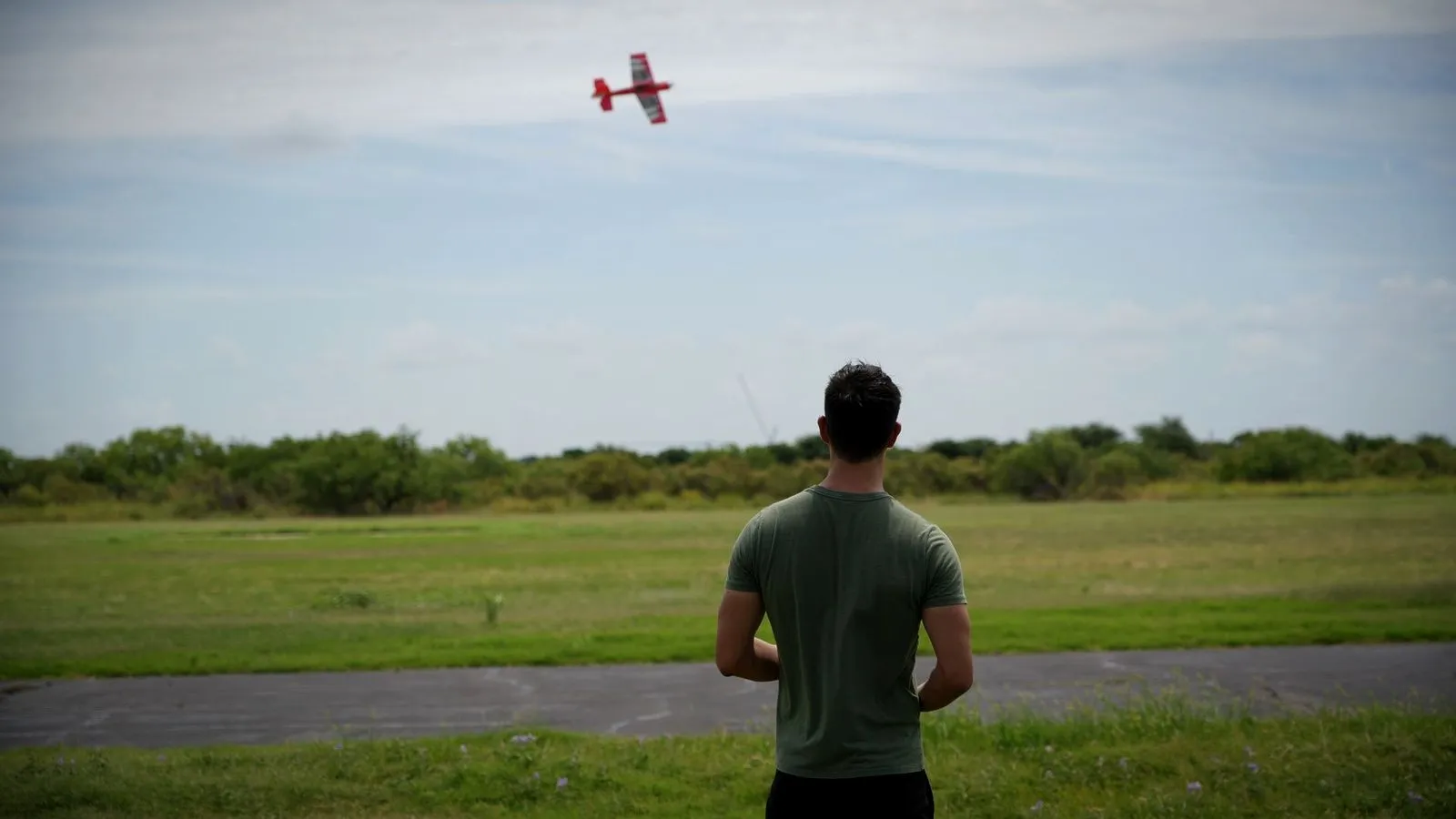
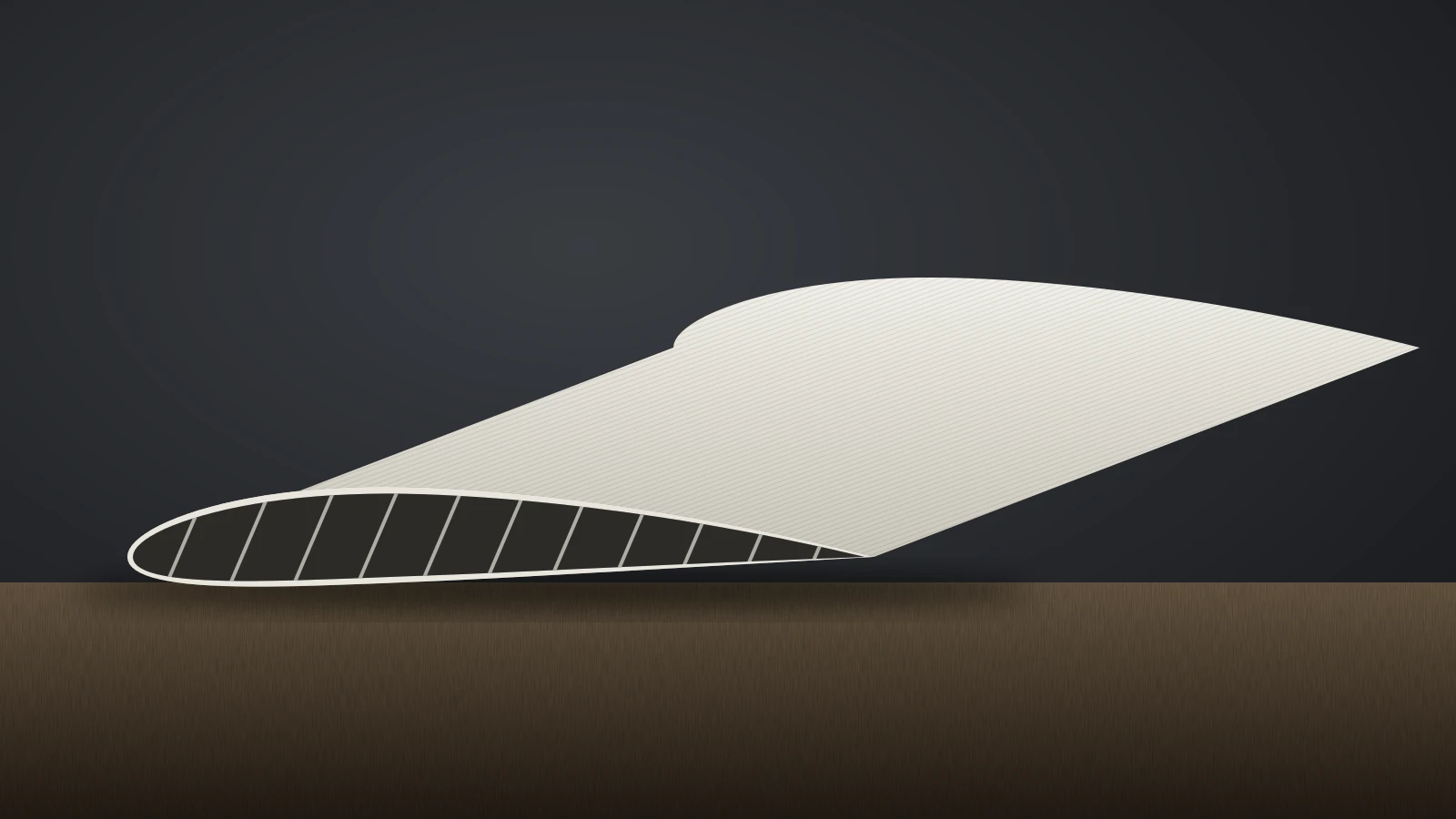
LW-PLA is the standard filament for printed RC airframes because a lighter structure flies better and needs less nose weight. Bambu Lab says foaming PLA lets RC models avoid heavy nose or tail weight, which means less adjustment to the center of gravity. Our guide to a 3D printed drone covers what else to print for flying models and which parts to buy.
Bambu Lab’s slicer settings for RC models in spiral vase mode:
- Wall loops: 1 (2 on the P2S profile)
- Top and bottom shell layers: 0
- Sparse infill: 0%
- Speed: all speeds equal, slowdown for overhangs off, reduced acceleration
- Slicing mode: even-odd, with slice gap closing radius set to 0
- Line width: above 0.4 mm, which Bambu Lab says dramatically increases strength
- Layer height: 0.15–0.25 mm, lower for better layer adhesion
Many RC models are designed by their authors for specific settings, so follow the designer’s instructions first. Bambu Lab notes that some older RC designs were not made for this mode and may print better in normal PLA.
How strong is LW-PLA?
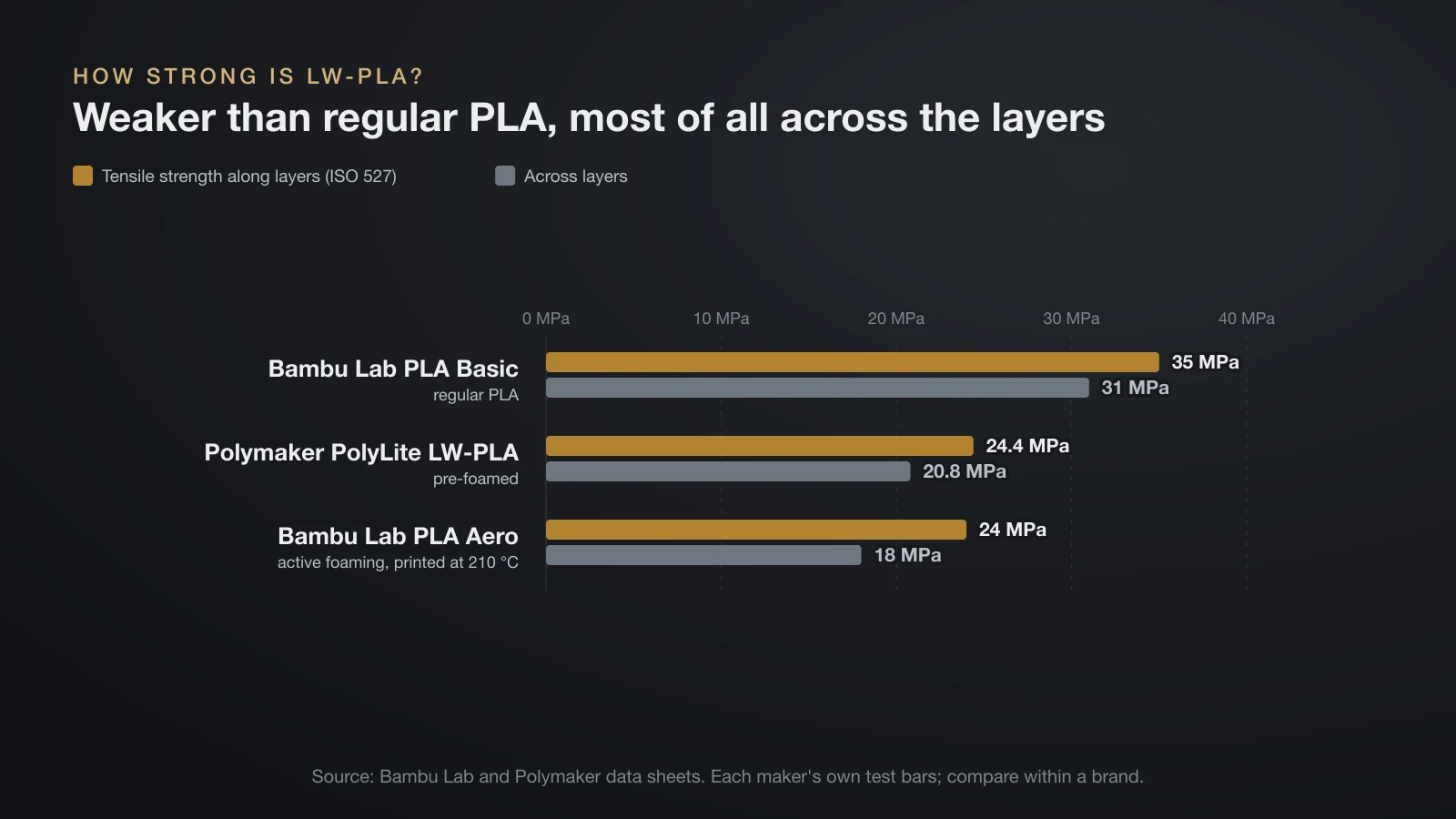
LW-PLA is weaker and more flexible than regular PLA, and the loss is largest across the layers. Bambu Lab’s wiki says that, because of its light weight, it may not be as durable as other materials, so the part’s loads need thought.
The data sheets show the size of the trade-off. All values below come from each maker’s own test bars (ISO 527 for tensile, ISO 179 for impact):
| Property | Bambu Lab PLA Aero | Bambu Lab PLA Basic | Polymaker PolyLite LW-PLA |
|---|---|---|---|
| Tensile strength along layers | 24 MPa | 35 MPa | 24.4 MPa |
| Tensile strength across layers | 18 MPa | 31 MPa | 20.8 MPa |
| Stiffness (Young’s modulus, along layers) | 1,350 MPa | 2,580 MPa | 1,689 MPa |
| Impact strength across layers (unnotched) | 3.1 kJ/m² | 13.8 kJ/m² | Not stated |
| Heat deflection, 0.45 MPa (ISO 75) | 53 °C | 57 °C | 54 °C |
| Density | 1.21 g/cm³ filament | 1.24 g/cm³ | 0.9 g/cm³ printed |
Bambu Lab printed its PLA Aero test bars at 210 °C, near the bottom of the foaming range, so parts printed hotter and lighter will likely be weaker still. Bambu Lab does call PLA Aero tougher and more impact resistant than pre-foamed wood PLA. For load-bearing parts, choose a different material; our guide to the strongest filament compares the options.
LW-PLA vs regular PLA
LW-PLA beats regular PLA on weight and finish, and loses on strength, detail and ease of printing. Bambu Lab’s comparison of PLA Aero and PLA Basic makes the differences concrete:
| PLA Aero (LW-PLA) | PLA Basic | |
|---|---|---|
| Print temperature | 220–260 °C | 190–230 °C |
| Print speed | Below 180 mm/s | Below 300 mm/s |
| Flow ratio | 0.5–0.8 | 0.96–1 |
| Print density | 0.55–1.05 g/cm³ | 1.21 g/cm³ |
| Surface | Matte, easy to paint | Standard |
Regular PLA is still the better default for most prints. Pick LW-PLA when weight is the main design constraint.
What to make with LW-PLA
LW-PLA is best for large parts where weight is a problem and loads are modest. colorFabb and Bambu Lab point to the same uses:
- RC planes and gliders, the main reason the material exists.
- Drones and drone replacement parts, where every gram counts.
- Cosplay props and wearable pieces, which get lighter and more comfortable to carry. Our guide to 3D printed cosplay covers materials and finishing for costumes.
- Large display and architectural models, which are easier to move and mount.
Finishing is a strength. colorFabb says LW-PLA is easy to cut, trim and sand, takes paint well and hides layer lines, and Bambu Lab says PLA Aero’s matte surface gives better dyeing results than PLA Basic. Sand gently, since Bambu Lab warns that sanding and painting need care to avoid damaging lightweight parts.
The bottom line
LW-PLA is PLA that foams in the nozzle, so it prints the same shape with far less plastic. Control the weight with temperature and flow, keep fan speed low, avoid travel moves, and expect oozing and lower strength in return. It is the right filament for RC aircraft, drones and large props, and the wrong one for brackets and other parts that carry load.
Sources
- colorFabb: LW-PLA product page (foaming at about 230 °C, nearly 3 times the volume, up to 65% lighter, densities, 195–260 °C, oozing, color change) and How to print with colorFabb LW-PLA (retraction, fan, printer requirements)
- Bambu Lab: PLA Aero product page (temperature vs density table, comparison with PLA Basic), PLA Aero technical data sheet V4.0 and PLA Basic technical data sheet V3.0
- Bambu Lab Wiki: Bambu Studio settings for RC models (active vs passive foaming, flow, fan, spiral vase settings)
- Polymaker: PolyLite LW-PLA technical data sheet (density, mechanical and thermal values, print settings)