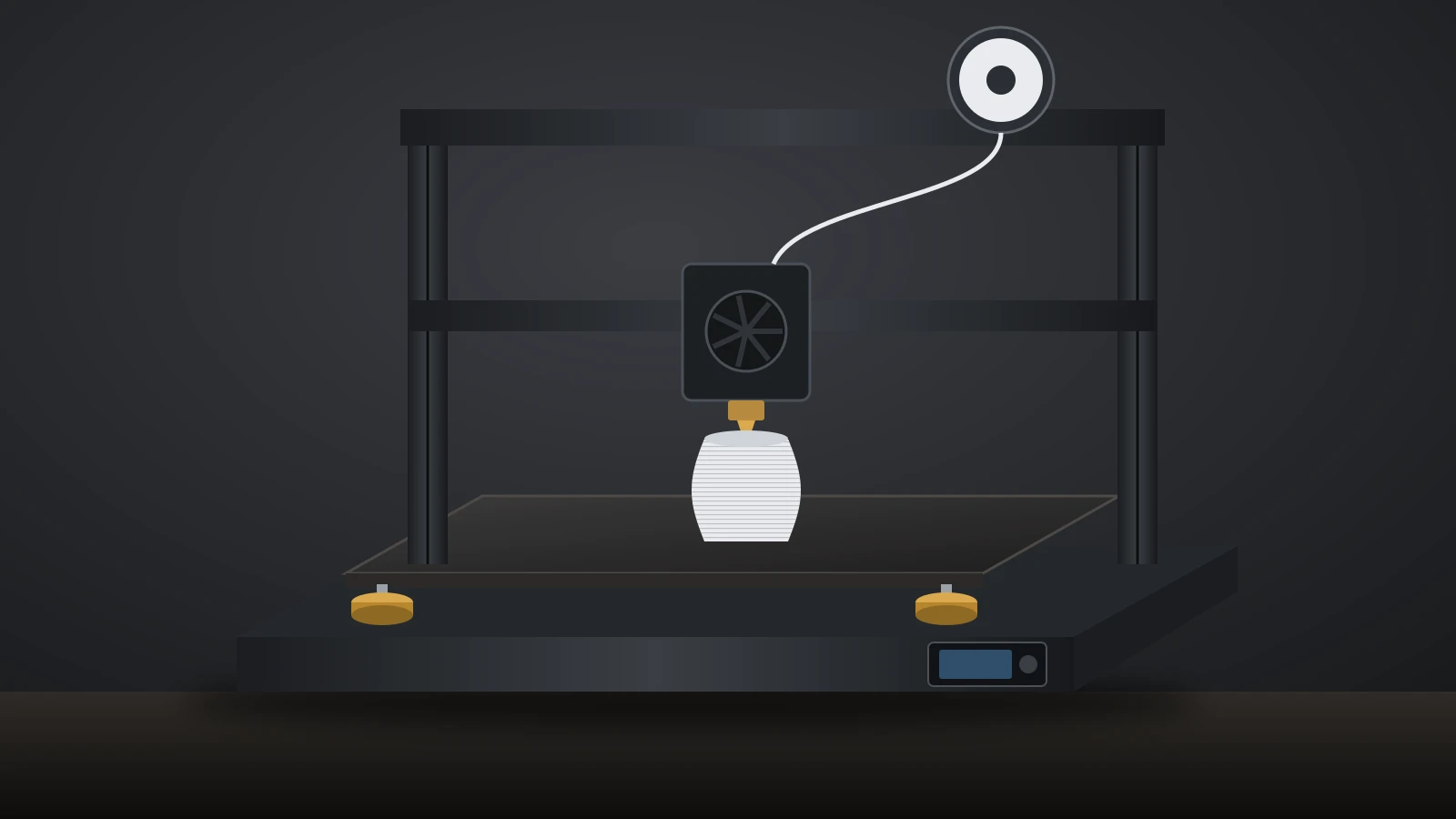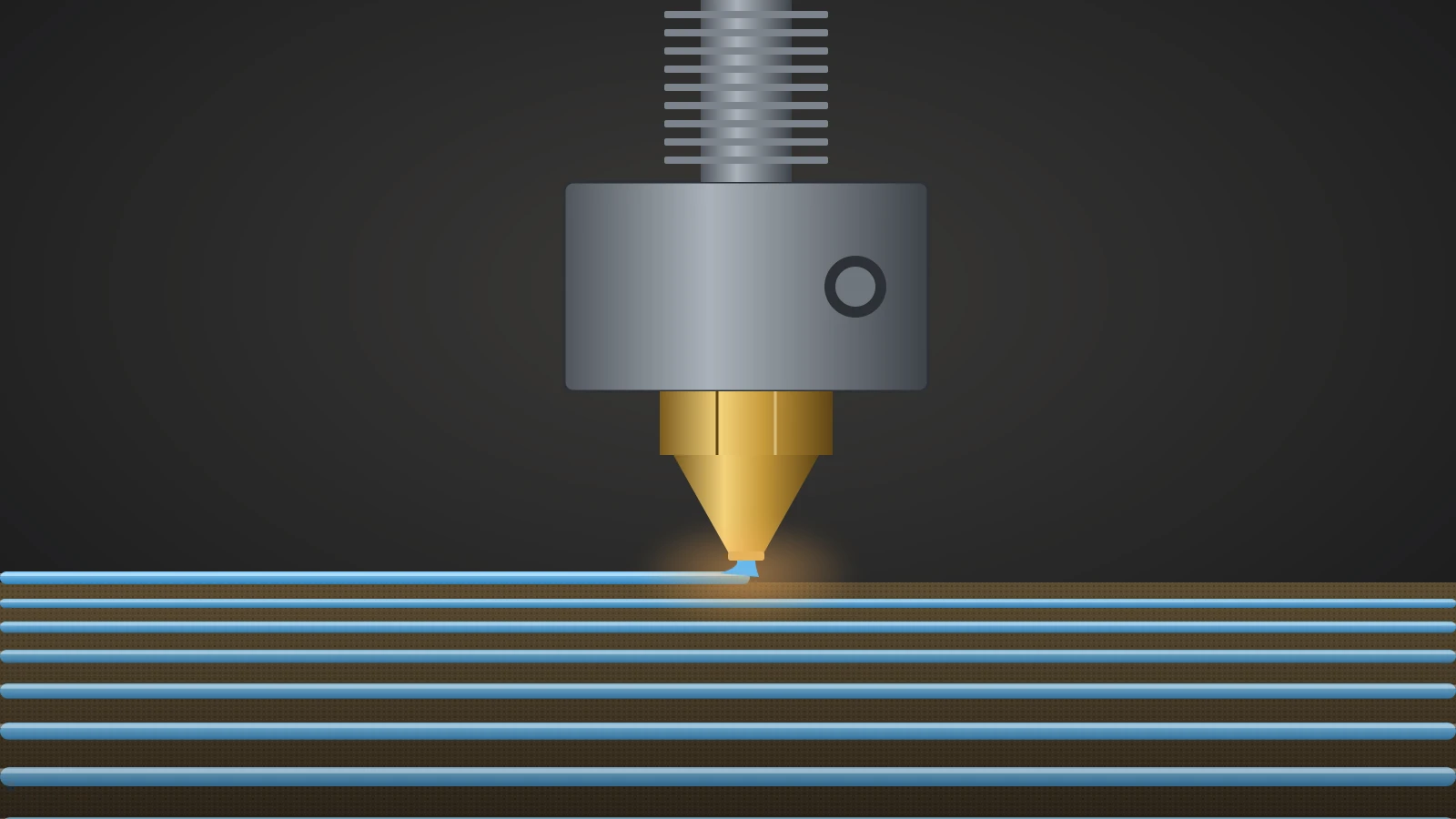
A 3D printer nozzle is the metal tip of the hotend that shapes molten filament into a thin line. Its diameter, usually 0.4 mm, sets line width, layer height and speed, while its material decides which filaments it can handle. Brass suits everyday PLA and PETG; carbon fiber and other abrasive filaments need hardened steel or harder materials.
The nozzle is one part of a larger melting assembly, explained in our guide to the 3D printer hotend. This guide covers choosing and changing the nozzle itself: sizes, materials, the main nozzle systems, and when a swap beats another round of cleaning.
The short answer
| Choice | Pick this | Why |
|---|---|---|
| Everyday size | 0.4 mm | Default on almost every printer, balance of detail and speed |
| Fine detail | 0.2 or 0.25 mm | Sharper text and miniatures; slow, clogs easily, no composites |
| Big or strong parts | 0.6 or 0.8 mm | Faster, thicker lines, lower clog risk; less detail |
| PLA, PETG, ABS, TPU | Brass or stainless steel | Low cost; brass has the best heat transfer |
| Carbon fiber, glass fiber, glow, metal fill | Hardened steel, tungsten carbide, ruby or diamond tip | Resist wear from hard particles |
| Replacing | The exact type your hotend takes | V6, MK8, Volcano and quick-swap systems are not interchangeable |
3D printer nozzle sizes: 0.2, 0.4, 0.6 and 0.8 mm
A 3D printer nozzle size is the diameter of the hole at the tip, and it is a trade-off between detail and speed. Bambu Lab’s nozzle guide sums it up: a larger diameter pushes out more plastic per second, which means faster printing and stronger parts, while a smaller one gives clearer detail.
| Nozzle | Typical layer height (Bambu Lab nozzle guide) | Best for | Drawbacks |
|---|---|---|---|
| 0.2 mm | 0.05–0.12 mm | Miniatures, jewelry, fine text | Slow, weaker layer bonding, high clog risk |
| 0.4 mm | 0.1–0.3 mm, 0.2 mm standard | General printing, brackets, enclosures | Moderate clog risk with fiber filaments |
| 0.6 mm | 0.15–0.45 mm, 0.3–0.4 mm common | Large models, jigs, functional parts | Softer edges, poorer bridging, more material |
| 0.8 mm | 0.2–0.6 mm, 0.4–0.5 mm typical | Large prototypes, vases, structural parts | Rough surfaces, heavy support marks |
These are the broad ranges from Bambu Lab’s nozzle guide; its Bambu Studio layer height guide keeps layers within 20–70% of the nozzle size, 0.08–0.28 mm on a 0.4 mm nozzle. Our guide to 3D printing layer height gives the exact limits for each size.
Small nozzles have extra limits. Prusa rules out composite filaments on its 0.25 mm nozzle, warns that flexible filament can buckle under the higher pressure, and says prints can take 24 to 100 hours even for small objects. It calls a 0.1 mm nozzle experimental.
Bambu Lab adds that carbon fiber particles are often larger than 0.2 mm and clog that size quickly. It suggests a maximum volumetric speed of about 2 mm³/s for its 0.2 mm nozzle, which is why fine-nozzle prints take so long.
Large nozzles have their own catch: Prusa notes that the thicker lines hold more heat and can increase warping in ASA or PC Blend. That is still why big machines favor them; Elegoo even ships its floor-standing printer with a 0.6 mm nozzle, as our guide to large 3D printers explains.
Does a bigger nozzle print faster?
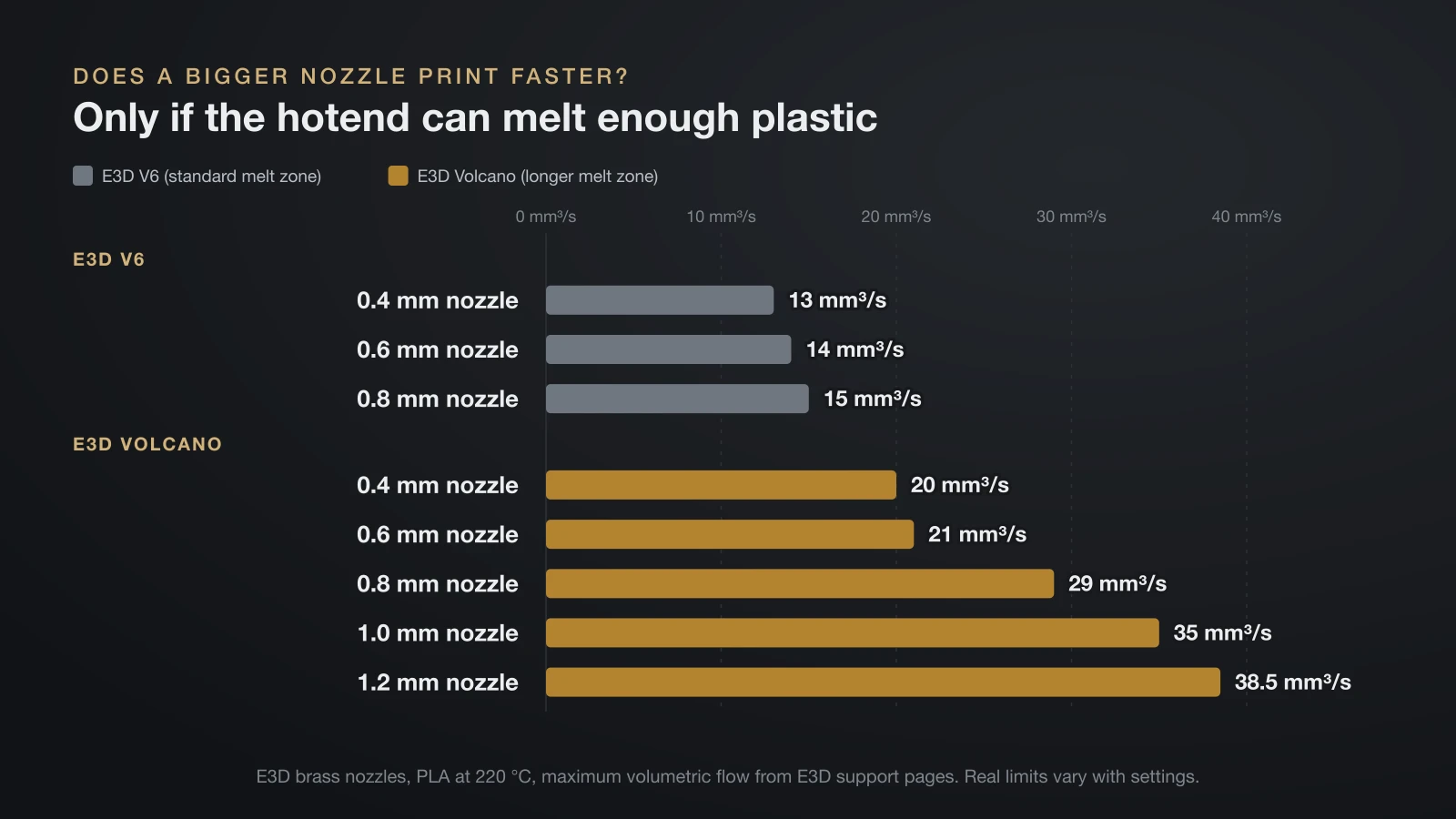
A bigger nozzle prints faster only if the hotend can melt enough plastic to fill it. E3D’s own flow figures show the limit. On a standard V6 hotend, going from a 0.4 to a 0.8 mm brass nozzle barely raises maximum flow, while the longer Volcano melt zone lets the larger sizes pay off.
| E3D brass nozzle, PLA at 220 °C | V6 | Volcano |
|---|---|---|
| 0.4 mm | 13 mm³/s | 20 mm³/s |
| 0.6 mm | 14 mm³/s | 21 mm³/s |
| 0.8 mm | 15 mm³/s | 29 mm³/s |
| 1.0 mm | Not listed | 35 mm³/s |
| 1.2 mm | Not listed | 38.5 mm³/s |
In short, pair a 0.8 mm nozzle with a high-flow hotend if speed is the goal.
How to tell what size a nozzle is
Most nozzles carry a marking. E3D uses dots around the hex: its 0.4 mm V6 nozzle has three, and the 0.25 mm has none. Prusa Nozzles print the size on the metal tube.
3D printer nozzle materials compared
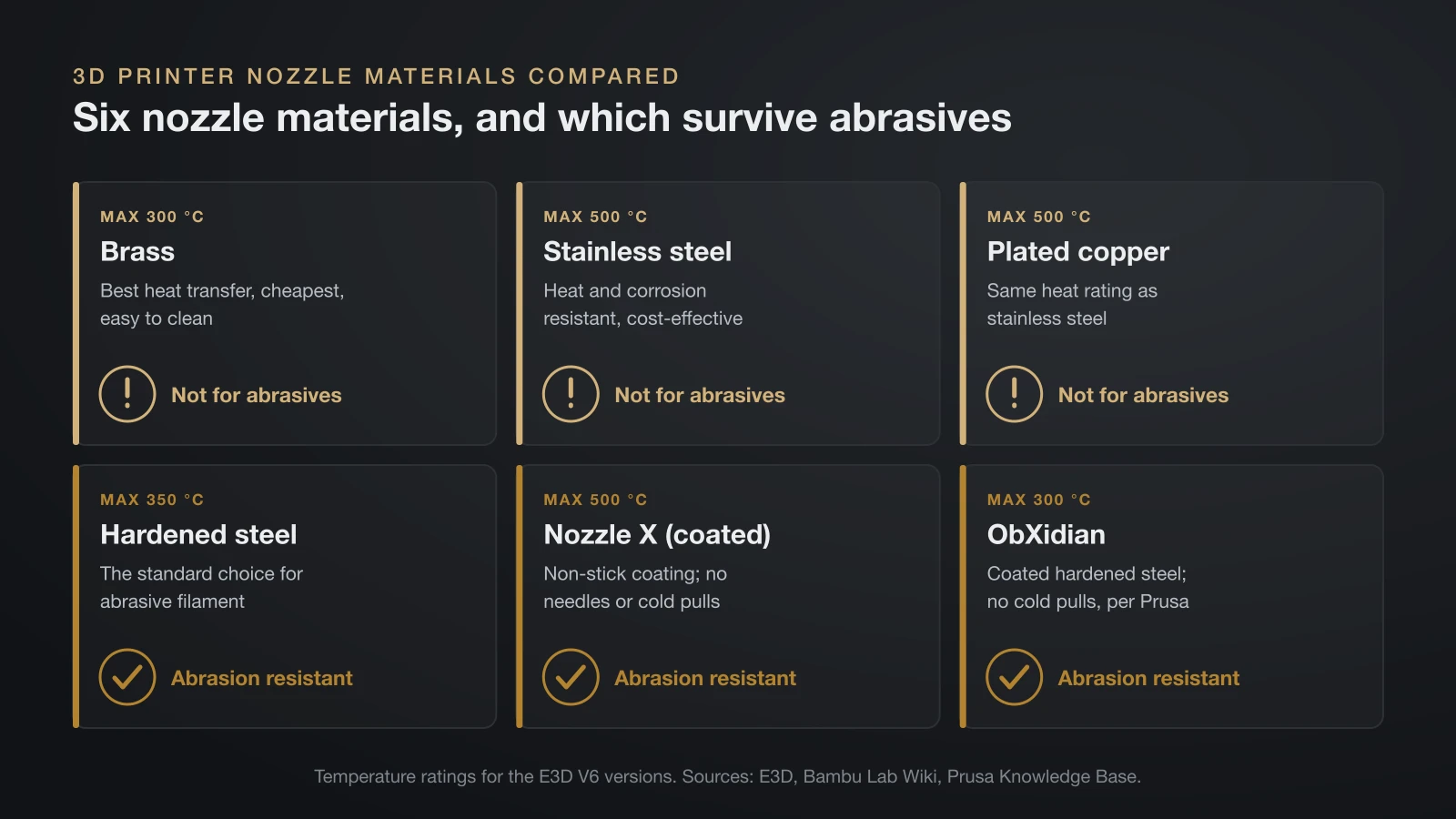
A 3D printer nozzle’s material decides how long it survives abrasive filament and how well it passes heat to the plastic. E3D publishes a rating for every material it makes for the V6:
| Material (E3D V6) | Max temperature | Abrasion resistant? | Notes |
|---|---|---|---|
| Brass | 300 °C (572 °F) | No | Best heat transfer, cheapest, easy to clean |
| Stainless steel | 500 °C | No | Bambu Lab: heat and corrosion resistant, cost-effective |
| Plated copper | 500 °C | No | Same heat rating as stainless steel |
| Hardened steel | 350 °C | Yes | Standard for abrasive filament |
| Nozzle X (coated) | 500 °C | Yes | Non-stick coating; no needles or cold pulls |
| ObXidian (coated hardened steel) | 300 °C | Yes | Non-stick coating; no cold pulls, per Prusa |
Beyond steel, harder tips last longer again. Bambu Lab rates its tungsten carbide nozzle at 350 °C and says it keeps its round, accurate shape after many kilograms of filament, with far less wear than hardened steel. The Olsson Ruby puts a gemstone tip on a brass body, which Prusa says keeps brass-like heat transfer but can crack if the nozzle hits the bed. E3D’s DiamondBack uses a polycrystalline diamond (PCD) tip, which Prusa says keeps diamond’s hardness with less brittleness.
Heat transfer and temperature
Harder materials usually conduct heat less well than brass. Prusa suggests printing about 5 °C hotter with a hardened steel nozzle, and says some materials, such as ABS, can’t be printed as fast. E3D also warns that hardened steel nozzles are not suitable in its aluminium V6 heater block above 240 °C (464 °F).
Which nozzle for abrasive filament?
Carbon fiber, glass fiber, glow-in-the-dark, wood and metal-filled filaments wear soft nozzles fast. Polymaker says a brass nozzle lasts about 9 hours with its Fiberon PA6-CF20 and recommends hardened steel or ruby instead.
Size matters as much as material here. Bambu Lab rates clog risk with fiber-reinforced filament as moderate on a 0.4 mm nozzle and recommends larger diameters. Prusa’s nozzle table allows carbon-filled filament from 0.4 mm up, always with a hardened nozzle, and rules it out at 0.25 mm, while its under-extrusion guide says wood-filled composites may need at least 0.6 mm. Our carbon fiber filament guide covers the settings that go with it.
Nozzle types: V6, MK8, Volcano and quick-swap systems
Nozzle types are not interchangeable, so the first question is which system your hotend uses. The thread, length and seal differ between them, and many newer printers use a proprietary quick-swap design.
| System | Used on (per the makers) | How it’s changed |
|---|---|---|
| E3D V6 | E3D V6, Lite6, Hemera; Prusa MK3 family and MINI | Screwed in, tightened hot |
| E3D Volcano | Printers with a Volcano heater block | Screwed in, tightened hot; longer melt zone |
| MK8 | Creality Ender-3, Ender-5 and CR-10 series | Screwed into the heater block |
| Creality “Unicorn” | K1C, K1 SE, Ender-3 V3 and V3 Plus; a separate kit for the K2 series | One-piece quick-swap, copper alloy and hardened steel |
| Prusa Nozzle | CORE One, MK4/S, MK3.9/S, XL (Nextruder) | Swapped cold; heat break built into the nozzle |
| Bambu Lab X1 and P1 | X1C, P1P, P1S | Nozzle integrated into the heater block; sold alone or as a complete hotend |
| Bambu Lab A series and H2/P2S | A1, A1 mini; H2D, P2S, X2D | Quick-release nozzle or hotend |
Prusa also sells a Nextruder adapter that accepts E3D V6 nozzles, which opens up the V6 range on its newer printers.
High-flow nozzles
High-flow nozzles melt filament faster by increasing the contact area inside. Prusa’s CHT (Core Heating Technology) nozzle splits the filament into three streams, and E3D’s High Flow version for Prusa printers uses four channels. Bambu Lab says its high-flow nozzle raises maximum volumetric speed by 62.5% and can cut print time by up to 30%.
When to replace a 3D printer nozzle
Replace a 3D printer nozzle when cleaning no longer restores even extrusion, or when it is worn, damaged or the wrong type for your filament. Common reasons:
- A clog that won’t clear after hot pushes and cold pulls; our guide to a clogged 3D printer nozzle covers the order to try first.
- Wear from abrasive filament. Prusa says brass degrades quickly and loses its properties with these materials.
- A damaged tip from a crash into the bed or a scraper.
- Plastic leaking around the threads of a screw-in nozzle.
- A size or material change for a specific print.
Some nozzles need special care rather than replacement. E3D says its coated Nozzle X should be cleaned only with nylon cleaning filament, never with needles or warm and cold pulls, and Prusa gives the same advice for its ObXidian nozzles, adding that a brass brush or a cold pull can damage the coating.
How to replace a 3D printer nozzle
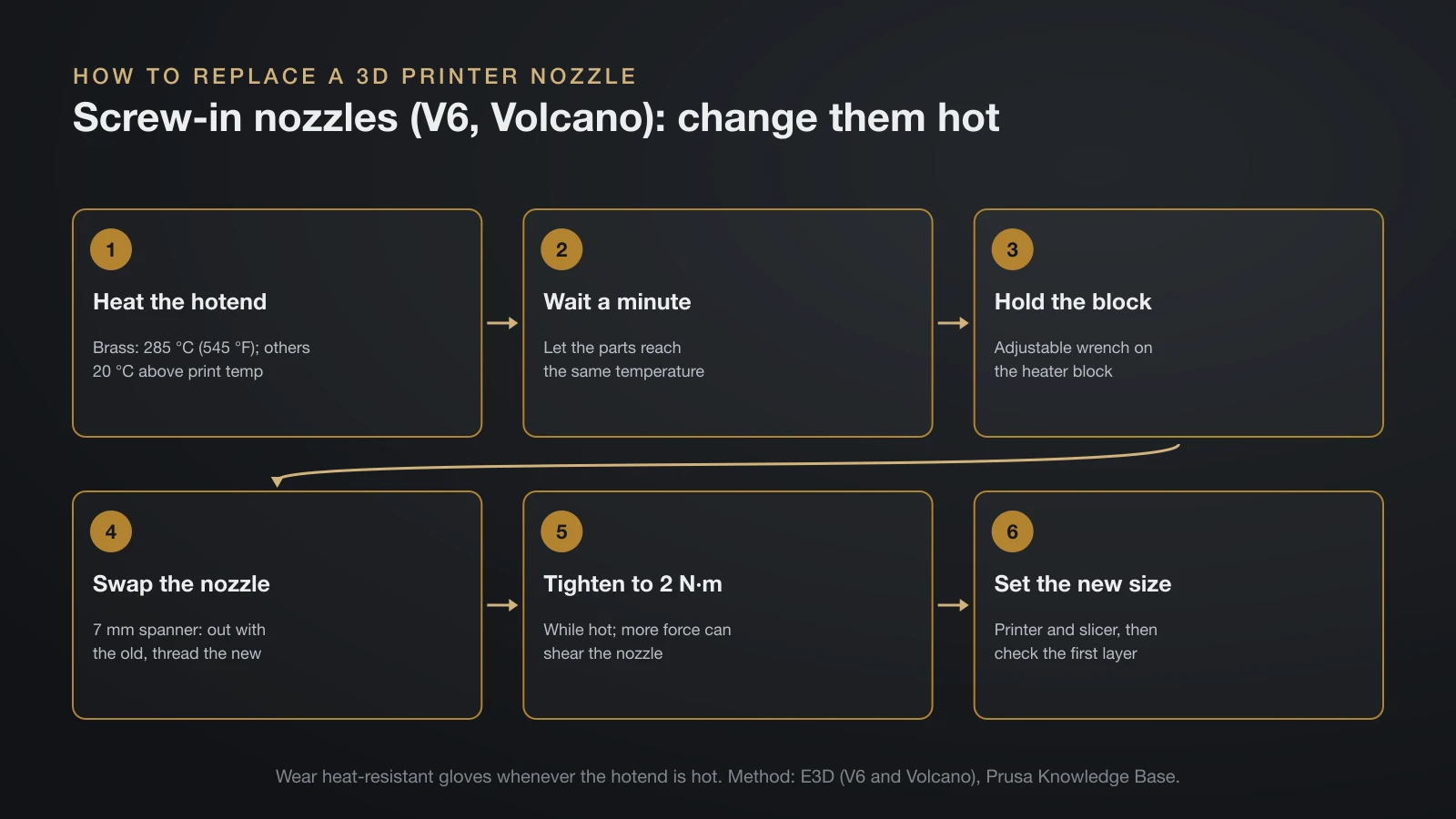
Replacing a 3D printer nozzle safely means following the method for your hotend type, because screw-in nozzles are changed hot and quick-swap ones cold. Wear heat-resistant gloves whenever the hotend is heated, and power the printer off before unplugging anything.
Screw-in nozzles (V6, Volcano, MK8 style)
These must be tightened while hot. Prusa explains that a nozzle tightened cold leaves a gap between the nozzle and the heat break, and filament leaks out through it. E3D’s method for its V6 and Volcano:
- Heat the hotend. 285 °C (545 °F) for brass; for plated copper, hardened steel and other materials, 20 °C above your printing temperature. Wait about a minute so the parts reach the same temperature.
- Hold the heater block steady with an adjustable wrench.
- Unscrew the old nozzle with a 7 mm spanner and thread in the new one.
- Tighten to 2 N·m. E3D warns that more force can shear the nozzle or heat break.
Quick-swap and integrated nozzles
Prusa Nozzles on Nextruder printers are built for cold, quick swaps, and Prusa publishes a guide for each model. Bambu Lab’s X1 and P1 swap the nozzle together with its heater block; the steps are in our hotend guide.
After the swap
Enter the new diameter on the printer and select matching profiles in the slicer. Prusa’s firmware sets it under Settings, Hardware, and PrusaSlicer needs a preset for the same nozzle. Then check the first layer before a long print.
Does the nozzle change your print temperature?
The nozzle’s material changes print temperature slightly, but the filament sets the range. Bambu Lab’s data sheet gives 190–230 °C (374–446 °F) for its PLA Basic, and a hardened steel nozzle may need the upper part of that range, about 5 °C more by Prusa’s advice. Our PLA temperature guide covers how to find the exact setting with a temperature tower.
The bottom line
A 0.4 mm brass or stainless steel nozzle handles most everyday printing. Move to 0.2 mm for fine detail, to 0.6 or 0.8 mm for big parts with a hotend that can keep up, and to hardened steel or harder for fiber and particle-filled filaments. Buy the exact type your hotend takes, tighten screw-in nozzles hot to the maker’s torque, and update the nozzle size in the printer and slicer after every swap.
Sources
- E3D: V6 nozzle support (materials, temperature ratings, abrasion resistance, size dots, hot tightening, V6 flow), Volcano nozzle support (Volcano flow and tightening) and V6 hotend support (hardened steel limit in aluminium blocks)
- Prusa Knowledge Base: Prusa Nozzle types for Nextruder printers, Different nozzle types, E3D V6 Nozzles and Under-extrusion (brass, hardened, coated, CHT, ruby and diamond nozzles, small and large diameters, hot tightening, temperature)
- Bambu Lab: Wiki Introduction to Bambu Nozzles (sizes, layer heights, materials, tungsten carbide, nozzle types, high flow), Layer height (20–70% rule), 0.2 mm nozzle FAQ (particles, flow) and PLA Basic technical data sheet (nozzle temperature)
- Creality Store: MK8 Nozzles Kit and “Unicorn” Quick-Swap Nozzle Kit (compatibility, sizes, materials)
- Polymaker: Fiberon PA6-CF20 technical data sheet (brass nozzle life, recommended nozzles)