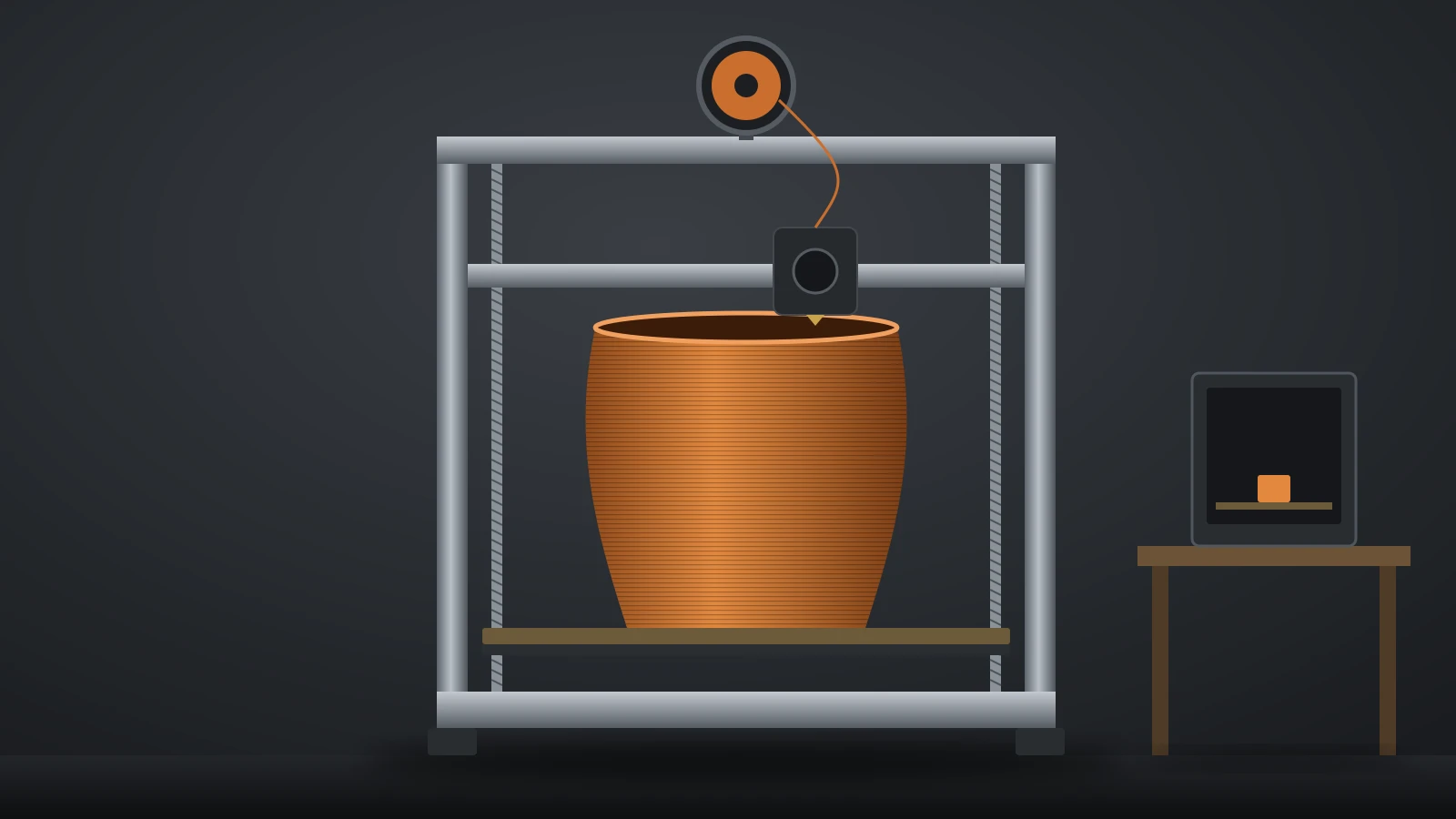
A large 3D printer is one whose build volume is well beyond the common 256 mm desktop class, roughly 300 mm or more on each axis. Current examples range from 350 mm enclosed machines such as the Creality K2 Plus to floor-standing printers like Elegoo’s OrangeStorm Giga at 800 × 800 × 1,000 mm. Bigger volume brings longer heat-up, more power, more floor space and more tuning.
There is no official size class, so this guide groups printers by what their makers list and explains what each step up changes. Specs come from each manufacturer’s own product page, checked in September 2026, with no prices and no ranking. Warping-prone plastics add a second question, covered in our guide to enclosed 3D printers.
The short answer
| Tier (our grouping) | Build volume per axis | Examples (maker specs) |
|---|---|---|
| Standard desktop | About 250–260 mm | Bambu Lab P1S (256 × 256 × 256 mm) |
| Large desktop | About 300–360 mm | Prusa CORE One L+, Bambu Lab H2D, Creality K2 Plus, Prusa XL+ |
| Extra large | About 400–500 mm | Anycubic Kobra 3 Max, Sovol SV08 Max |
| Floor-standing | 800 mm and up | Elegoo OrangeStorm Giga |
- Check the height, not just the bed. Z ranges from 325 mm to 1,000 mm across the larger machines.
- Big volume costs time and power: the Giga needs up to 1,530 W and 17 minutes to heat its full bed to 100 °C (212 °F).
- Splitting a model into parts with connectors is often the cheaper alternative.
What counts as a large 3D printer?
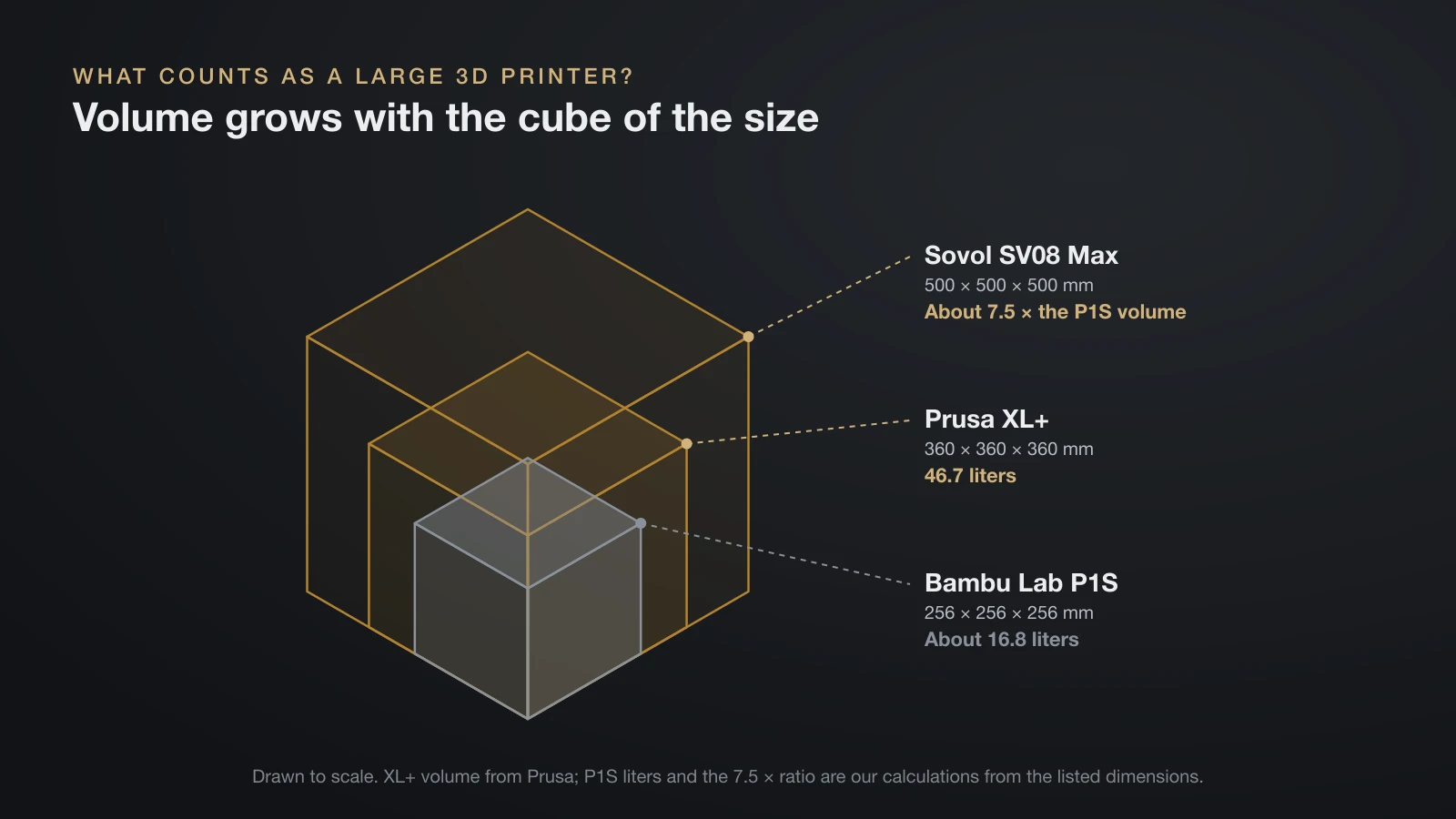
A large 3D printer is any machine that fits parts a standard desktop printer cannot, and today that line sits at about 300 mm per axis. Many popular enclosed printers, such as Bambu Lab’s P1S, print 256 × 256 × 256 mm, which works out to about 16.8 liters (our calculation). Prusa’s XL+ holds 46.7 liters, nearly three times as much.
Volume grows with the cube of the size, which is why small differences in the spec sheet matter. Going from a 256 mm cube to a 500 mm cube, as on Sovol’s SV08 Max, multiplies the volume by roughly 7.5 (our calculation from the listed dimensions).
“Large” also means different things in different places. Industrial large-format machines are a separate market; this guide covers printers sold to individuals and small workshops.
Large 3D printer buying checklist
Buying a large 3D printer starts with your biggest part, not with the biggest machine. Work through these points before comparing models.
- Largest part, all three axes. Measure the longest, widest and tallest part you expect to print, then add room for a brim.
- Materials. ABS, ASA and nylon need an enclosure or a heated chamber at this size; the Giga lists only PLA, PETG and TPU, and the open-frame Kobra 3 Max adds ABS only in its FAQ.
- Power. Compare the rated power with your circuit; Elegoo asks Giga buyers to make sure their setup can carry 1,530 W.
- Heated bed design. Zoned beds (16 tiles on the XL+, four plates on the Giga) heat only the area in use.
- Space and weight. Include the space the moving bed or toolhead needs, and a stand rated for the weight.
- Nozzle options. Check that 0.6 and 0.8 mm nozzles are supported.
- Motion tuning. Input shaping or resonance compensation keeps a bigger frame from ringing.
- Long-print safeguards. Power-loss recovery and filament runout detection matter when prints last days.
If a new machine is out of reach, our guide to used 3D printers covers what to inspect on a second-hand one.
Large format 3D printer build volumes compared
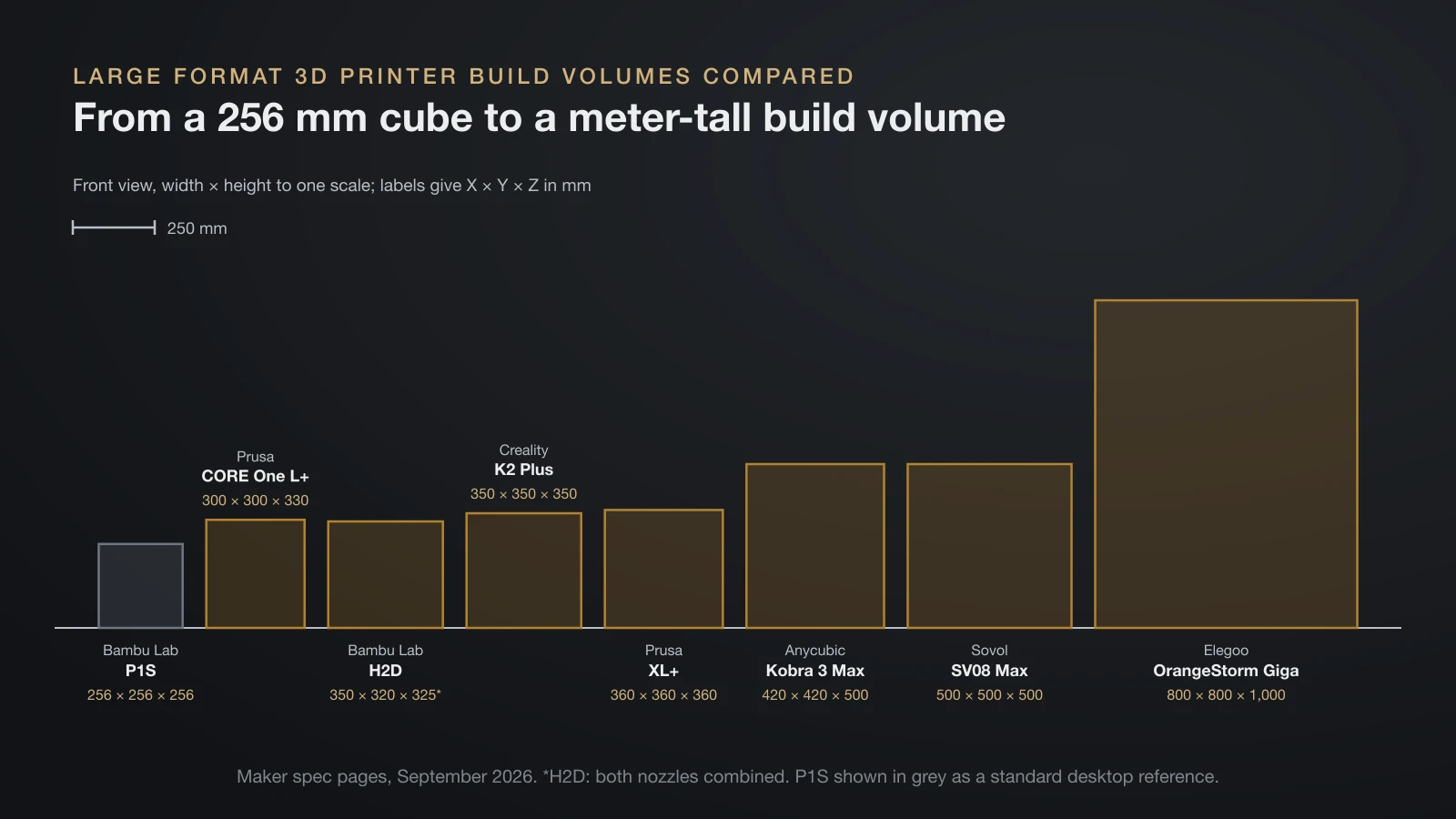
Large format 3D printer specs vary widely, even within the same tier. All figures below come from each maker’s product or specification page.
| Printer | Build volume (mm) | Heated bed | Machine size and weight |
|---|---|---|---|
| Prusa CORE One L+ | 300 × 300 × 330 | Up to 120 °C | 469 × 521 × 635 mm |
| Bambu Lab H2D | 350 × 320 × 325 (both nozzles combined) | Full power for at most 3 minutes while heating | 492 × 514 × 626 mm, 31 kg |
| Creality K2 Plus | 350 × 350 × 350 | Up to 120 °C, 5 mm aluminium plate | 495 × 515 × 640 mm, 35 kg |
| Prusa XL+ | 360 × 360 × 360 | Up to 120 °C, 16 heated tiles | 700 × 900 × 720 mm, 30 kg |
| Anycubic Kobra 3 Max | 420 × 420 × 500 | Up to 90 °C; 25 to 60 °C in 125 s | 706 × 640 × 753 mm, 19 kg |
| Sovol SV08 Max | 500 × 500 × 500 (450 mm tall with enclosure kit) | Up to 100 °C, 8 mm plate, 1,300 W | 700 × 710 × 750 mm |
| Elegoo OrangeStorm Giga | 800 × 800 × 1,000 | Up to 100 °C, four 410 mm plates | 1,224 × 1,164 × 1,425 mm, 104 kg |
The H2D prints 325 × 320 × 325 mm with a single nozzle and 300 × 320 × 325 mm when a part uses both. Chambers differ as much as beds: the K2 Plus heats its chamber to 60 °C (140 °F), the XL+ reaches 50 °C with its optional enclosure, and the SV08 Max offers a heated chamber module as an add-on.
What changes when a 3D printer gets bigger
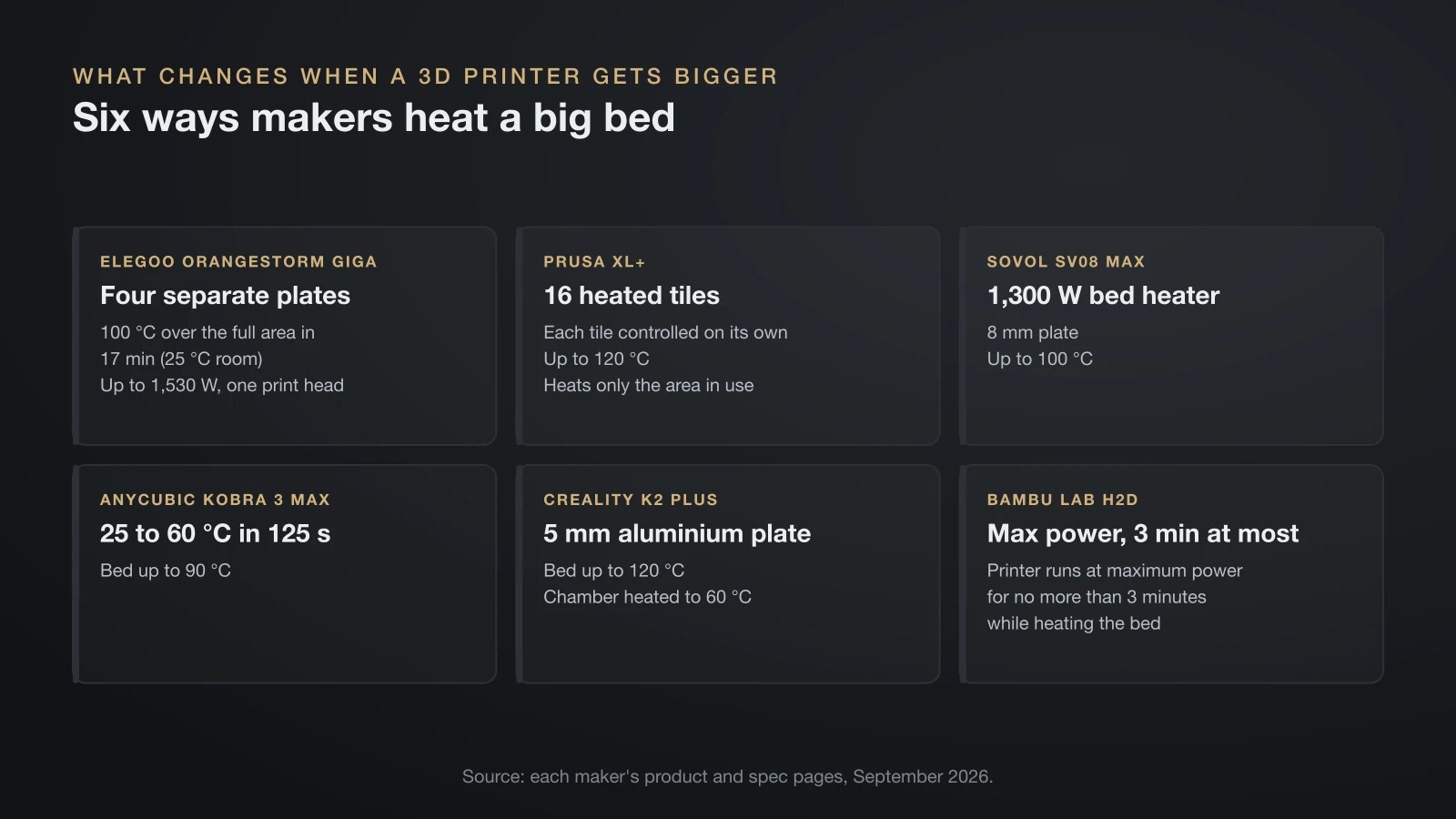
A bigger 3D printer changes more than the size of the part. Heat, power, stiffness, time and space all scale with it.
Bed heating and power
A large bed takes more energy and time to warm up. Elegoo says the Giga’s four plates reach 100 °C over the full area in 17 minutes at a 25 °C room temperature, and it can heat only the plate under the model. Its maximum power draw is 1,530 W for one print head, plus 100 W for each extra head.
Other makers attack the same problem differently. Prusa splits the XL+ bed into 16 individually controlled tiles because, in its words, huge single-piece beds warp and waste power heating empty space. Sovol gives the SV08 Max a 1,300 W bed heater, and Bambu Lab says the H2D runs at maximum power for no more than 3 minutes while it heats the bed.
Frame rigidity and input shaping
A longer gantry and a heavier moving bed ring more easily. Klipper lists a non-rigid frame and heavy moving mass among the causes of ringing, and notes that on a bed slinger the bed gets heavier as the print grows, which lowers its resonance frequency.
That is why most printers in the table list input shaping or resonance compensation, and Elegoo lists a built-in acceleration sensor on the Giga for reducing vibration. Our guide to input shaping in 3D printing explains how the calibration works and what to check first.
Print time and larger nozzles
Filling a big volume takes a long time, even on a fast machine. Creality’s own lab figure for a castle model measuring 300 × 300 × 340 mm on the K2 Plus is 48 hours in its Hyper PLA, at a typical speed of 300 mm/s.
A larger nozzle is the most direct way to cut that time, because it lays down wider and taller lines. Elegoo ships the Giga with a 0.6 mm nozzle and offers 0.4, 0.8 and 1.0 mm options. Our guide to the 3D printer nozzle explains the detail you give up with each step up in size.
Warping and enclosures
Long parts warp more easily than short ones, because cooling plastic shrinks along its whole length and pulls the corners up. Prusa pitches the warm chamber of its XL+ enclosure for printing larger objects without warping, and its segmented bed for more even heating. On a large machine, stick to low-warp filaments unless it has a chamber that holds heat.
Weight, floor space and noise
The biggest printers are furniture, not desktop gadgets. The Giga weighs 104 kg and needs 1,224 × 1,520 × 1,570 mm for its moving parts, more than its frame size suggests. Bambu Lab recommends a 700 × 700 × 1,100 mm space for the H2D, and Prusa notes that the 30 kg XL+ fits a standard workbench and runs from a household outlet.
Large resin 3D printers
Large resin 3D printers exist, but their build volume is smaller than the biggest filament machines. Formlabs lists the Form 4L at 353 × 196 × 350 mm, which it says is 4.6 times the build volume of its Form 4.
Resin suits large parts that need a smooth surface and fine detail, such as molds or display models. The trade-off is handling: bigger vats hold more liquid resin, and every part still needs washing and curing. Our comparison of resin vs filament covers the safety and cost differences in detail.
Alternatives: split the model or use a print service
You don’t always need a large 3D printer to make a large object. Most slicers can cut a model into pieces that fit a standard bed, and the joints can be designed to align themselves.
PrusaSlicer’s cut tool, for example, lists “the model is too big to be printed in one piece” as its first use. It cuts at any angle and adds connectors:
- Plug: a peg on one side and a matching hole on the other.
- Dowel: holes on both sides plus a separate pin printed as its own object.
- Snap: a snap-fit connector that clicks into the mating part.
- Dovetail mode: a trapezoid pin and tail across the cut.
A print service is the other option for one-off parts, since you pay only for the part. Weigh that against running your own machine; our guide to 3D printing cost shows how to calculate filament and electricity per print.
The bottom line
A large 3D printer starts where the 256 mm desktop class ends, at roughly 300 mm per axis, and consumer machines now reach 800 × 800 × 1,000 mm. Every step up adds heat-up time, power draw, weight and tuning, so buy for the biggest part you will actually print, not the biggest volume available. Check materials, bed zoning, power and floor space first, and remember that splitting a model is often the simpler route.
Sources
- Prusa Research: Original Prusa XL+ product page (XL+ and CORE One L+ build volumes, sizes, weight, segmented bed, chamber, outlet) and Knowledge Base Cut tool (cutting models, connectors, dovetail)
- Bambu Lab US Store: H2D (build volumes, dimensions, recommended space, weight, bed heating) and P1S (build volume)
- Creality: K2 Plus product page and K2 Plus specifications (build volume, size, weight, bed, chamber, lab print time)
- Other makers’ product pages: Elegoo OrangeStorm Giga, Anycubic Kobra 3 Max, Sovol SV08 Max and Formlabs Form 4L (build volumes, power, heating, weight, space, nozzles)
- Klipper documentation: Resonance Compensation (frame rigidity, moving mass and bed slingers)