1.75 mm filament is the standard size for most consumer 3D printers: the current Bambu Lab, Prusa and Creality machines all list it in their specifications. A 1.75 mm filament 3D printer cannot use 2.85 mm filament, and the reverse is also true, so check your printer’s spec sheet or slicer profile before you buy a spool.
Diameter is not just a label. The drive gears in a 3D printer extruder, the tubing and the hot end are all sized for one strand, and the slicer calculates every move from that number. This guide shows which printers use which size, what diameter tolerance means for your prints, how many meters a 1 kg spool holds and what to check before you buy.
The short answer
| Question | Answer |
|---|---|
| Which printers use 1.75 mm? | Most consumer printers, including the Bambu Lab H2D, Prusa CORE One and Creality K2 Plus |
| Which use 2.85 mm? | UltiMaker’s S-series (for example the S7) and hot ends sold in a 2.85 mm version |
| Can you swap sizes? | No. Buy the diameter your printer lists |
| Good tolerance | ±0.02 to ±0.03 mm (Prusament, Bambu Lab) |
| Length of 1 kg of PLA | About 335 m at 1.75 mm and 126 m at 2.85 mm (calculated) |
| How to check your printer | Spec sheet, slicer filament profile, calipers on the filament |
| Storage | Sealed with desiccant; Bambu Lab lists below 20% relative humidity |
Why 1.75 mm filament is the 3D printer standard
Look at the spec sheets of the major consumer brands and the same number keeps coming up. Prusa puts it plainly on the CORE One page: its printers “work with any standard 1.75 mm filament.”
| Printer | Filament diameter | Extruder, per the maker |
|---|---|---|
| Bambu Lab H2D | 1.75 mm | Hardened steel extruder gear, permanent magnet synchronous motor |
| Prusa CORE One | 1.75 mm | Nextruder direct drive, 10:1 planetary gearbox |
| Creality K2 Plus | 1.75 mm | Direct drive, hardened steel gears |
| UltiMaker S7 | 2.85 mm | Bowden setup with a dual-geared feeder |
The 2.85 mm size is the main alternative. E3D’s V6 hot end, for example, comes in a 1.75 mm and a 2.85 mm version, and the same support page lists the larger option as 3.00 mm. That is why you will see 2.85 mm and “3 mm” filament used for the same printers.
1.75 mm vs 2.85 mm filament: what actually differs
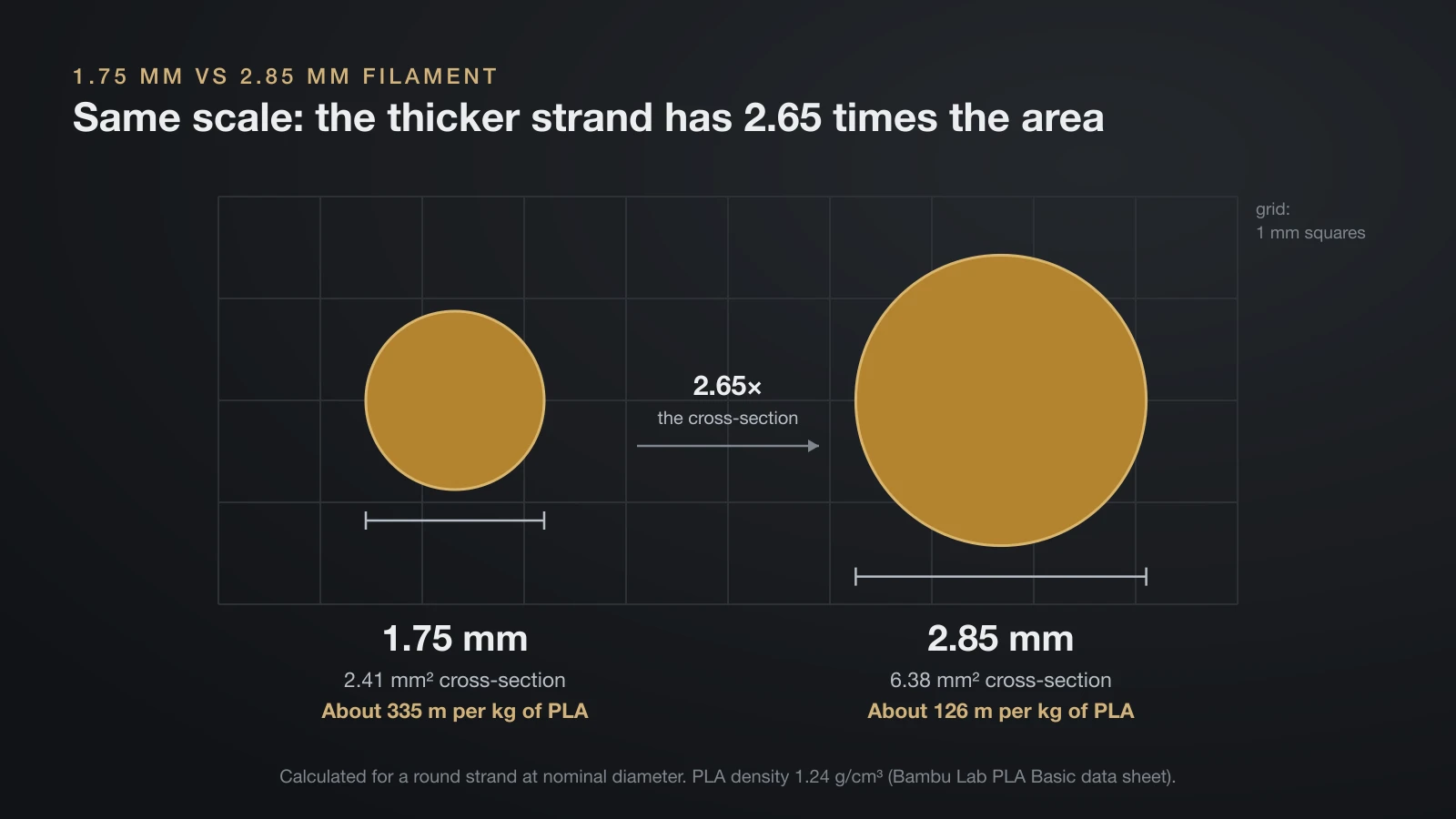
The practical differences follow from simple geometry. A 2.85 mm strand has about 2.65 times the cross-section of a 1.75 mm strand, and that one ratio explains most of the table below. Values marked as calculated assume the same material and a perfectly round strand at nominal size.
| 1.75 mm | 2.85 mm | |
|---|---|---|
| Cross-section | 2.41 mm² | 6.38 mm² |
| Length of 1 kg PLA (1.24 g/cm³, calculated) | About 335 m | About 126 m |
| Filament fed per cm³ of plastic (calculated) | 41.6 cm | 15.7 cm |
| Bending stiffness, same material (calculated) | 1× | About 7× |
| Push force at the same nozzle pressure (calculated) | 1× | About 2.65× |
| Flow error from a 0.05 mm oversize strand (calculated) | About 5.8% | About 3.5% |
| Typical printers | Bambu Lab, Prusa, Creality | UltiMaker S-series |
Flexibility and pushing force
Bending stiffness grows with the fourth power of diameter, so a 2.85 mm strand of the same plastic is about 7 times stiffer than a 1.75 mm one. The thin strand bends easily around tight guides but has less column strength when pushed.
Pushing force works the other way. At the same pressure in the melt zone, the extruder has to push about 2.65 times harder on a 2.85 mm strand, simply because the plastic has more area to push against. The thinner strand therefore suits small motors and compact direct-drive print heads.
Melting and tolerance
The center of a 1.75 mm strand sits 0.875 mm from the heated wall, against 1.425 mm for 2.85 mm, so heat reaches the core over a shorter distance. To deliver the same volume, though, the thin strand has to move about 2.65 times faster.
Tolerance cuts the other way. The same 0.05 mm error changes the flow of 1.75 mm filament by about 5.8% but 2.85 mm by only about 3.5%. That is why tight tolerances matter more on the thinner size, as the next section shows.
Diameter tolerance: what ±0.02 mm means for 1.75 mm filament
Your slicer assumes the filament is exactly the diameter in its profile. When a section runs thick, the printer pushes out more plastic than planned; when it runs thin, it pushes out less. Bambu Lab’s troubleshooting wiki lists random lines of uneven extrusion, meaning local over- and under-extrusion, as the symptom of filament with inconsistent diameter.
Manufacturers state their tolerances on the product page or data sheet:
- Prusament: ±0.02 mm for most materials and ±0.03 mm for blended ones, measured 4,700 times per second on two perpendicular axes. Prusa says most manufacturers work to ±0.05 mm.
- Bambu Lab PLA Basic: 1.75 mm ±0.03 mm on the store page. Bambu Lab’s wiki says filament should be within 1.75 ±0.02 mm.
Here is what those numbers do to flow. Because volume follows the square of the diameter, a small diameter error becomes about twice as large in flow.
| Tolerance | Thickest | Thinnest | Flow change (calculated) |
|---|---|---|---|
| ±0.02 mm | 1.77 mm | 1.73 mm | +2.3% / −2.3% |
| ±0.03 mm | 1.78 mm | 1.72 mm | +3.5% / −3.4% |
| ±0.05 mm | 1.80 mm | 1.70 mm | +5.8% / −5.6% |
Roundness matters too. An oval strand can measure 1.75 mm in one direction and not in the other, which is why Prusa measures on two axes and publishes the maximum deviation, standard deviation and ovality for every spool.
How many meters of 1.75 mm filament are in 1 kg?
You can work out the length of any spool from its weight, the plastic’s density and the strand’s cross-section:
length = mass ÷ (density × cross-section)
For 1 kg of PLA at 1.24 g/cm³ (Bambu Lab PLA Basic data sheet), the 1.75 mm cross-section is π × 0.0875² = 0.02405 cm². So 1,000 g ÷ (1.24 × 0.02405) = 33,530 cm, or about 335 m. That works out to roughly 3 grams per meter.
| Material (Bambu Lab data sheet density) | 1.75 mm, per 1 kg | 2.85 mm, per 1 kg |
|---|---|---|
| PLA Basic (1.24 g/cm³) | About 335 m | About 126 m |
| PETG Basic (1.25 g/cm³) | About 333 m | About 125 m |
| ABS (1.05 g/cm³) | About 396 m | About 149 m |
All lengths are calculated for a round strand at nominal diameter, without the spool. Density also varies by brand: Polymaker lists 1.17 g/cm³ for PolyLite PLA, which gives about 355 m per kg at 1.75 mm. Lighter plastics such as ABS and ASA filament (both 1.05 g/cm³ in Bambu Lab’s data) give you more length per kilogram. To turn grams and meters into dollars, see our filament cost breakdown.
How to check your 3D printer’s filament size
- Read the spec sheet. Every printer’s technical parameters list a filament diameter; the Prusa, Bambu Lab, Creality and UltiMaker pages above all do.
- Open your slicer’s filament profile. The diameter field sets the extrusion math. OrcaSlicer defaults to 1.75 mm and says it is important that the value is “accurate and precise.”
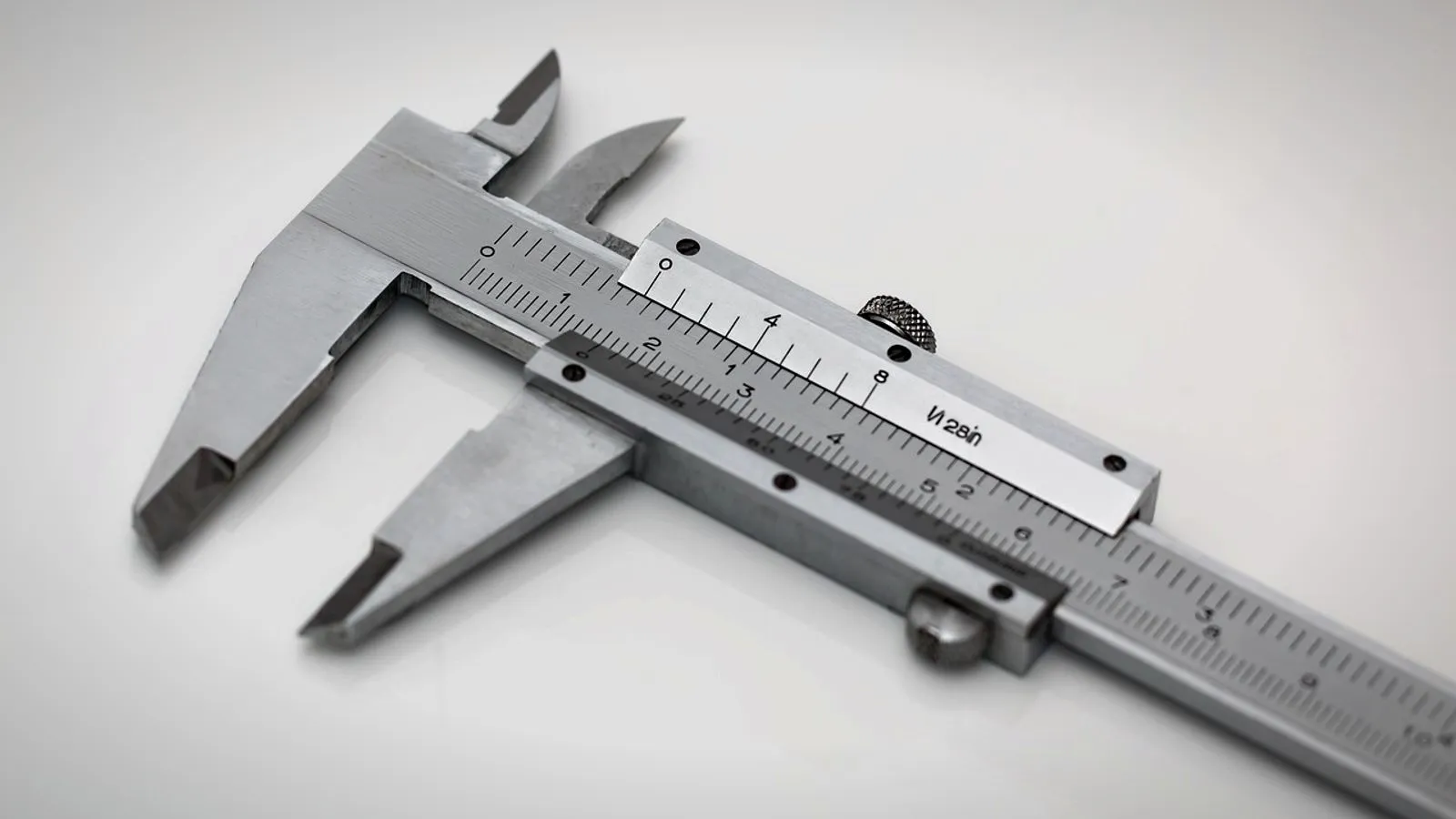
- Measure the filament. PrusaSlicer’s tooltip says to use a caliper, take several measurements along the filament and enter the average. Turn the caliper 90 degrees at each point to catch an oval strand.
- Compare with the label. If your average sits well outside the stated tolerance, enter the measured value or contact the seller.
If parts still come out over- or under-sized after that, the cause is more likely extruder steps or flow than diameter. Our guide on how to calibrate a 3D printer runs those tests in order.
Can you use 1.75 mm filament in a 2.85 mm printer?
No. A 2.85 mm printer’s feeder gears, guide tubes and hot end are made for the thicker strand. A 1.75 mm strand is not gripped the way the feeder expects and has room to bend inside the wider path, and changing the diameter setting in the slicer does not change that hardware.
The reverse does not work either: 2.85 mm filament will not pass through a path made for 1.75 mm. Converting a printer means replacing the parts in the filament path, which is why hot ends such as E3D’s V6 come in separate 1.75 mm and 2.85 mm versions. For most people, buying the right filament is simpler than converting the printer.
What to look for when buying 1.75 mm PLA filament
The diameter on the box only tells you it will feed. These details decide whether it prints well:
- A stated tolerance. Look for ±0.02 or ±0.03 mm on the product page or data sheet. A spool with no tolerance listed gives you nothing to check against.
- Roundness data. Few brands publish ovality; Prusament shows it for each spool.
- A spool that fits your feeder. Bambu Lab’s AMS takes spools 50 to 68 mm wide and 197 to 202 mm across; Bambu Lab’s own spools are 200 mm by 67 mm. For cardboard spools, Bambu Lab strongly advises an adapter ring to prevent slipping and debris.
- Sealed packaging with desiccant. Bambu Lab’s PLA data sheet lists printing and storage humidity below 20% relative humidity, sealed with desiccant.
- A data sheet. It gives the nozzle range (190–230 °C, or 374–446 °F, for Bambu Lab PLA Basic), the density for length estimates and drying settings.
- The right grade. If parts snap, a toughened PLA may suit better; see PLA+ vs PLA. For tougher parts, PCTG filament is another option. Filled filaments such as metal-filled filament have their own needs, and Bambu Lab says filaments with hard particles call for a hardened steel nozzle.
Storing 1.75 mm filament
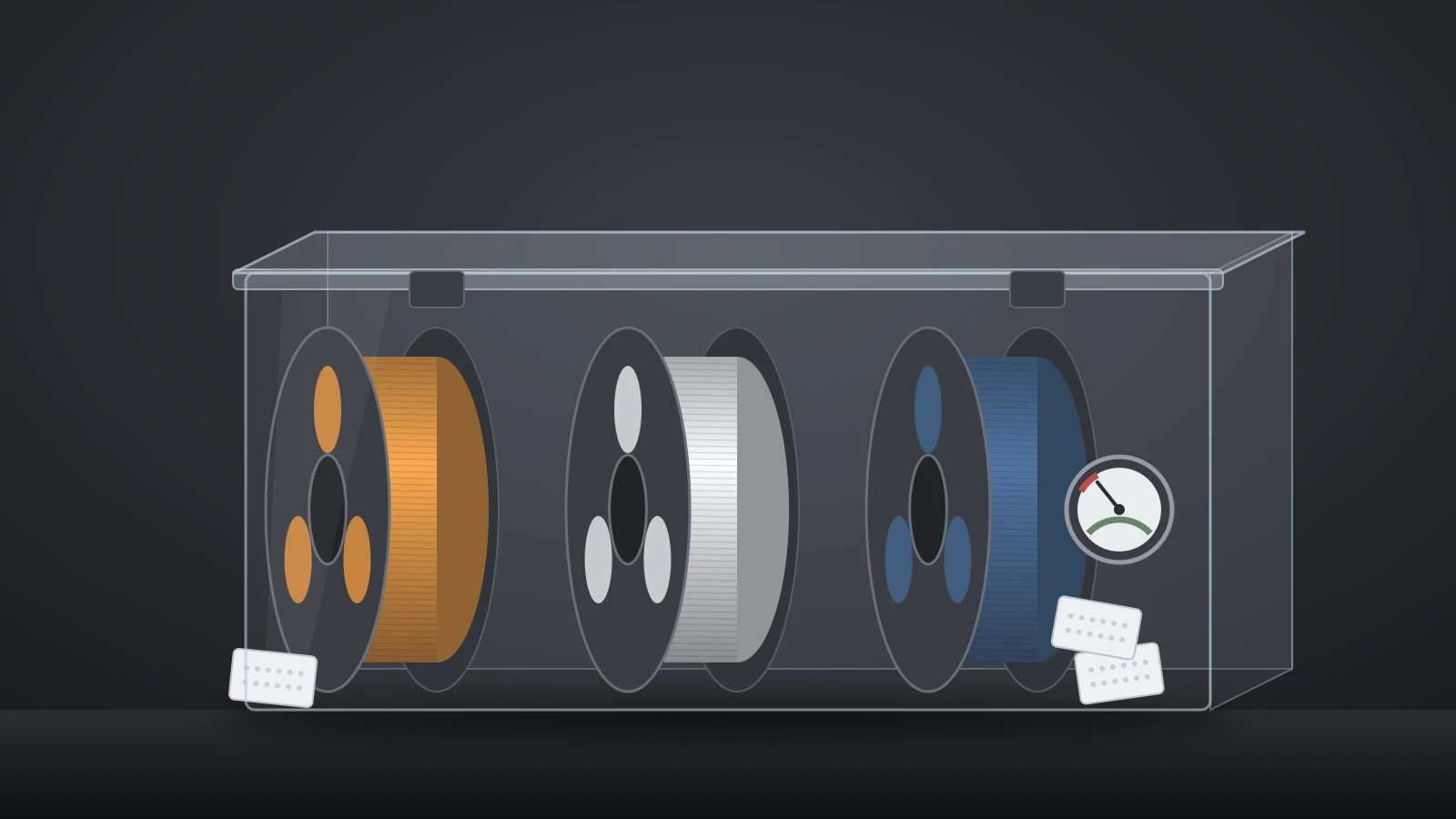
Filament absorbs moisture from the air once the bag is open, so keep unused spools sealed. Bambu Lab’s PLA Basic data sheet specifies storage below 20% relative humidity with desiccant, and drying at 50 °C (122 °F) for 8 hours in a forced-air drying oven when needed. Airtight boxes, desiccant and dryers are covered in our guide to 3D printer accessories.
The bottom line
Buy the filament diameter your printer lists: for nearly every current consumer printer, that is 1.75 mm, while UltiMaker’s S-series and some professional machines use 2.85 mm. Within 1.75 mm, a stated tolerance of ±0.02 to ±0.03 mm, a spool that fits your feeder and sealed packaging matter more than the brand. Expect about 335 meters from a 1 kg spool of PLA.
Sources
- Bambu Lab: H2D and A1 product pages (filament diameter, extruder, hardened nozzle for hard-particle filaments), technical data sheets V3.0 for PLA Basic, PETG Basic and ABS (density, spool size, nozzle range, storage humidity, drying), PLA Basic store page (±0.03 mm), Wiki: Filament Drying (moisture absorption), Notes for AMS (spool size, cardboard spool adapter) and layer artifacts troubleshooting (1.75 ±0.02 mm, uneven extrusion)
- Prusa Research: CORE One product page (1.75 mm, Nextruder, 10:1 gearbox), Prusament How it’s made and The story behind Prusament (±0.02/±0.03 mm, ±0.05 mm industry figure, two-axis measurement, ovality data)
- Other manufacturers: Creality K2 Plus specifications, UltiMaker S7 and S5 (2.85 mm for the S-series, Bowden, dual-geared feeder) and E3D V6 hot end support page (1.75 mm and 2.85 mm/3.00 mm versions)
- Slicer source code on GitHub: PrusaSlicer and OrcaSlicer (filament diameter setting: default 1.75 mm, caliper and averaging advice)
- Polymaker: PolyLite PLA technical data sheet (density 1.17 g/cm³)