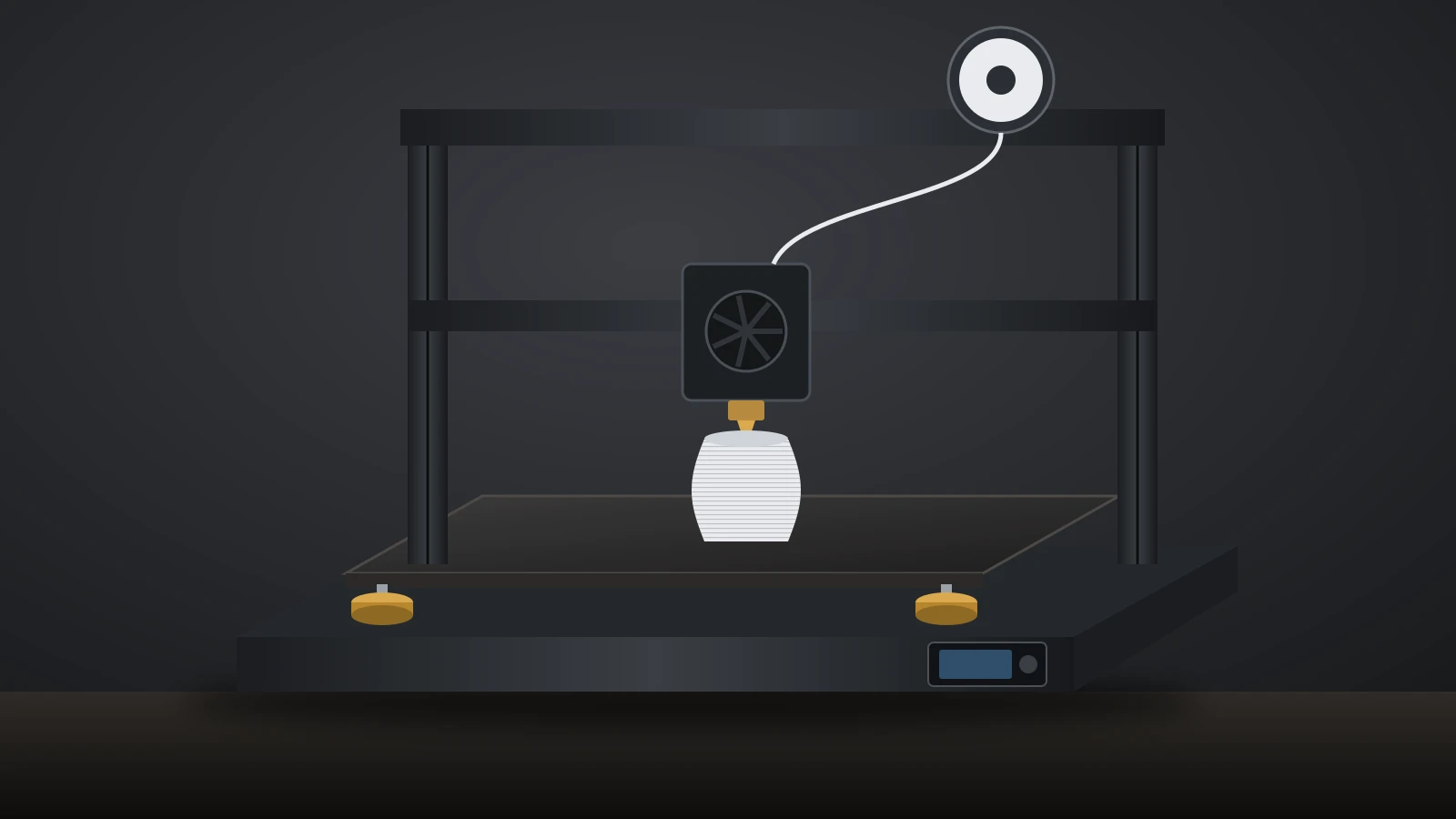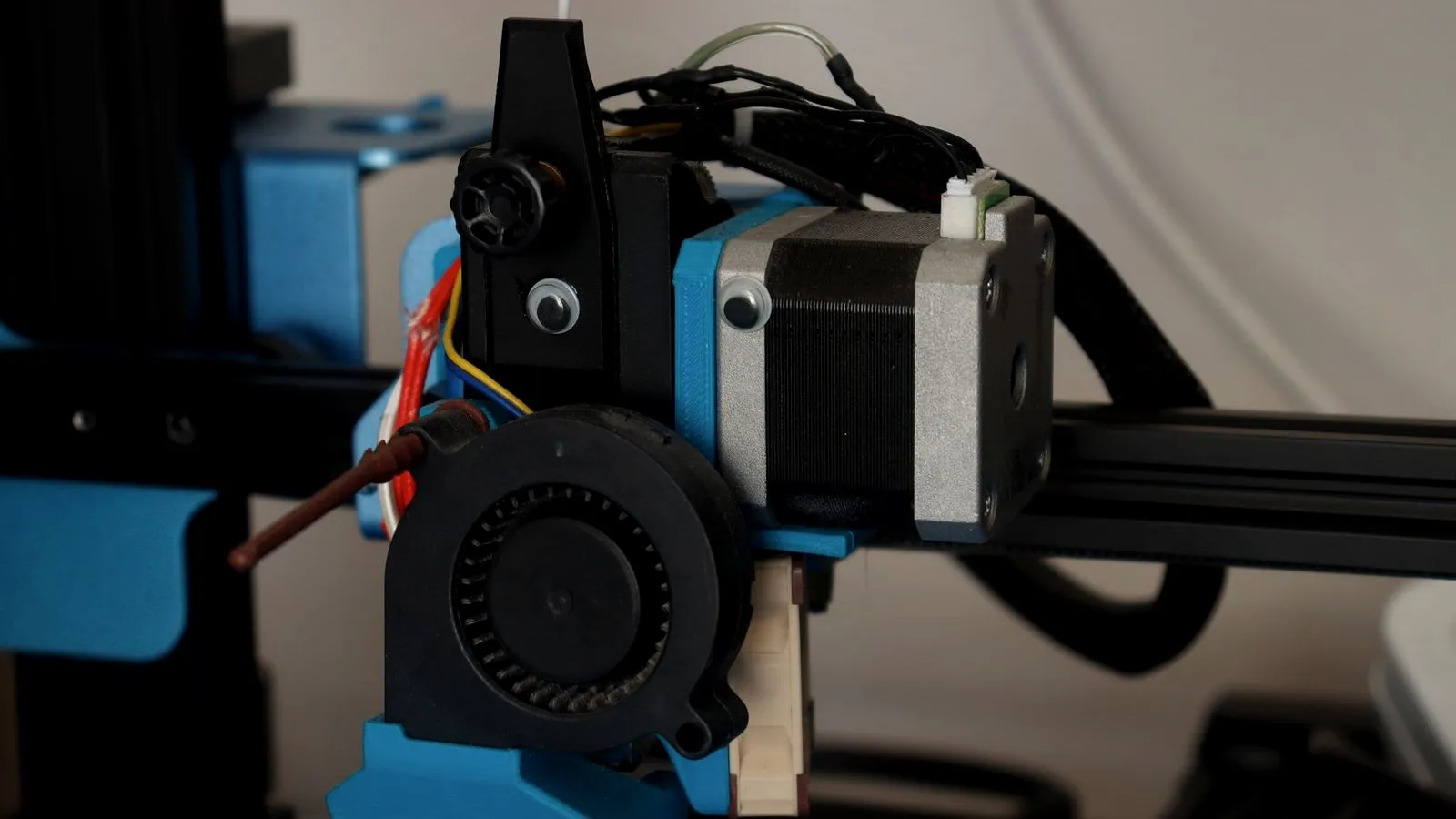
A 3D printer extruder is the motor-driven mechanism that grips filament between drive gears and pushes it into the hot end, where it melts and leaves through the nozzle. It decides how much plastic reaches the print, so when the extruder slips, grinds or clicks, every layer shows it.
Most consumer printers feed 1.75 mm filament, and the whole filament path is sized for it. This guide covers the parts and terms, how the extruder works, the main types, calibration and common fixes, plus the other kind of “filament extruder” that makes filament from pellets.
The short answer
| Term | What it means |
|---|---|
| Extruder (cold end, feeder) | Motor, drive gear or gears and a spring-loaded idler that push the filament |
| Hot end | Heat break, heater block and nozzle that melt the filament |
| Direct drive | Extruder on the print head, right above the hot end |
| Bowden | Extruder on the frame, pushing filament through a tube |
| Dual gear | Two toothed gears grip the filament from both sides |
| Geared | A reduction between motor and drive gear, such as Prusa’s 10:1 Nextruder |
| Calibration | Rotation distance (Klipper) or e-steps (Marlin) |
What is an extruder on a 3D printer?
To extrude is to push material through an opening. On a 3D printer, the word means the part that does the pushing, though people often use it for the whole print head.
- Extruder, cold end or feeder: the motor, the drive gear or gears, and an idler that presses the filament against them. UltiMaker calls it a feeder.
- Hot end: a heatsink, the heat break that separates the cold and hot zones, a heater block with a heater and temperature sensor, and the nozzle. E3D’s V6, for example, pairs an aluminium heatsink with an aluminium or copper block and a brass nozzle.
- Print head or tool head: everything on the moving carriage. Prusa’s Nextruder is a complete print head, with the extruder, hot end, cooling and a load cell for bed probing.
“Dual extruder” usually means two nozzles. If that is what you are after, our guide to multi-color 3D printers compares dual-nozzle, IDEX and tool-changer designs.
How a 3D printer extruder works
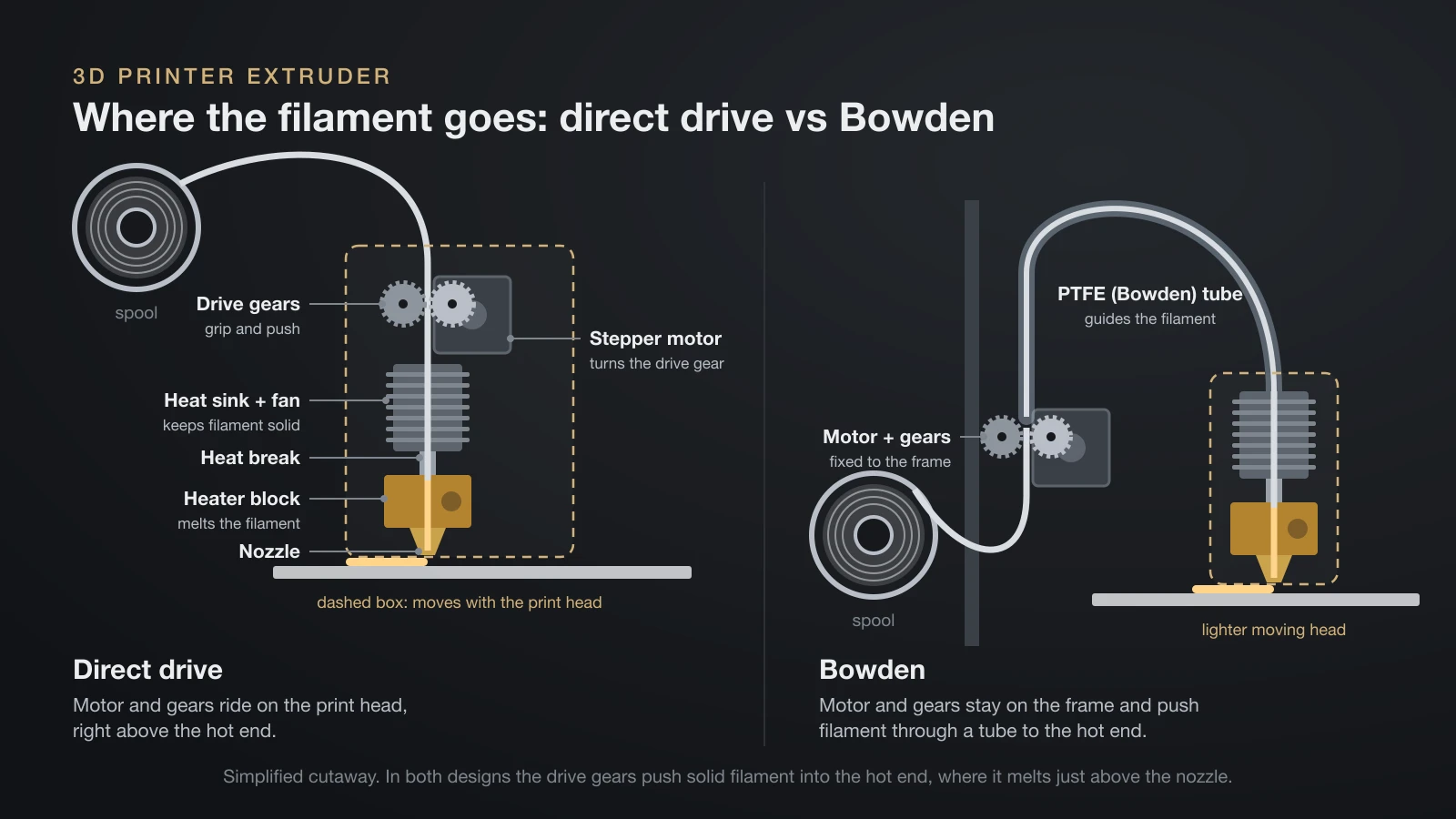
Follow a strand of filament from the spool to the print:
- Spool to extruder. The filament unwinds, often past a runout sensor, and enters the extruder.
- Drive gears. A stepper or servo motor turns a toothed drive gear, and a spring-loaded idler presses the filament against it so the teeth can bite.
- Transfer. On a direct drive, the filament goes straight down into the hot end. On a Bowden setup, it first travels through a tube.
- Heat break. This narrow section keeps the filament solid until the melt zone. If heat climbs too far up, the filament softens early and jams.
- Heater block and nozzle. The filament melts, and the solid strand behind it acts as a piston that forces the melt out.
The motor runs forward to extrude and backward to retract, and the firmware converts every millimeter of filament into motor steps. A tight path helps: on its Hemera, E3D leaves about 100 µm between the drive gears and the heat break and 250 µm of clearance around the filament inside it.
Why idler tension matters
Prusa’s troubleshooting guide says idler tension must be neither too tight nor too loose. Too loose and the gears slip; too tight and the teeth grind the filament instead of pushing it. Most extruders adjust it with a screw, lever or thumbscrew.
Types of 3D printer extruders
Extruders differ in where they sit, how many gears grip the filament and whether a gearbox sits between the motor and the gears.
Direct drive vs Bowden
| Direct drive | Bowden | |
|---|---|---|
| Where the extruder sits | On the print head | On the frame |
| Path to the hot end | Short and constrained | Through a tube |
| Moving mass | Heavier print head | Lighter print head |
| Retraction | Short | Longer, to take up slack in the tube |
| Flexible filaments | Easier to control | Harder; the strand can bunch in the tube |
| Examples | Prusa CORE One, Creality K2 Plus | UltiMaker S7 |
E3D recommends its Hemera in direct drive mode for flexible filaments; the same body also works as a Bowden extruder. Retraction settings differ between the two, and our guide on how to calibrate a 3D printer lists OrcaSlicer’s test ranges for each. For a full side-by-side on retraction, TPU and print speed, see our direct drive vs Bowden comparison.
Single-gear vs dual-gear extruders
A single-gear extruder has one toothed drive gear and a smooth idler bearing opposite it. A dual-gear extruder drives two toothed gears that grip the filament from both sides. E3D chose dual drive for the Hemera for “a huge boost in grip” over single drive, and rates it at up to 10 kg of pushing force.
Geared vs direct-driven
Many extruders mount the drive gear straight on the motor shaft. Geared designs add a reduction that multiplies torque and gives more motor steps per millimeter of filament. Advertised ratios are not always exact: Klipper’s documentation notes that the common BMG extruder is sold as 3:1 but uses 50:17 gearing.
Notable extruder designs
| Design | Type | What the maker states |
|---|---|---|
| Prusa Nextruder (CORE One) | Direct drive, geared | 10:1 planetary gearbox; load cell at the nozzle |
| Bambu Lab H2D extruder | Servo-driven | Closed-loop servo with a permanent magnet synchronous motor; hardened steel gear |
| Creality K2 Plus extruder | Direct drive | Hardened steel gears and nozzle |
| E3D Hemera | Dual drive, direct or Bowden | Hardened stainless steel drive train; up to 10 kg push force |
| UltiMaker S7 feeder | Bowden, dual gear | Reinforced for composite materials |
3D printer extruder calibration: rotation distance and e-steps
The firmware must know how far the filament moves per motor turn. Klipper stores this as rotation_distance, in millimeters per full rotation; Marlin stores steps per millimeter, set with M92 E<value>. Klipper’s first guess is the drive gear’s diameter × 3.14, but the real value varies between printers and even spools, because grip varies.
So you measure and trim: mark the filament about 70 mm above the extruder, extrude 50 mm slowly (G1 E50 F60), measure what went in and correct the value. Klipper suggests a second run if the result is off by more than about 2 mm. Step 2 of our 3D printer calibration guide has the full procedure and the Marlin formula.
Common extruder problems and fixes
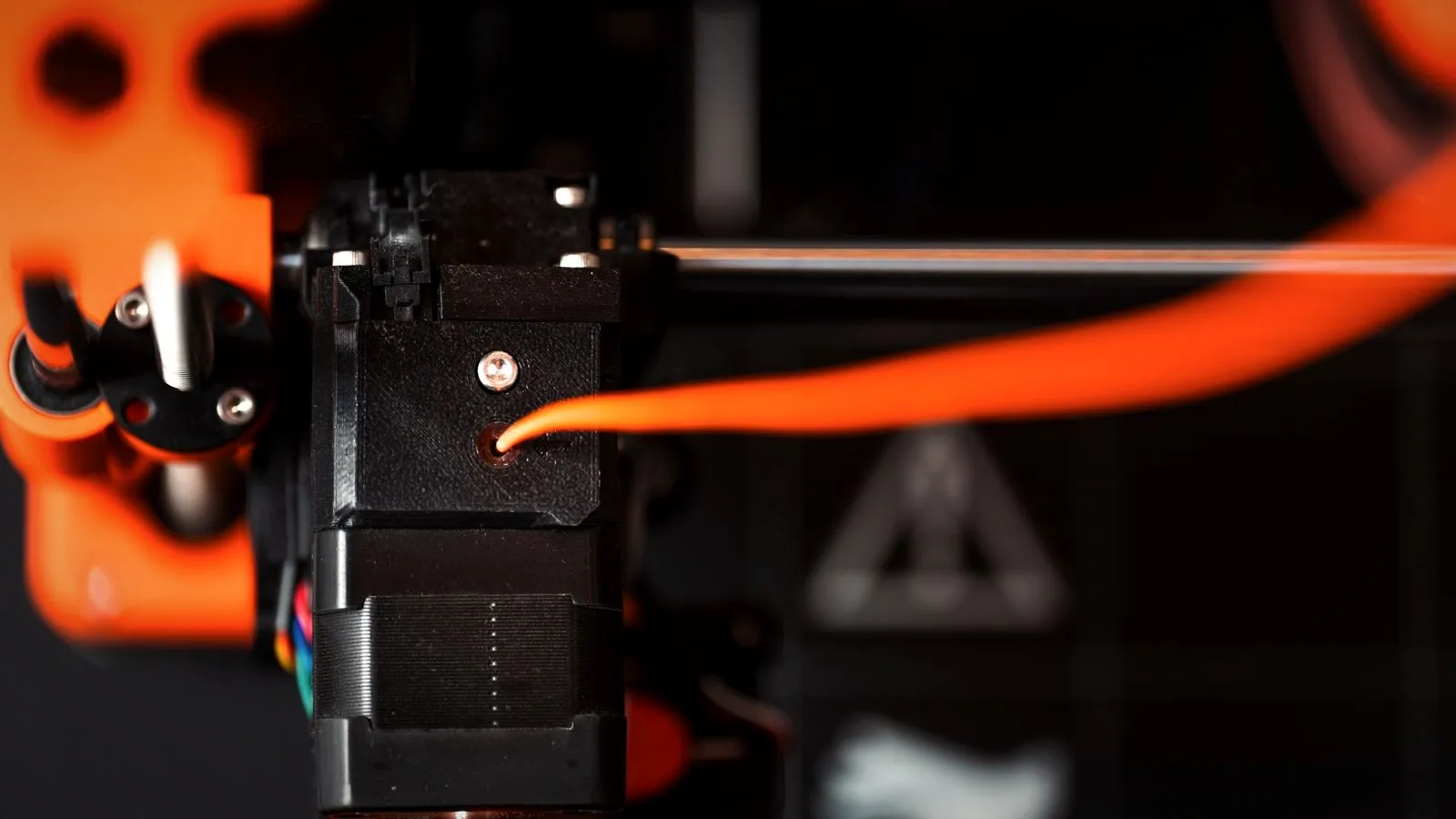
Most extruder trouble shows up as a sound or as damaged filament. Clogged nozzles and under-extrusion problems have many causes beyond the extruder, so treat these fixes as a first check.
Extruder clicking or skipping
Prusa explains the click: the motor meets more resistance than it can overcome and jumps back one or more steps. Something downstream is blocking the flow. Check:
- Nozzle temperature too low. Prusa suggests trying 5–15 °C higher, within the filament’s range.
- First layer too close to the bed, which blocks the nozzle.
- Idler tension too loose or too tight.
- A partial clog or heat creep. Prusa describes heat creep as heat rising above the heater block, softening the filament higher up. Causes include a hot room or enclosure, a failing heatsink fan and filaments with conductive metal particles.
Grinding: filament chewed flat
When the gears cannot push, they keep turning and grind a groove into the filament until they lose grip. Cut off the damaged section and clear plastic dust from the teeth; Prusa suggests the corner of pliers or a sturdy pin. Then check gear alignment and fix the cause of the resistance.
Filament stuck in the extruder: how to unload it
- Try the printer’s unload function first.
- Keep the hot end hot and never force filament out cold. Prusa’s manual procedure for its MK3-family extruders sets 280 °C (536 °F) and waits 3–5 minutes.
- Release the tension by opening the idler or lever.
- If a piece sticks up above the gears, pull it upward slowly with needle-nose pliers.
- If it snapped at the tube, push it down through the hot end with a new piece of filament or a thin Allen key (Prusa suggests 1–1.5 mm) until plastic comes out.
- If it broke inside a tube, disconnect the tube and push the piece out with a longer length of filament, as Bambu Lab describes.
- Finish with a cold pull to clear residue, as Prusa recommends.
Bambu Lab notes that old or very dry filament can turn brittle and snap in the path, and it treats PTFE tubes as consumables to check during maintenance.
Abrasive filaments: hardened gears and nozzles
Carbon fiber, glass fiber and other filled filaments wear soft metals. Bambu Lab says the A1’s stainless steel nozzle must be swapped for hardened steel with hard-particle filaments such as PLA-CF/GF, PETG-CF/GF and glow-in-the-dark PLA. For the P1S, it advises against fiber-reinforced filaments until the extruder and hot end are upgraded.
The Bambu Lab H2D and Creality K2 Plus ship with hardened steel gears and nozzles, and Prusa offers a hardened nozzle for the CORE One. Check the hot end too: E3D warns that hardened steel nozzles are not suitable in its aluminium V6 heater block above 240 °C (464 °F).
Carbon-filled nylon filament is a common reason to upgrade. Metal-filled spools need the same care, and Prusa lists conductive metal particles among the causes of heat creep; see our guide to metal 3D printer filament.
When is a 3D printer extruder upgrade worth it?
An upgrade pays off when the extruder itself is the limit:
- You want abrasive filaments and your gears or nozzle are not hardened.
- You print flexible filament on a Bowden printer and it keeps bunching.
- The stock extruder slips or grinds even after cleaning, tension adjustment and a clean hot end.
It rarely helps when the cause is a clog, wet filament or wrong settings, and some sealed printers do not expose extruder settings at all. After any swap, recalibrate rotation distance or e-steps, then pressure advance. Spare nozzles and other parts worth keeping are in our list of 3D printer accessories.
Filament extruders: machines that make filament
“Filament extruder” also names a machine that turns plastic pellets or regrind into filament, used for research, recycling and small-scale production.
In 3devo’s Filament Maker TWO, a cooled hopper feeds a compression screw through several heating zones. An optical sensor measures the strand’s thickness and ovality on three axes at 10 µm resolution, more than 25 times per second, and puller wheels change speed to hold the diameter before a winder spools it. 3devo lists screw speed swings, drafts, polymer degradation and contamination as causes of uneven diameter, the same flaw our 1.75 mm filament guide explains for bought spools.
The bottom line
A 3D printer extruder is the cold end that grips and pushes filament; the hot end melts it and the nozzle shapes it. Direct drive keeps the path short and handles flexible filament better, while Bowden keeps the print head light. Keep the gears clean, the tension right and the rotation distance calibrated, and fit hardened parts before printing abrasive filaments.
Sources
- Prusa Research: CORE One product page (Nextruder, 10:1 gearbox, load cell, hardened nozzle option) and Knowledge Base: Extruder noises, Removing filament from extruder manually, Heat creep (clicking causes, 5–15 °C, 280 °C for 3–5 minutes, 1–1.5 mm Allen key, cold pull)
- Bambu Lab: H2D, A1 and P1S product pages (servo extruder, hardened parts, abrasive filaments) and Wiki: Removing broken filament from PTFE tubes
- Firmware documentation: Klipper rotation distance (rotation distance, BMG 50:17, 70 mm and 50 mm test) and Marlin M92
- Other manufacturers: E3D Hemera (dual drive, 10 kg, 100 µm and 250 µm) and V6 support (materials, 240 °C limit), UltiMaker S7, Creality K2 Plus product page and specifications
- 3devo: Filament Maker TWO (sensor, heating zones, puller) and Filament thickness deviation