3D print warping is when a part’s corners or edges curl up off the bed, or the part bends out of shape, because the plastic shrinks as it cools and the stress pulls it upward. Stop it by keeping the part warm and evenly cooled: the right bed temperature, no drafts, a brim, and an enclosure for ABS and ASA.
Warping starts after a good first layer. If nothing sticks from the first line, the cause is grip, which our guide to a 3D print not sticking to the bed fixes in order; if the first layer itself looks wrong, see 3D printing first layer problems.
The short answer
Work through these in order, from free fixes to hardware:
- Stop drafts from windows, air conditioning and fans near the printer.
- Run the bed in the upper part of the maker’s range for your filament and plate.
- Leave the part fan off for the first layers, and keep it low for ABS and ASA.
- Add a brim, or small discs (mouse ears) at the corners that lift.
- Enclose the printer for ABS, ASA, polycarbonate and nylon.
- Cut infill and walls on large flat parts, and use gyroid infill.
- Design for it: round vertical edges, split long parts, or switch to a lower-shrink material.
What is 3D print warping?
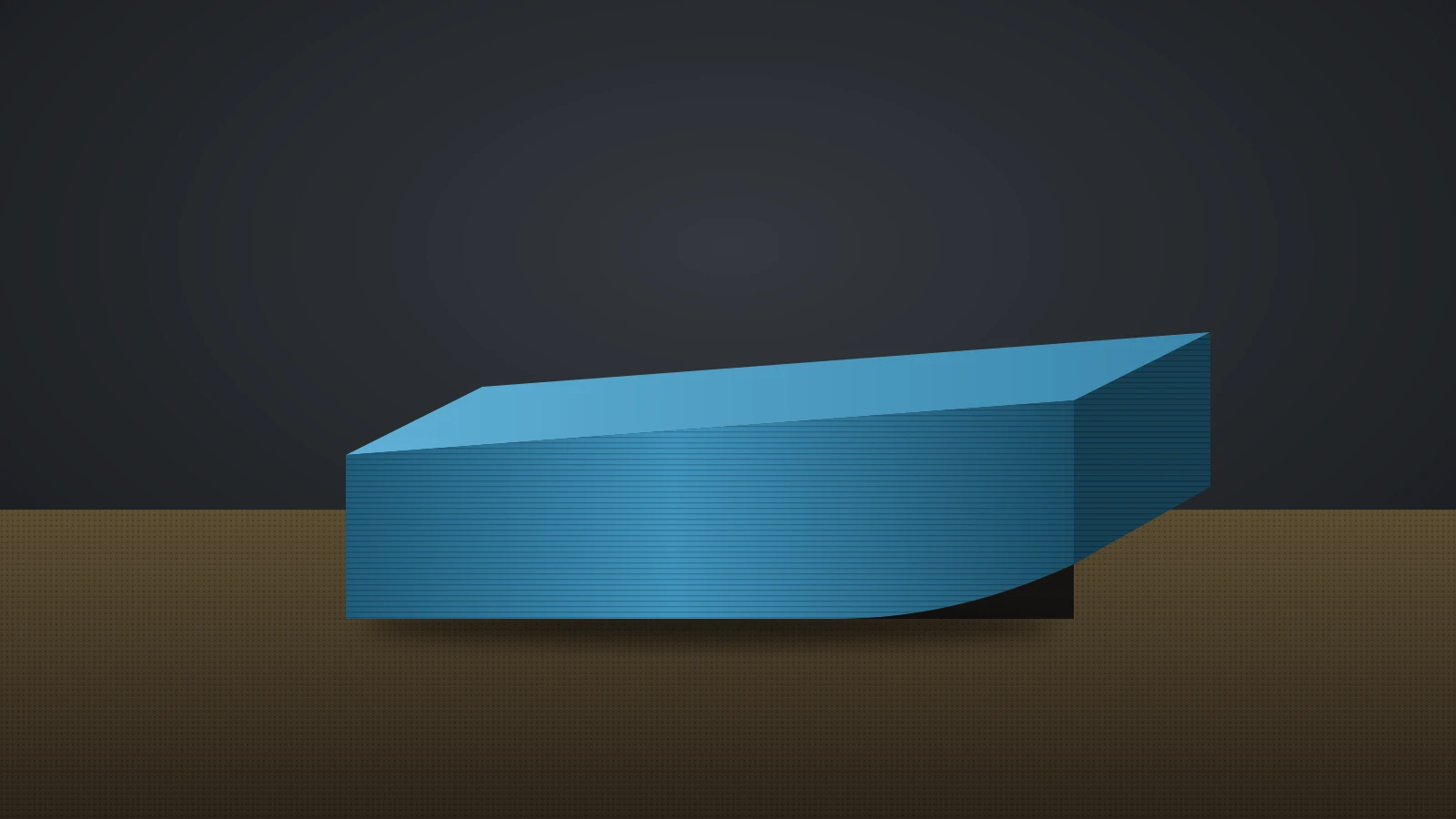
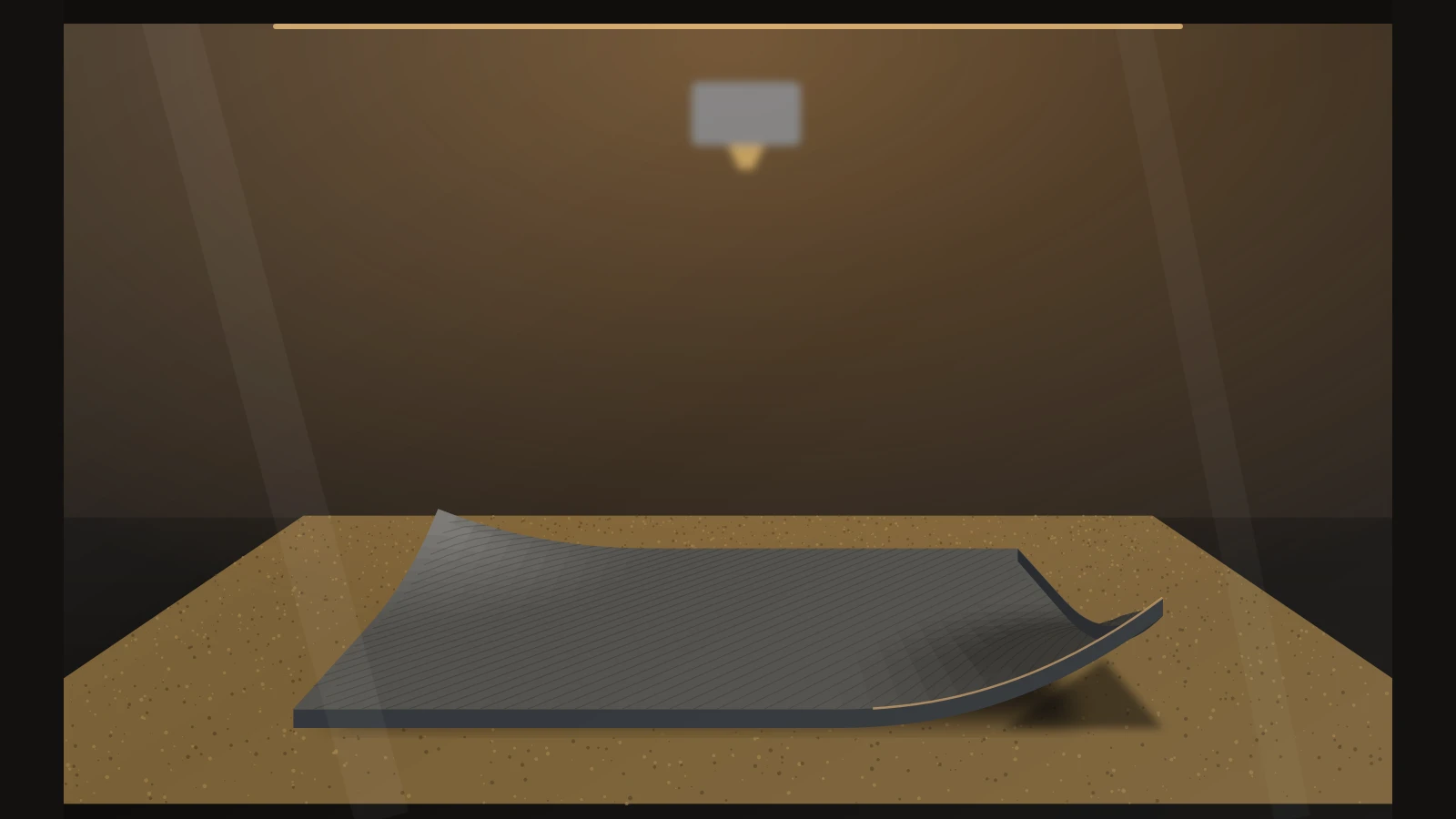
3D print warping is the bending or curling of a printed part away from its intended shape, most often seen as corners lifting off the bed during the print. Bambu Lab defines warpage as deformation caused by thermal contraction or residual stress, including bending, curling and twisting of areas that should stay flat.
It usually shows up in one of these ways:
- Corners lifting off the plate, starting a few layers in.
- Edges curling upward along the length of a long, flat part.
- A horizontal ripple on the side wall, where Bambu Lab says the nozzle re-hit a lifted layer.
- A whole part bowing after it comes off the plate.
Small warping is easy to miss. Bambu Lab notes that even slight lifting can leave visible flaws on side walls and top layers that look like an extrusion or flow problem, so check whether the base is still flat before changing flow settings.
What causes warping in 3D printing?
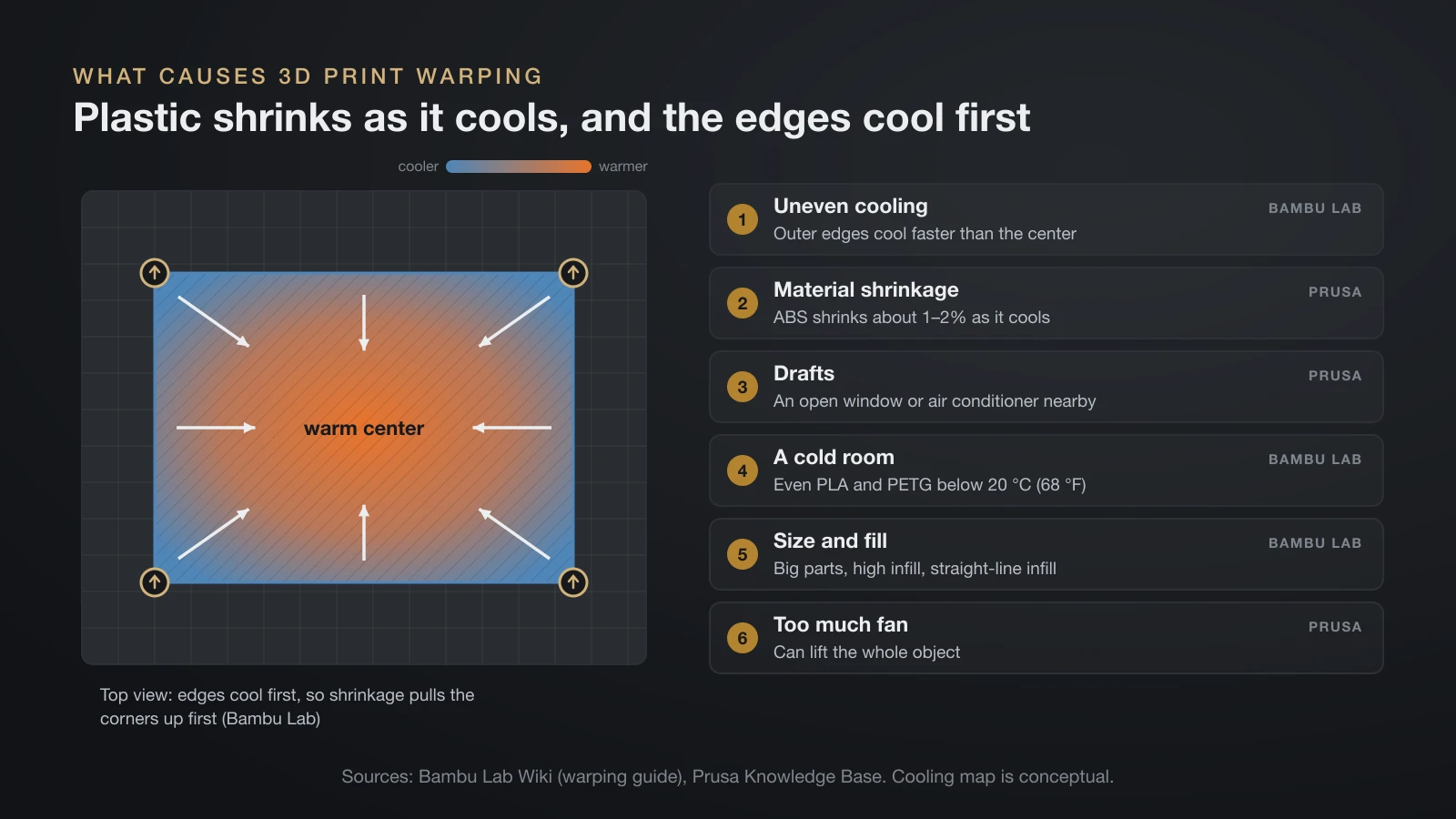
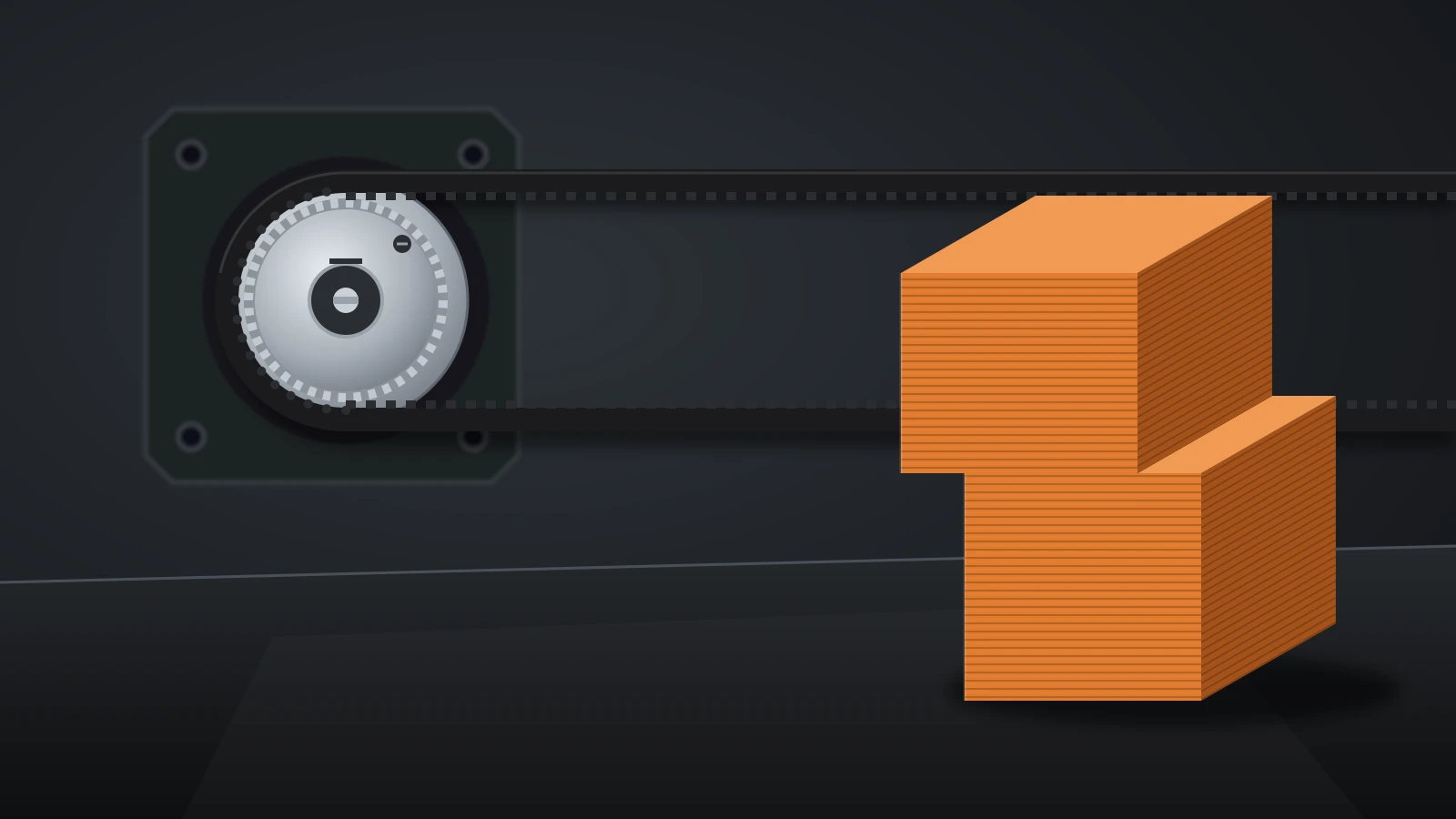
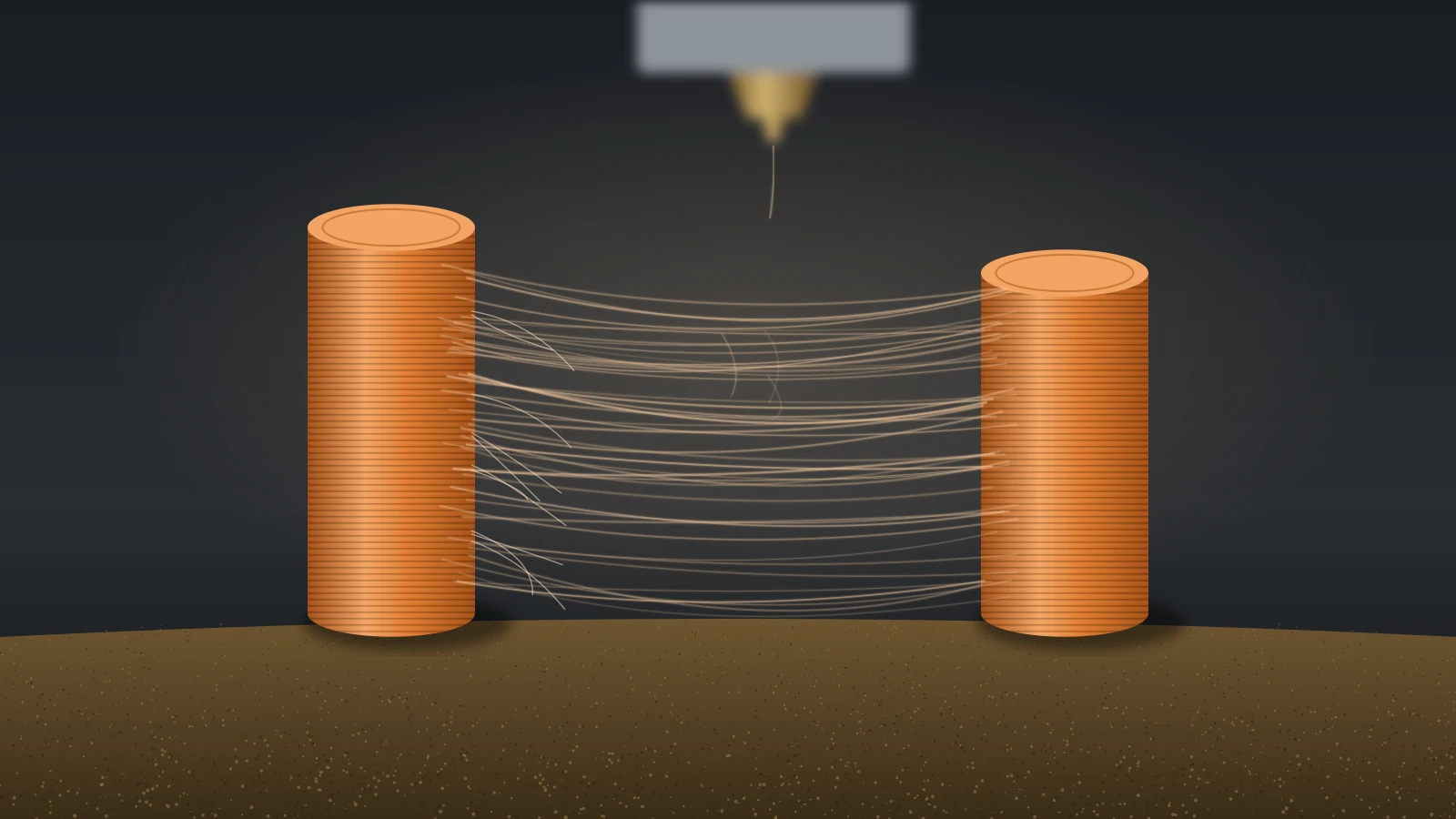
Warping in 3D printing is caused by thermal contraction: hot plastic shrinks as it cools, and because the layers cool at different times and rates, the shrinkage builds stress that pulls the part upward. Prusa traces it to the sudden temperature difference between the hot nozzle and the cooler room air.
Several things make that stress worse:
- Uneven cooling. Bambu Lab explains that the outer edges cool faster than the center, so the corners pull up first.
- Material shrinkage. Prusa puts ABS shrinkage at about 1–2% as it cools, and Bambu Lab adds that high-temperature plastics build extra internal stress when the room is cool.
- Drafts. Prusa says an open window or an air conditioner near the printer increases warping.
- A cold room. Bambu Lab says warping can affect even PLA and PETG below 20 °C (68 °F).
- Size and fill. Bambu Lab says larger parts and higher infill shrink more, and straight-line infill patterns shrink more than gyroid.
- Too much fan. Prusa warns that too much print fan can lift the whole object.
Which materials warp the most?
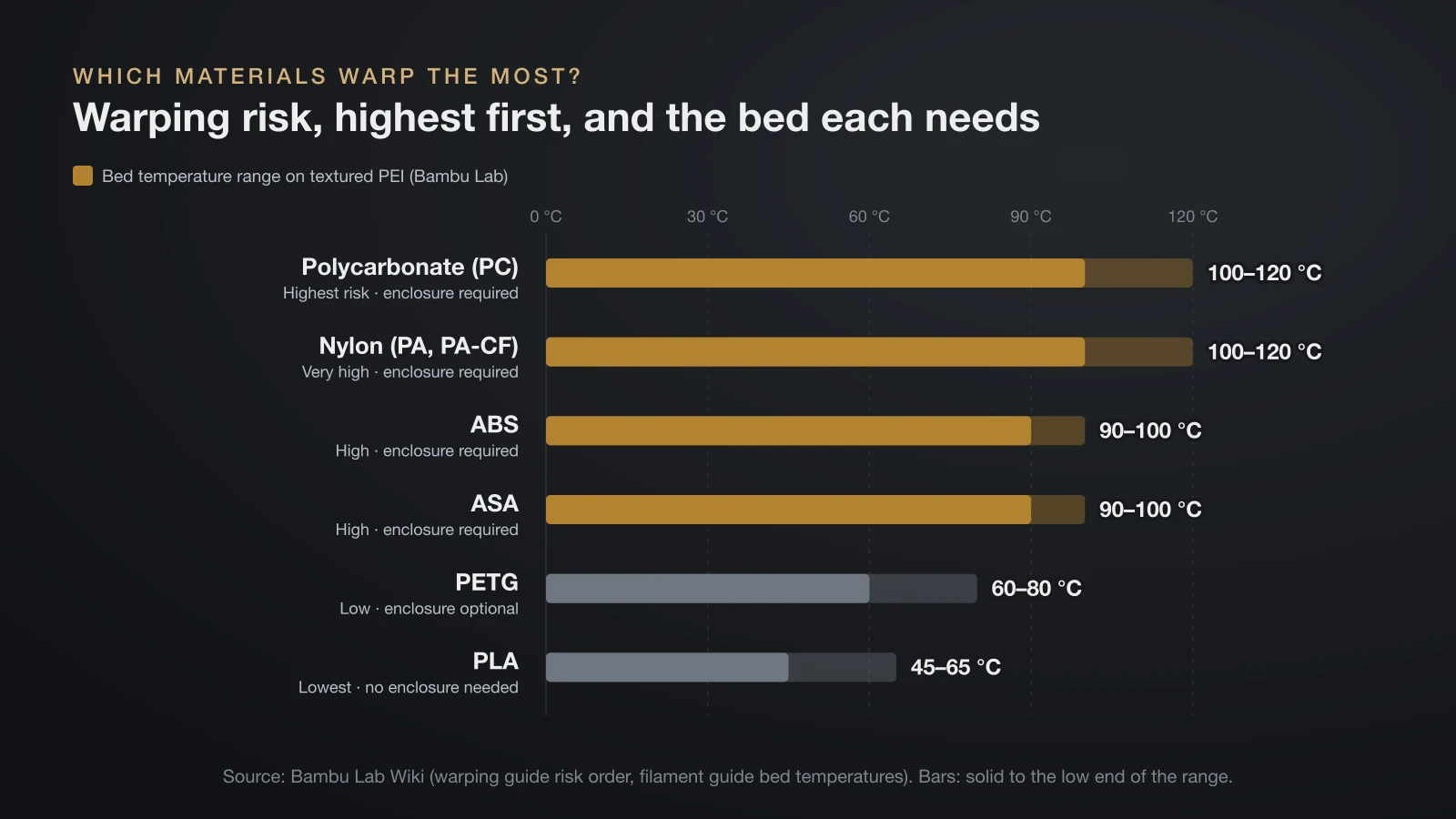
High-temperature engineering plastics warp the most, and PLA warps the least. Bambu Lab ranks the shrinkage risk, from highest to lowest, as PC, PA-CF, PA, ABS, ASA, PETG and PLA, and also names acetal (POM) and polypropylene (PP) as shrinkage-prone.
| Material | Warping risk (Bambu Lab order) | Bed on textured PEI (Bambu Lab) | Enclosure |
|---|---|---|---|
| Polycarbonate (PC) | Highest | 100–120 °C | Required |
| Nylon (PA, PA-CF) | Very high | 100–120 °C | Required |
| ABS | High | 90–100 °C (194–212 °F) | Required |
| ASA | High | 90–100 °C | Required |
| PETG | Low | 60–80 °C | Optional; recommended in cold rooms |
| PLA | Lowest | 45–65 °C (113–149 °F) | Not needed |
Bambu Lab’s filament guide groups ABS, ASA, PC and PA as materials that need higher bed and chamber temperatures to suppress warping, and PLA, PETG and TPU as not prone to warping. It also says fibers limit the shrinkage of the base polymer, though nylon with carbon fiber (PA-CF) still ranks second in its risk order; see our carbon fiber filament guide.
For large, flat parts without an enclosure, Bambu Lab recommends PLA, PLA-CF, PETG or PETG-CF over ABS, ASA or PC. Our ABS filament and ASA filament guides cover those materials, and the PLA vs PETG vs ABS comparison helps you pick by job.
How to stop 3D print warping, step by step
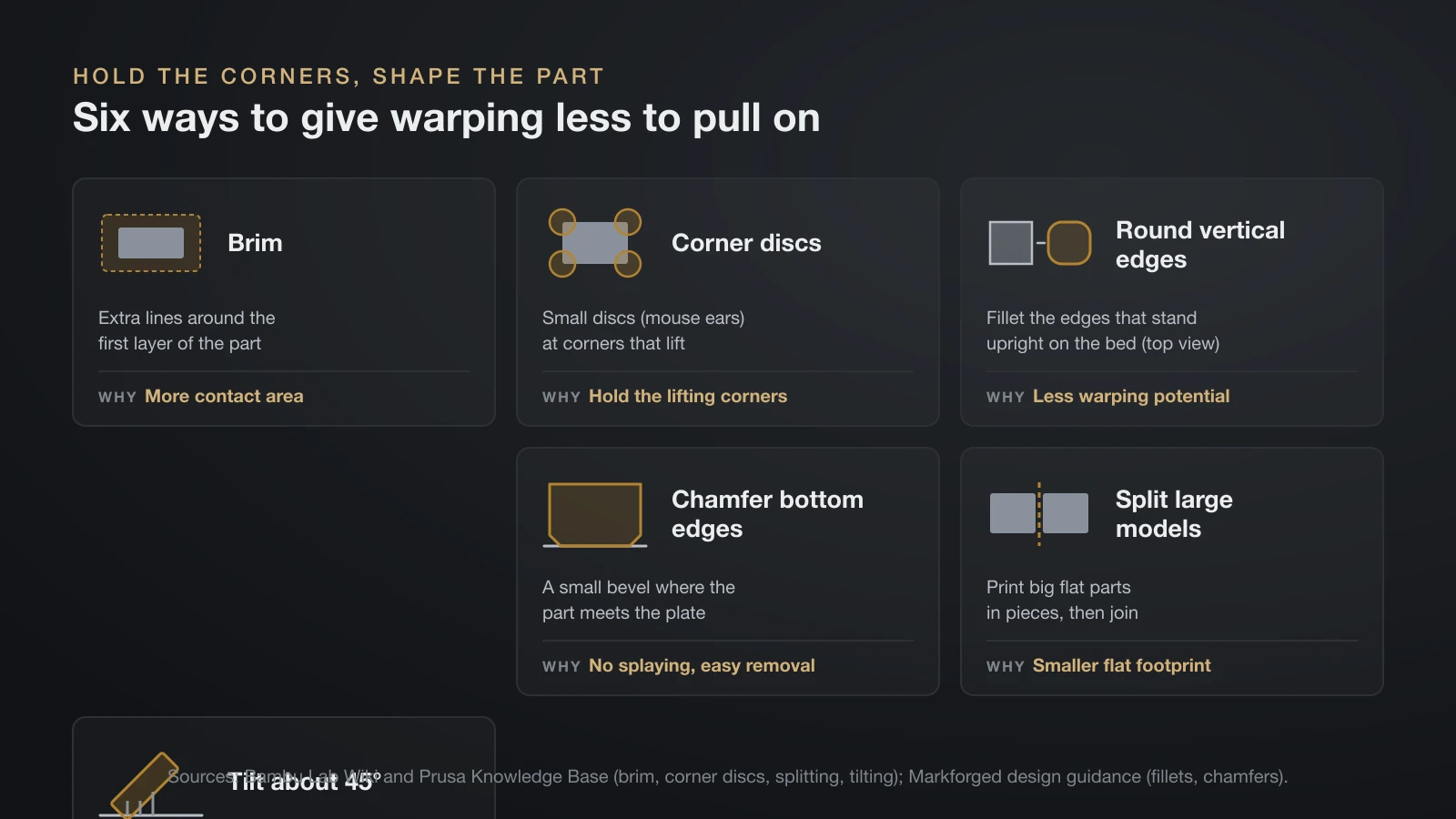
The way to stop 3D print warping is to slow and even out the cooling, hold the corners down while the part shrinks, and give the design less to pull on. Print a test after each change.
- Block drafts. Move the printer away from windows, vents and fans, and close the door and lid on an enclosed printer.
- Raise the bed temperature within range. Bambu Lab’s quick fix for lifting corners is 5–10 °C more, and on an open-frame printer in a cold room about 10 °C more. Prusa sets ABS anywhere from 80 to 110 °C, hotter for larger objects.
- Set the fan. Bambu Lab recommends no cooling for the first three layers on common filaments. After that, PLA and PETG need their fan working, since Prusa says a weak or blocked fan lets their corners lift; for ABS and PC, Prusa suggests trying a low fan, about 10–20%, only when steep overhangs and small features warp.
- Add a brim or corner discs. A brim adds contact area. Bambu Lab suggests adding small disc parts at the corners that warp, and Prusa adds a tiny cylinder a few layers tall at the problem spot.
- Keep heat around the part. Prusa suggests a skirt used as a draft shield, printing several objects at once and placing problem areas near the center of the bed.
- Lower infill and walls. Bambu Lab advises staying at or below 50% infill and six walls, and suggests gyroid infill for large flat parts.
- Slow down. Prusa says slower printing helps the layers bond and reduces warping.
- Enclose warping materials and warm the chamber.
Design and orientation
Geometry changes how hard the part pulls on its corners. Markforged’s design guidance says filleting edges that are vertical to the bed reduces the potential for warping, and chamfering the bottom edges makes removal easier and stops them splaying out on the first layer.
Bambu Lab adds that big flat footprints warp most. It suggests splitting large models, or tilting a large part about 45° so less of it lies flat; the tilted part will then need supports. Tilting trades some strength, because the bonds between layers are weaker than the lines within a layer.
Enclosures and chamber temperature
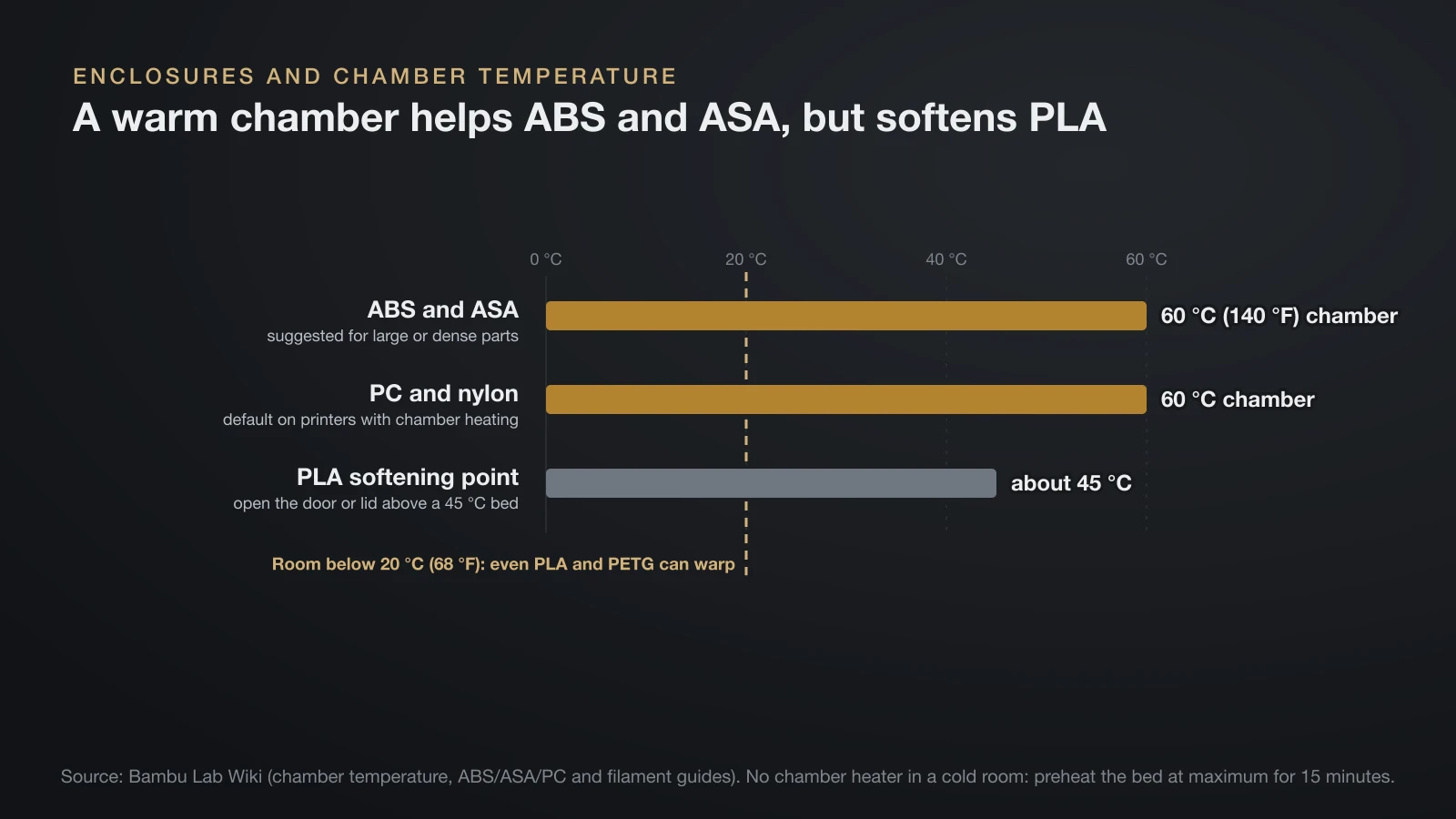
An enclosure stops warping by keeping drafts away and holding warm, still air around the part, which matters most for ABS, ASA, polycarbonate and nylon. Bambu Lab’s filament guide recommends an enclosed printer for all four, and Prusa suggests an enclosure if you print high-temperature materials most of the time.
Heat inside the box helps further. On printers with active chamber heating, Bambu Lab suggests a 60 °C (140 °F) chamber for large or dense ABS and ASA parts and uses it by default for PC and nylon. Without chamber heating, it suggests preheating the bed at maximum for 15 minutes in a cold room on the X1C and P1S.
Keep PLA out of a hot chamber. Bambu Lab warns that high chamber temperatures soften low-temperature filaments in the extruder and cause clogs, and puts PLA’s softening point at about 45 °C. Our guide to enclosed 3D printers covers passive and heated chambers and filtration for ABS fumes.
Grip on the plate: necessary but not enough
A part that grips the plate well resists warping longer, but no adhesive can cancel shrinkage on its own. Bambu Lab compares the forces: when the part’s shrinkage beats its grip on the plate, the part lifts, and when it beats the plate’s magnetic hold, the whole plate can lift off the bed. Clean plates, correct nozzle height, glue and the right surface for each filament are covered in our bed sticking guide.
PETG warping and PLA warping
PETG and PLA both warp far less than ABS, so when they do, the room, the fan or the part’s size is usually to blame.
PETG warping
Bambu Lab says PETG warps more easily than PLA, usually because the layers cool too fast, and fixes it with glue on the plate and a brim. Prusa, by contrast, describes PETG as having very little thermal expansion and low warping, which suits large models. Both can be true: PETG is forgiving, but a big part in a cool room can still lift.
Prusa prints the first few PETG layers with the fan off, then at half power. Bambu Lab adds that an enclosed printer protects PETG’s layer strength in a cold room. Bed temperatures by brand are in our PETG temperature guide.
PLA warping
PLA rarely warps on a clean plate at the right temperature, so PLA warping off the bed points to drafts, a cold room or too much cooling. Bambu Lab suggests no cooling for the first three layers and a lower auxiliary fan if corners lift, while Prusa warns that a PLA fan that is off or blocked also lets corners lift.
In an enclosed printer, open the door or lid when the PLA bed runs above 45 °C, as Bambu Lab recommends, to avoid softening the filament in the extruder. Our PLA temperature guide lists bed ranges by plate.
How hot can PETG get before warping?
A finished PETG part starts to deform under load at around 68 °C (154 °F), the heat deflection temperature that Prusament’s data sheet gives at 0.45 MPa. That is the point where a loaded test bar bends by a set amount, and the PETG data sheets compared in our PETG temperature guide range from 68 to 78 °C.
Prusa rates PETG parts for use below 80 °C. Prusament PLA, by comparison, deflects at 55 °C (131 °F) at the same load, so PETG holds its shape in warmer places, but neither is meant for a car dashboard in summer sun.
Warping mid-print, layer splitting and cracking
Warping that appears halfway through a print is the same shrinkage, but the stress has built up over many layers before a corner lets go. Watch for the nozzle hitting a lifted edge: it can knock the part loose or cause a 3D print layer shift, so stop the print rather than letting it run.
On tall ABS or ASA parts, the stress can split the part between layers instead of lifting the base. Prusa explains that layers cooling at different rates create warping forces that exceed the layer adhesion; for ABS it turns the fan off completely and prints in an enclosed chamber, and for large objects it suggests PETG or ASA instead. Bambu Lab’s fixes for this interlayer cracking are a lower fan speed, a hotter bed and a closed door and lid.
The bottom line
3D print warping is shrinkage stress pulling a cooling part off the bed, and it gets worse with drafts, cold rooms, big flat parts and high-shrink plastics. Block drafts, run the bed in the upper part of its range, keep the fan off for the first layers, add a brim or corner discs, and enclose the printer for ABS, ASA, polycarbonate and nylon. Round vertical edges and keep infill moderate so the part has less to pull with.
Sources
- Bambu Lab Wiki: Warping, falling off and collapsing, Printed model warping, Common print quality problems, Filament guide, ABS, ASA and PC guide, PETG guide, Chamber temperature, Discs against warping and Shrinkage (causes, risk order, bed ranges, enclosures, room and bed temperatures, fan, infill, tilt, chamber, cracking)
- Prusa Knowledge Base: Warping, ABS, PETG and Layer separation and splitting (causes, fan, draft shield, enclosure, 1–2% ABS shrinkage, 80–110 °C bed, PETG, splitting)
- Prusa: Prusament PETG data sheet and the Prusa Knowledge Base material table (heat deflection, ISO 75 at 0.45 MPa: Prusament PETG 68 °C, Prusament PLA 55 °C)
- Markforged: 3D printing design tips (fillets on vertical edges, chamfers on bottom edges)