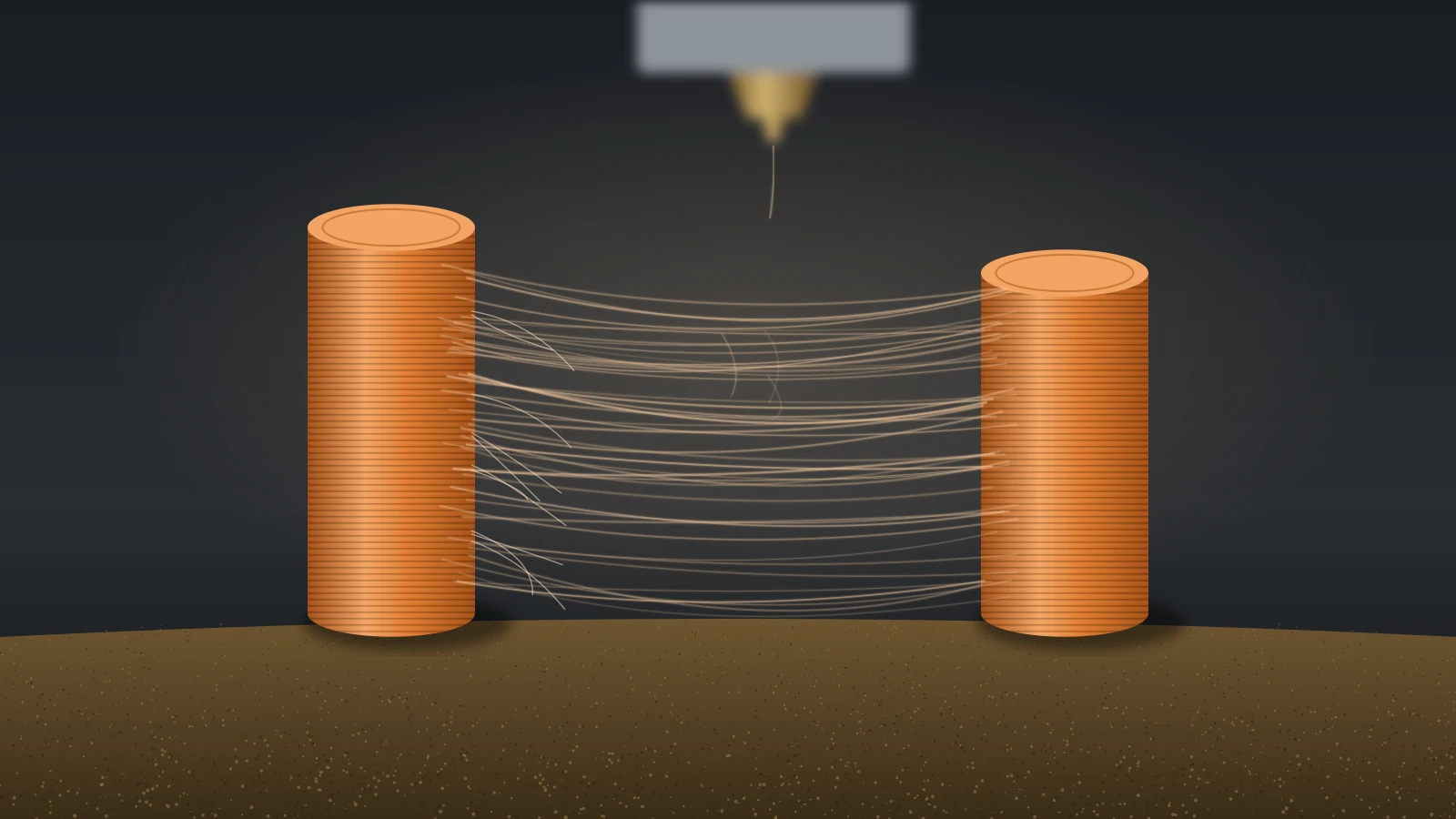
3D print stringing is the web of thin plastic hairs left between separate parts of a print when molten filament oozes from the nozzle during travel moves. The usual causes are wet filament, a nozzle that runs too hot and retraction that is too short or too slow. Dry the spool first, then lower the temperature and tune retraction.
Work in that order, because a damp spool strings no matter how well retraction is tuned. If the strings come with ridges, blobs and oversized parts, the printer may also be pushing too much plastic, which our guide to over extrusion in 3D printing covers.
The short answer
Fix stringing in this order, and reprint the same small test part after each change:
- Dry the filament, or try a fresh spool to rule moisture out.
- Lower the nozzle temperature 5–10 °C within the spool’s range, or print a temperature tower.
- Tune retraction length with a retraction tower: pick the shortest length that prints clean.
- Cut travel over open air: turn on avoid crossing walls, keep wipe and retract on layer change on, and keep Z-hop small.
- Check the nozzle: right size in the slicer, not worn, no old residue inside.
- Clean up finished prints with a hobby knife or a one-second pass of hot air.
What does 3D print stringing look like?
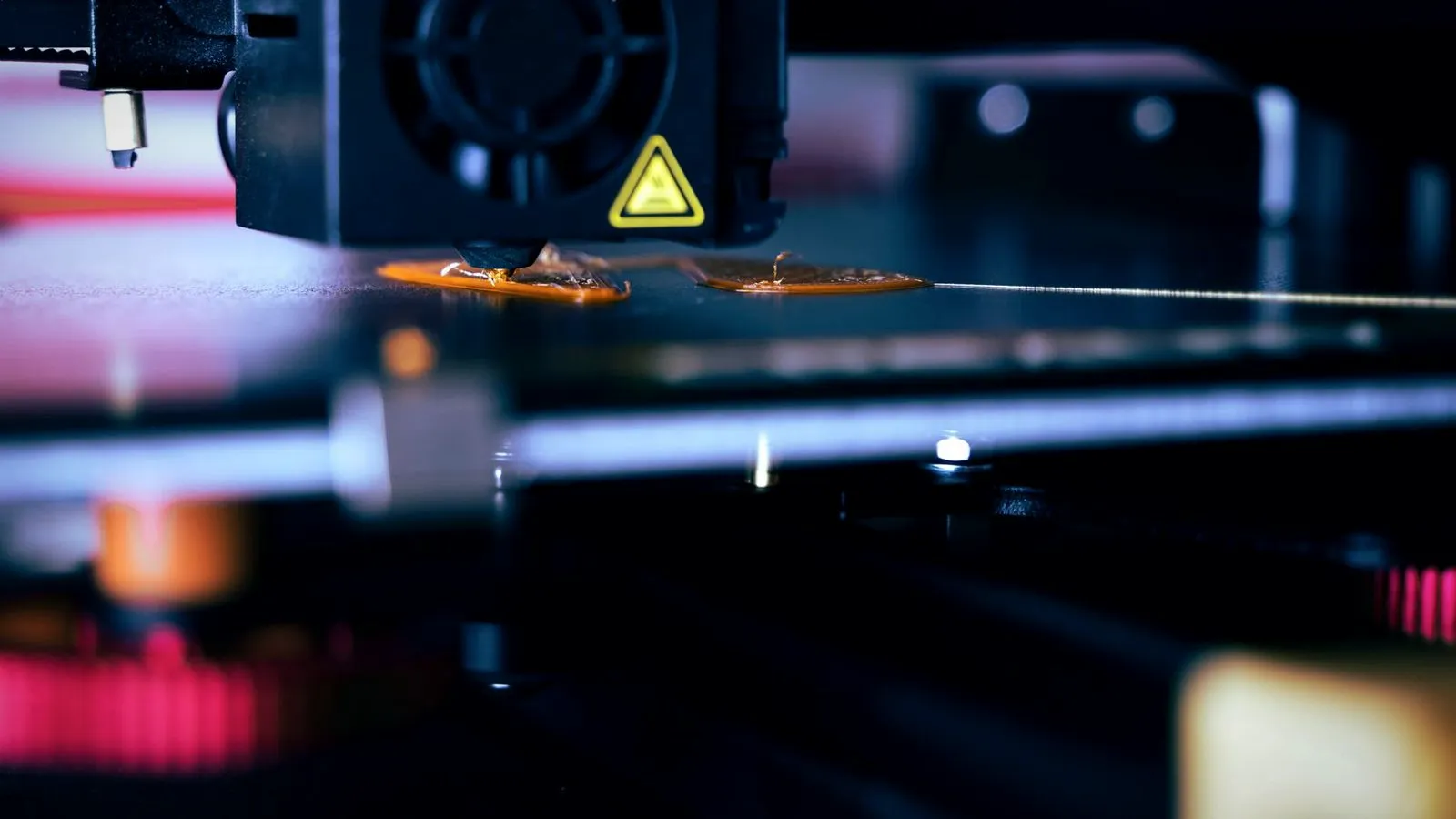
3D print stringing looks like fine, cobweb-like threads stretched across the gaps between separate features of a print, such as two towers, the arms of a figure or the inside of a hole. Bambu Lab describes the threads as molten plastic pulled out of the nozzle during travel moves, between parts or across the model’s surface.
Oozing is the same leak without the travel: plastic that keeps seeping out when the nozzle should be idle. Bambu Lab says it leaves blobs on the model, buildup on the nozzle and other surface defects. Both share the same causes, so the fixes below cover both.
Other defects look similar but have different causes:
| Defect | What you see | Where it shows | Usual cause |
|---|---|---|---|
| Stringing | Thin hairs across gaps | Along travel paths | Oozing during travel |
| Oozing | Blobs, buildup on the nozzle | Where the nozzle pauses or restarts | Same causes as stringing |
| Seam blobs (zits) | Small bumps in a vertical line | Where each layer starts and ends | Seam and retraction settings |
| Over-extrusion | Ridges, rough top, oversized parts | Everywhere | Flow or filament diameter |
| Wet filament | Strings plus bubbles, holes, rough walls | Everywhere | Moisture in the spool |
What causes stringing in 3D printing?
Stringing in 3D printing happens when molten plastic leaks from the nozzle while the print head moves between features. Anything that makes the plastic runnier, or leaves it under pressure in the nozzle during a long move, adds to it. Bambu Lab sums up the causes as excessive extrusion at the nozzle, damp filament and improper retraction settings.
| Cause | Why it strings | Where to look |
|---|---|---|
| Wet filament | Water boils in the nozzle, so the melt expands and flows erratically | Popping, bubbles, rough walls |
| Nozzle too hot | Hot plastic is thinner and drips more easily | Filament profile temperature |
| Retraction too short or too slow | Plastic is not pulled back before the travel move | Printer or filament retraction settings |
| Long travel over open air | More time and distance for the leak to stretch into a thread | Part spacing, avoid crossing walls |
| Retraction skipped on short moves | Moves under the travel threshold do not retract | Minimum travel after retraction |
| Worn or wrong-size nozzle | A larger opening lets more plastic flow out | Nozzle profile, nozzle wear |
| Residue or a hotend fault | Old material in the nozzle, poor heat dissipation | Nozzle cleaning, hotend assembly |
Speed and temperature interact. Bambu Lab’s PETG guide explains that slow printing gives the plastic more time to heat up and become fluid, so a temperature chosen for fast printing causes stringing and oozing at low speed. If you slow a print down, lower the nozzle temperature with it.
How to fix stringing in 3D prints, step by step
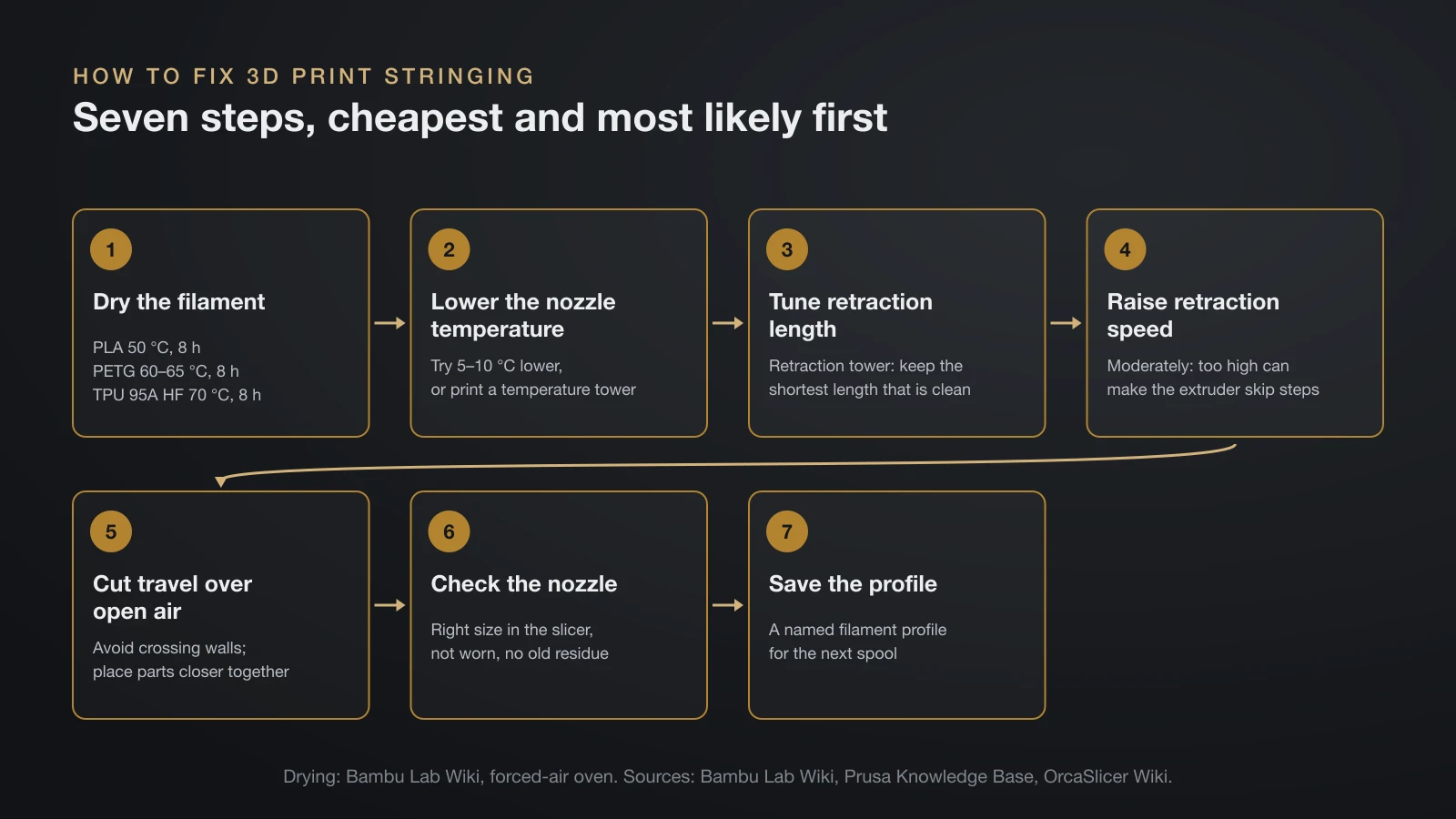
The fastest way to fix stringing in 3D prints is to remove causes in order: moisture first, then temperature, then retraction, then travel moves and hardware.
- Dry the filament in a filament dryer or an oven with a thermometer. Bambu Lab’s forced-air oven settings are 50 °C (122 °F) for 8 hours for PLA, 60–65 °C (140–149 °F) for 8 hours for PETG and 70 °C (158 °F) for 8 hours for its TPU 95A HF. Prusa suggests simply trying a different spool to rule out moisture.
- Lower the nozzle temperature. Prusa suggests trying 5–10 °C lower. A temperature tower finds the value faster than guessing.
- Tune retraction length with a retraction tower and keep the shortest length that prints clean. Direct drive and Bowden extruders start from very different ranges.
- Raise retraction speed moderately if strings remain. Prusa says a higher retraction speed improves stringing, but too high a value can make the extruder motor skip steps.
- Cut travel over open air. Turn on avoid crossing walls (Bambu Studio, OrcaSlicer) or avoid crossing perimeters (PrusaSlicer), and place multiple parts closer together, as Bambu Lab suggests.
- Check the nozzle. Make sure the slicer profile matches the nozzle size, replace a worn nozzle and clean out residue from earlier filaments.
- Save the result in a named filament profile so the next spool of the same type starts from a clean setting.
Prusa lists a few more slicer switches that matter. Keep wipe while retracting and retract on layer change turned on. Its preset for minimum travel after retraction is 1 mm, and raising it saves time but increases oozing and stringing. Printing objects one at a time (sequential printing) makes strings between parts less likely, though Prusa warns to watch for collisions.
Faster travel is not a cure-all: OrcaSlicer warns that too high a travel speed can lead to missed steps and ringing. Our guide to 3D printing slicer settings shows where each option lives.
Retraction settings by extruder type
Retraction length depends mostly on the extruder layout: direct drive printers need short retraction, often 2 mm or less, while Bowden printers need several millimeters to take up the slack in the feed tube. These are the official starting points:
| Setup | Official guidance | Source |
|---|---|---|
| Most direct drive extruders | Test 0–2 mm in 0.1 mm steps | OrcaSlicer retraction test |
| Bowden extruders | Test 1–6 mm in 0.2 mm steps | OrcaSlicer retraction test |
| Prusa MK2.5 and MK3 family (direct drive) | 2 mm maximum | Prusa Knowledge Base |
| Prusa MINI and MINI+ (Bowden) | 3.2 mm default | Prusa Knowledge Base |
| Bambu Lab printers (direct drive) | Generally no more than 2 mm | Bambu Lab Wiki |
| Tower is clean from the first section | 0.2–0.4 mm is enough | OrcaSlicer retraction test |
More is not better. OrcaSlicer warns that too long a retraction can lead to clogs or under-extrusion, and Bambu Lab gives the same clog warning for lengths above 2 mm. The length is measured on the raw filament before it enters the extruder, and a Bowden value includes the slack of the long feed tube, so copied onto a direct drive printer it is far too long.
Our comparison of direct drive vs Bowden extruders explains why the tube needs the extra length and lists the stock profiles printer makers ship.
How to run a 3D printer stringing test
A 3D printer stringing test prints a small tower in sections, each with a different setting, so you can see on one print where the strings stop. OrcaSlicer’s calibration guide runs the temperature test before retraction, because temperature changes how the plastic flows and therefore every result after it.
Temperature tower
A temperature tower stacks blocks printed at different nozzle temperatures. OrcaSlicer’s advice: lower temperatures usually reduce stringing, but going too low can cause it too, while higher temperatures improve layer bonding. Pick the middle of the range of blocks that look good, or the upper end if you print fast.
Retraction tower
A retraction tower changes the retraction length every few layers. Find the section with the least stringing, measure its height, and look up the matching value in the G-code preview; OrcaSlicer says to read its Calib_Retraction_tower comment rather than the retract commands. If the tower still strings badly at the top, OrcaSlicer’s advice is to dry the filament and check that the nozzle is installed without leaks, not to keep adding retraction.
Both tests live in the Calibration menu of Orca Slicer. Other slicers offer similar towers, or you can download a test model and change the setting by height. Our guide on how to calibrate a 3D printer puts both tests in the full calibration order.
Stringing by filament: PLA, PETG and TPU
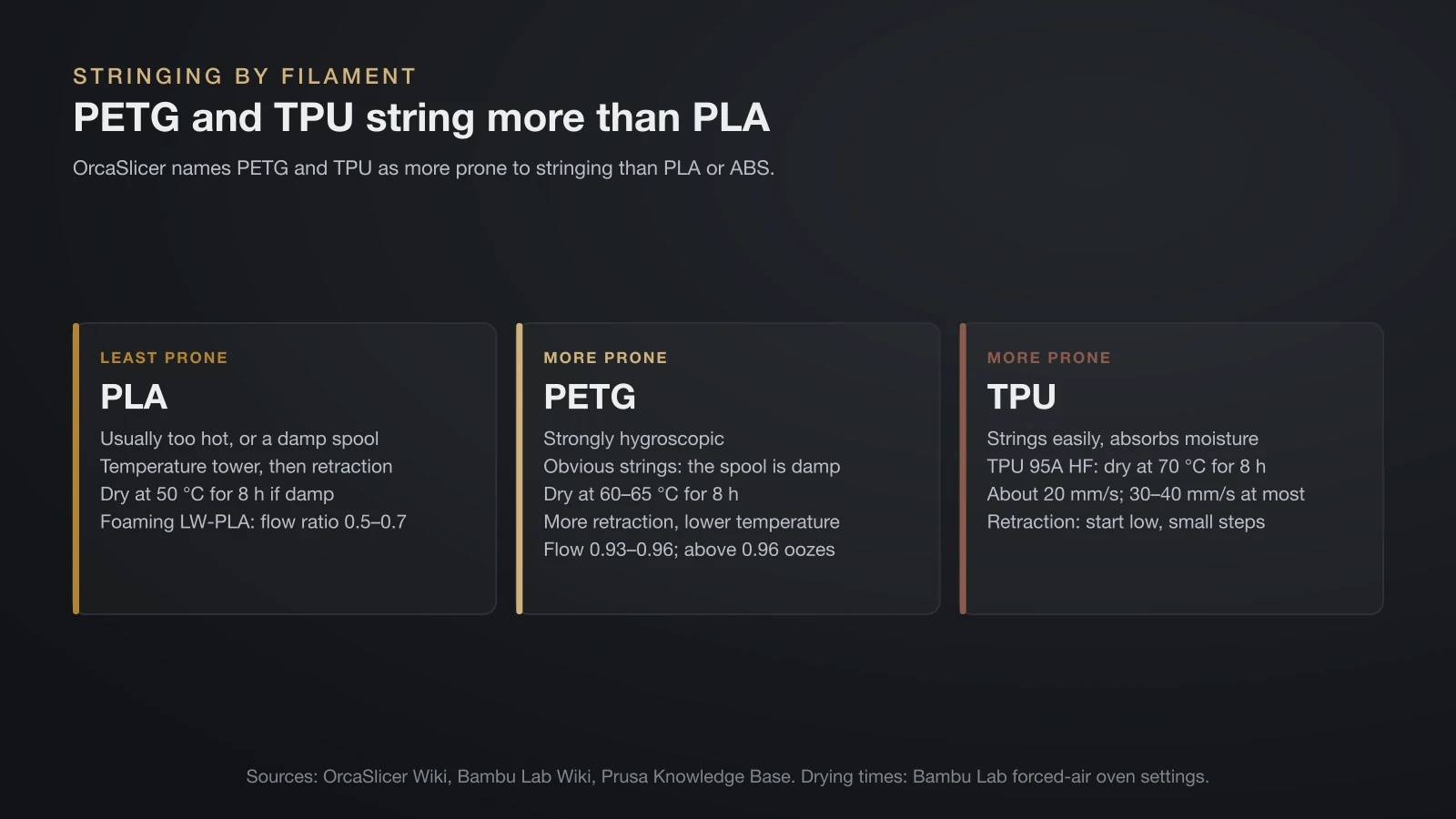
Every filament strings for the same basic reasons, but OrcaSlicer names PETG and TPU as more prone to it than PLA or ABS, so they need drier spools and more careful tuning.
PLA stringing
PLA is the easiest filament to print without strings, so stringing on PLA usually means the temperature is high for your speed or the spool has picked up moisture. Print a temperature tower and use a value in the lower part of the good range, then run a retraction tower. Our PLA temperature guide lists the ranges makers give.
Lightweight foaming PLA is the exception. Bambu Lab says low-density filaments such as PLA Aero release gas as they print and string easily unless they are dried and printed cooler, with a flow ratio of 0.5–0.7. Our guide to LW-PLA covers how the foaming works.
PETG stringing
PETG strings more than PLA, and moisture is the first suspect. Bambu Lab calls PETG strongly hygroscopic and says obvious stringing is a sign the spool is damp and needs drying. Prusa adds that stringing on PETG drops with more retraction and a lower nozzle temperature, and that part cooling helps reduce stringing and oozing.
Flow matters as well. Bambu Lab recommends a flow ratio of 0.93–0.96 for PETG-type filaments and warns that going above 0.96 can lead to oozing or clogging. Full temperature ranges by brand are in our PETG temperature guide.
TPU stringing
TPU strings easily and absorbs moisture, so start with a dry spool: Bambu Lab lists drying as required before printing its TPU 95A HF. Print slowly; Prusa gives about 20 mm/s as a typical speed for flexible filament and 30–40 mm/s as the maximum.
Retraction advice for TPU conflicts, even within one maker’s documentation. Prusa’s stringing guide and OrcaSlicer both say flexible filament usually needs longer retraction, while Prusa’s flexible materials guide says lower retraction reduces the risk of clogs and tangling and suggests starting with it off. Start low and raise it in small steps only if strings appear; our TPU filament guide lists each maker’s settings.
How to remove strings from a finished print
You can remove light strings from a finished print by trimming them or with a very brief pass of hot air. Prusa’s method is a heat gun at about 200 °C (392 °F), aimed at the strings for one or two seconds. Holding the heat longer can deform the part, so keep the gun moving and stop as soon as the hairs shrink back.
A few habits keep this safe:
- Let the part cool fully first, and rest it on a heat-resistant surface rather than in your hand.
- Work in short passes, because thin walls and fine details soften first.
- Trim thicker strands with a sharp hobby knife or flush cutters, cutting away from your fingers.
Strings that come back on every print are a settings problem, not a finishing problem, so go back to the fix list above.
The bottom line
3D print stringing is plastic leaking from the nozzle during travel moves, and most cases come down to moisture, heat and retraction. Dry the spool, lower the temperature with a temperature tower, then find the shortest clean retraction with a retraction tower and limit travel over open air. PETG and TPU need the most care; for leftover strings, trim them or use a one-second pass of hot air.
Sources
- Prusa Knowledge Base: Stringing and oozing, PETG and Flexible materials (causes, 2 mm and 3.2 mm retraction, slicer switches, 1 mm minimum travel, 5–10 °C lower, heat gun at 200 °C for 1–2 s, PETG and TPU advice, 20 and 30–40 mm/s)
- Bambu Lab Wiki: Stringing and oozing, PETG printing guide and Filament drying recommendations (definitions, causes, 2 mm limit, 0.5–0.7 and 0.93–0.96 flow ratios, PETG moisture, oven drying temperatures and times)
- OrcaSlicer Wiki: Calibration guide, Retraction calibration, Temperature calibration, Retraction settings and Travel speed (test order, test ranges and steps, 0.2–0.4 mm, reading the towers, clog warning, PETG and TPU, travel speed)