TPU filament (thermoplastic polyurethane) is a flexible, rubber-like 3D printing plastic for parts that must bend, grip or absorb shocks, such as gaskets, bumpers and phone cases. Grades run from very soft 75A to nearly rigid 75D on the Shore hardness scale. Print it slowly, around 20–30 mm/s, at 220–240 °C (428–464 °F), from a dry spool.
The softer the grade, the harder it is to feed, so TPU prints most easily on a direct drive extruder; our direct drive vs Bowden comparison explains why. This guide compares Shore grades using data sheets from Prusament, Bambu Lab, Polymaker and NinjaTek, then covers print settings, common problems and what TPU is good for.
The short answer
| TPU filament | |
|---|---|
| What it is | Thermoplastic polyurethane, a type of thermoplastic elastomer (TPE) |
| Hardness | 75A (very soft) to 95A for flexible grades; 60D to 75D for semi-rigid grades |
| Nozzle temperature | 210–230 °C (Polymaker) to 220–240 °C (Bambu Lab, Prusament) |
| Bed temperature | 25–60 °C (Polymaker), 30–35 °C (Bambu Lab TPU 95A HF sheet), 55–75 °C (Prusament) |
| Speed | About 20 mm/s typical, 30–40 mm/s maximum (Prusa); faster for high-flow grades |
| Retraction | Low or off to start (Prusa); 0.8–1.4 mm (Bambu Lab TPU 95A HF) |
| Extruder | Direct drive preferred; soft grades can buckle in a Bowden tube |
| Drying | 70 °C for 8 h (Bambu Lab, Polymaker); 60 °C for at least 4 h when needed (Prusament) |
| Build surface | Textured PEI; glue stick as a release layer on smooth PEI |
| Best for | Gaskets, seals, bumpers, grips, cases, tires, cable protectors |
What is TPU filament?
TPU filament is a thermoplastic polyurethane made for extrusion printing. Prusa places it in the thermoplastic elastomer (TPE) family, a group of plastics that melt like ordinary filament but behave like rubber once cooled. Resin maker BASF sells TPU from about 37A to 83D, so the same chemistry covers everything from very soft seals to hard rollers.
Prusa lists TPU’s strengths as flexibility and toughness, low shrinkage, good layer adhesion and high mechanical and chemical resistance. Bambu Lab’s data sheets add that it resists most oils and greases but not acids or alkalis. Prusament rates its TPU 95A as flexible and durable down to −50 °C (−58 °F).
The downsides are all about printing. Prusa names high print difficulty, low speed, very poor bridging and overhangs, difficult support removal, stringing and moisture absorption.
TPU Shore hardness: 95A, 90A, 85A and 68D compared
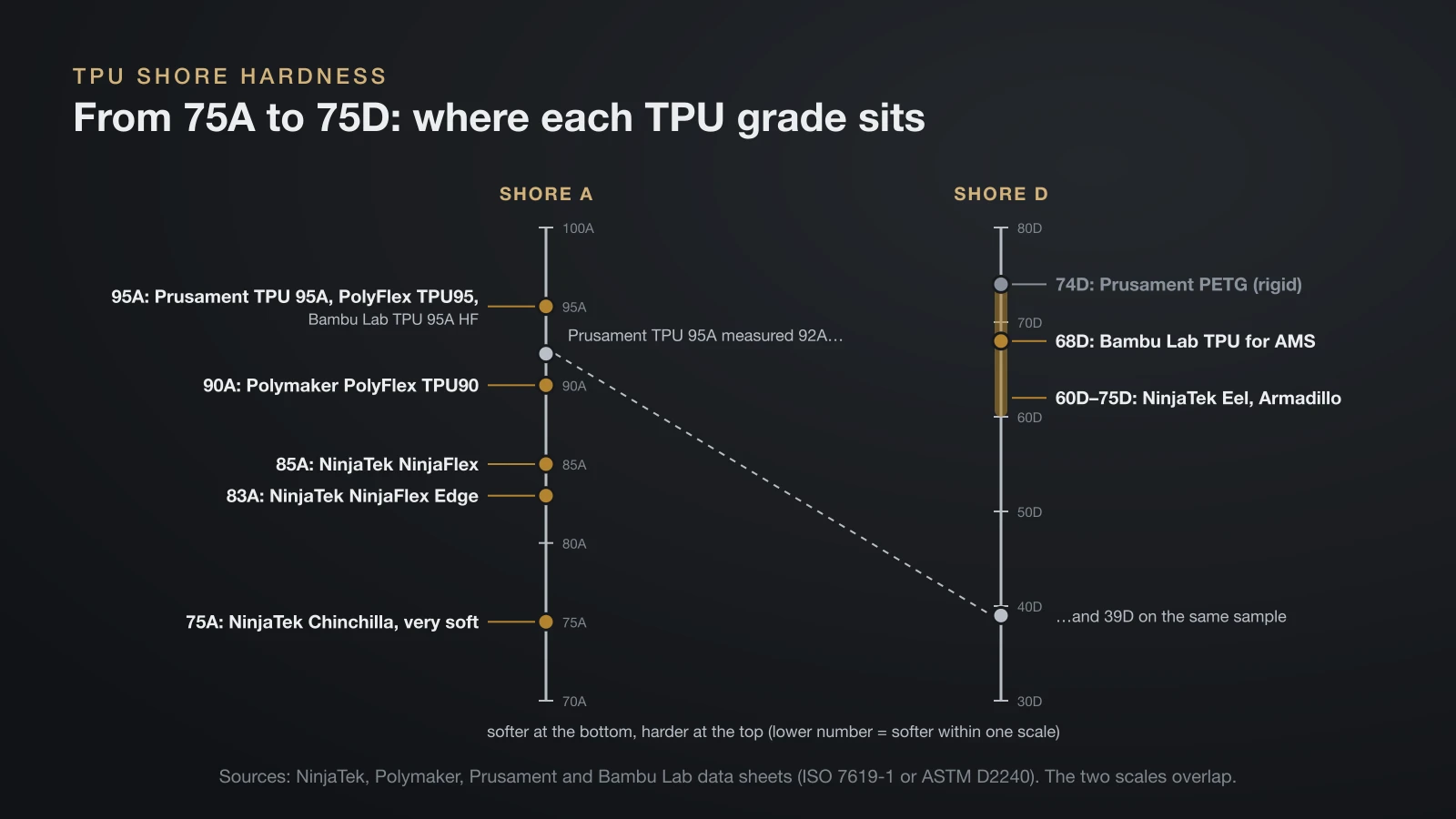
Shore hardness tells you how soft a TPU filament feels, and it is the first number to check on a spool. Filament makers quote flexible grades on the Shore A scale and harder grades on the Shore D scale, measured with a durometer (ISO 7619-1 or ASTM D2240 on most data sheets). Within one scale, a lower number means a softer material.
The two scales overlap, so the letter matters as much as the number. Prusament measured its TPU 95A filament at 92 Shore A and 39 Shore D at the same time, and its rigid PETG at 74 Shore D.
| Grade | Example product (data sheet) | What it is like |
|---|---|---|
| 75A | NinjaTek Chinchilla | Very soft; the hardest grade to feed |
| 83A to 85A | NinjaTek NinjaFlex Edge, NinjaFlex | Soft and stretchy; 660% elongation (NinjaFlex) |
| 90A | Polymaker PolyFlex TPU90 | Soft; Polymaker rates it UV resistant |
| 95A | Prusament TPU 95A, Polymaker PolyFlex TPU95, Bambu Lab TPU 95A HF | Firm but flexible; the grade Prusament, Polymaker and Bambu Lab all sell |
| 60D to 75D | NinjaTek Eel and Armadillo, Bambu Lab TPU for AMS (68D) | Semi-rigid; tough rather than squishy |
How flexible is TPU?
TPU is hundreds of times more flexible than PLA in Bambu Lab’s own data, measured with the same ISO 527 tensile test. Young’s modulus is a measure of stiffness: the lower it is, the more a part stretches under a given pull.
| Bambu Lab data sheet (X-Y) | PLA Basic | TPU for AMS (68D) | TPU 95A HF |
|---|---|---|---|
| Young’s modulus | 2,580 MPa | 1,190 MPa | 9.8 MPa |
| Elongation at break | 12.2% | Over 650% | Over 650% |
| Elongation at break, across layers (Z) | 7.5% | 31% | Over 480% |
The 68D grade is the surprise: it stretches far before breaking along its lines, but across layers it breaks at 31%, and it is less than half as stiff as PLA rather than rubbery. For truly elastic parts, stay in the A scale.
How to print TPU filament: settings by brand
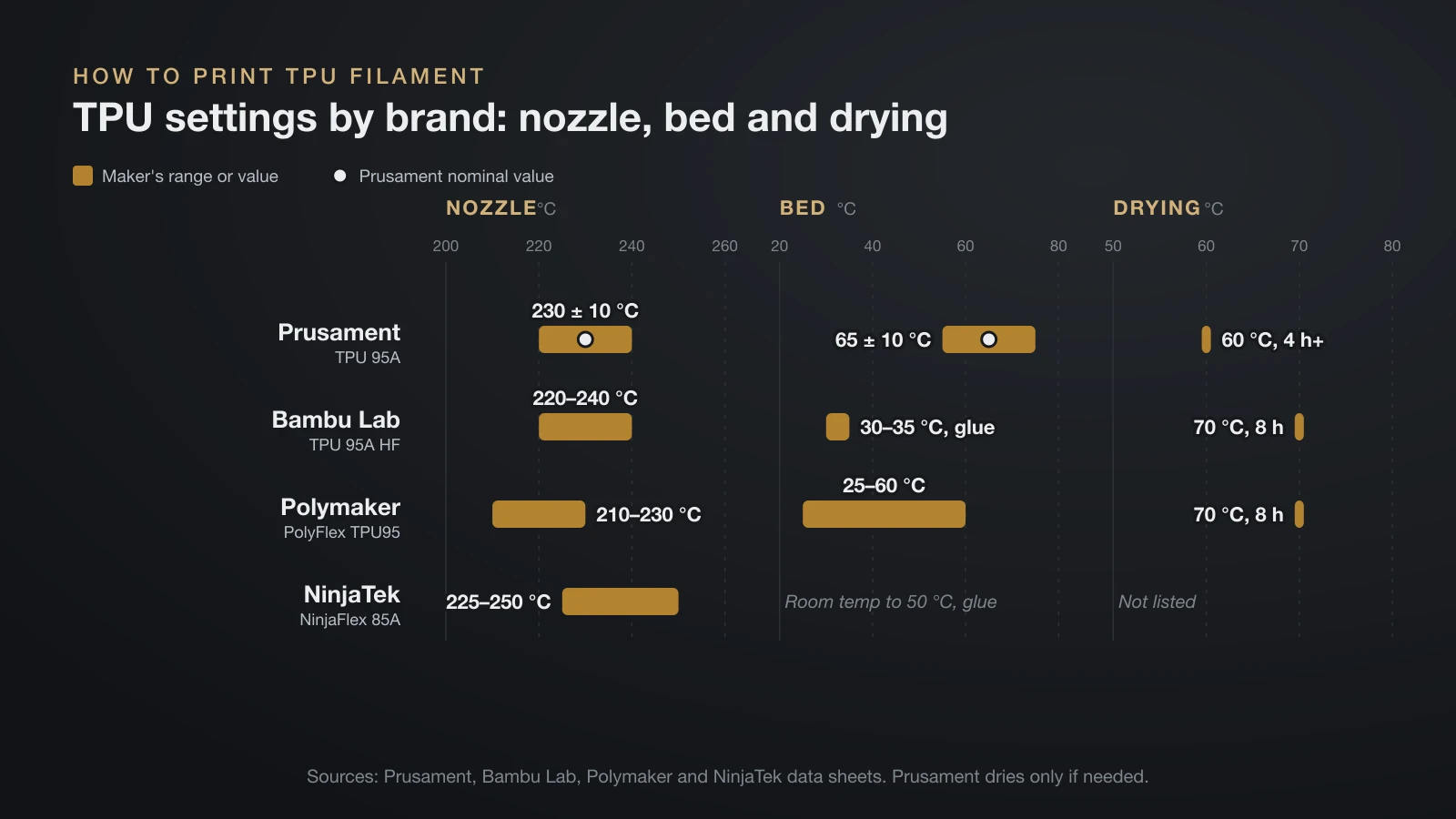
TPU filament prints at ordinary PLA-to-PETG temperatures, but it needs slow, steady feeding and a dry spool. Start from your spool’s own data sheet; these four show how far the advice spreads.
| Setting | Prusament TPU 95A | Bambu Lab TPU 95A HF | Polymaker PolyFlex TPU95 | NinjaTek NinjaFlex 85A |
|---|---|---|---|---|
| Nozzle | 230 ± 10 °C | 220–240 °C | 210–230 °C | 225–250 °C |
| Bed | 65 ± 10 °C | 30–35 °C, glue | 25–60 °C | Room temperature to 50 °C, glue |
| Speed | Up to 30 mm/s | Under 200 mm/s (high-flow grade) | 30–50 mm/s | 10–20 mm/s top and bottom, 15–35 mm/s infill |
| Part cooling fan | 30–50% | On | On | On from layer 2 |
| Retraction | Not listed | 0.8–1.4 mm at 20–40 mm/s | 3–6 mm at 40–60 mm/s | Not listed |
| Drying | 60 °C for 4 h or more, if needed | 70 °C for 8 h | 70 °C for 8 h | Not listed |
Speed is the big variable. Prusa gives about 20 mm/s as typical for flexible filament and 30–40 mm/s as the maximum, while “HF” (high-flow) grades are formulated to print faster; Bambu Lab says its TPU 95A HF prints about three times faster than its regular TPU 95A.
A reliable routine for a first TPU print:
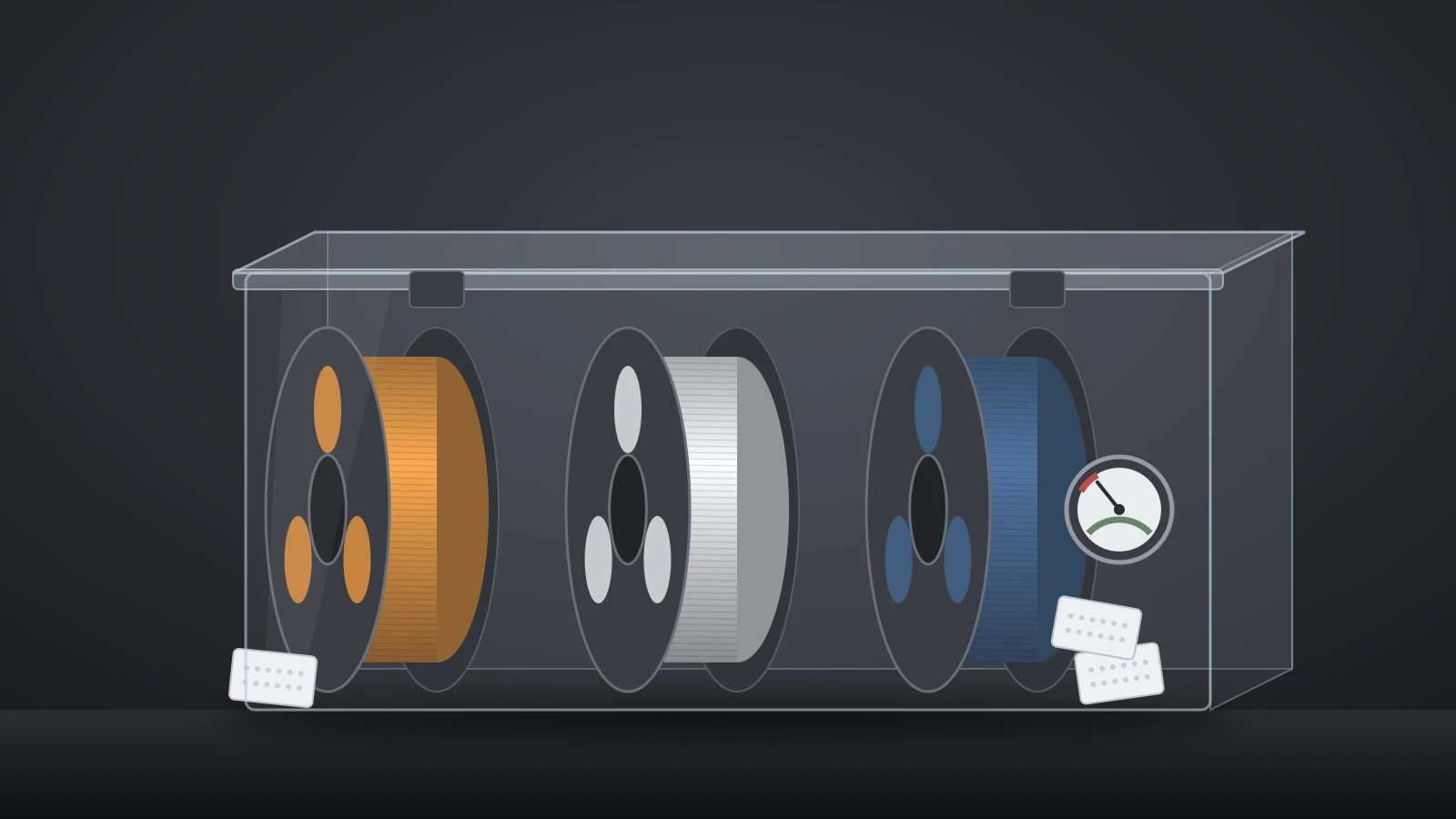
- Dry the spool if it has been open for a while, then print from a sealed box; Bambu Lab asks for under 20% relative humidity.
- Clean the nozzle. Prusa suggests a cold pull if there is any old material inside.
- Loosen the extruder idler so the gears grip without crushing the strand; Prusa suggests about 1.5 turns on its Prusament guide.
- Prepare the plate. Textured PEI works without glue; on smooth PEI, Prusa uses glue stick as a separation layer so TPU does not tear the sheet.
- Print slowly and raise the nozzle about 5 °C above your usual value; Prusa says the extra heat lowers the strand’s resistance.
- Start with low retraction or none, then add it in small steps only if strings appear.
Retraction advice differs more than any other setting, from Prusa’s “low or off” to Polymaker’s 3–6 mm. Tune it with a retraction test, as our 3D printing slicer settings guide describes, rather than copying one number.
Direct drive or Bowden for TPU?
Direct drive is the easier layout for TPU because the drive gears sit on the print head, right above the hot end, so a soft strand has little room to bend. Polymaker recommends direct drive over Bowden, and NinjaTek describes NinjaFlex as ideal for direct drive extruders.
Long filament paths cause trouble even on direct drive machines: Prusa suggests a printable bypass, or feeding the tube directly, for flexible filament on its XL, and Bambu Lab lists its TPU 85A and 90A as not compatible with its AMS, AMS lite and AMS 2 Pro feeders. Bambu Lab’s harder 68D TPU for AMS was made to feed through those systems. Our 3D printer extruder guide covers the drive gears in more detail.
Common TPU printing problems and fixes
Most TPU failures come from moisture, speed or a strand that bends inside the extruder instead of moving forward. This table matches the symptoms to the fixes in Prusa’s and Bambu Lab’s guidance.
| Problem | Likely cause | Fix |
|---|---|---|
| Filament tangles or bunches around the gears | Strand buckles under too much speed or grip | Slow down, loosen the idler, use direct drive |
| Stringing between parts | Damp filament, too much heat or travel | Dry the spool first; Prusa lists drying as the fix |
| Bubbles, popping, rough walls | Moisture in the filament | Dry at the maker’s temperature; store sealed |
| Clogged nozzle | Buckling, dirty nozzle, too cool | Clean the nozzle, dry, loosen idler, raise temperature, lower fan |
| Part will not stick | Greasy plate, too cool | Degrease, add a brim, raise the bed |
| Part sticks too hard | Smooth PEI or textured plate grip | Glue stick as a release layer; Prusa reheats a textured sheet to about 40 °C to release it |
| Supports fused to the part | TPU bonds well to itself | Prusa raises Z spacing to 0.3 mm and XY separation to at least 100% |
Bridges and steep overhangs are weak points by nature. Bambu Lab rates TPU 95A HF for overhangs up to about 55° and bridges up to 20 mm, so orient parts to avoid long unsupported spans.
What is TPU filament good for?
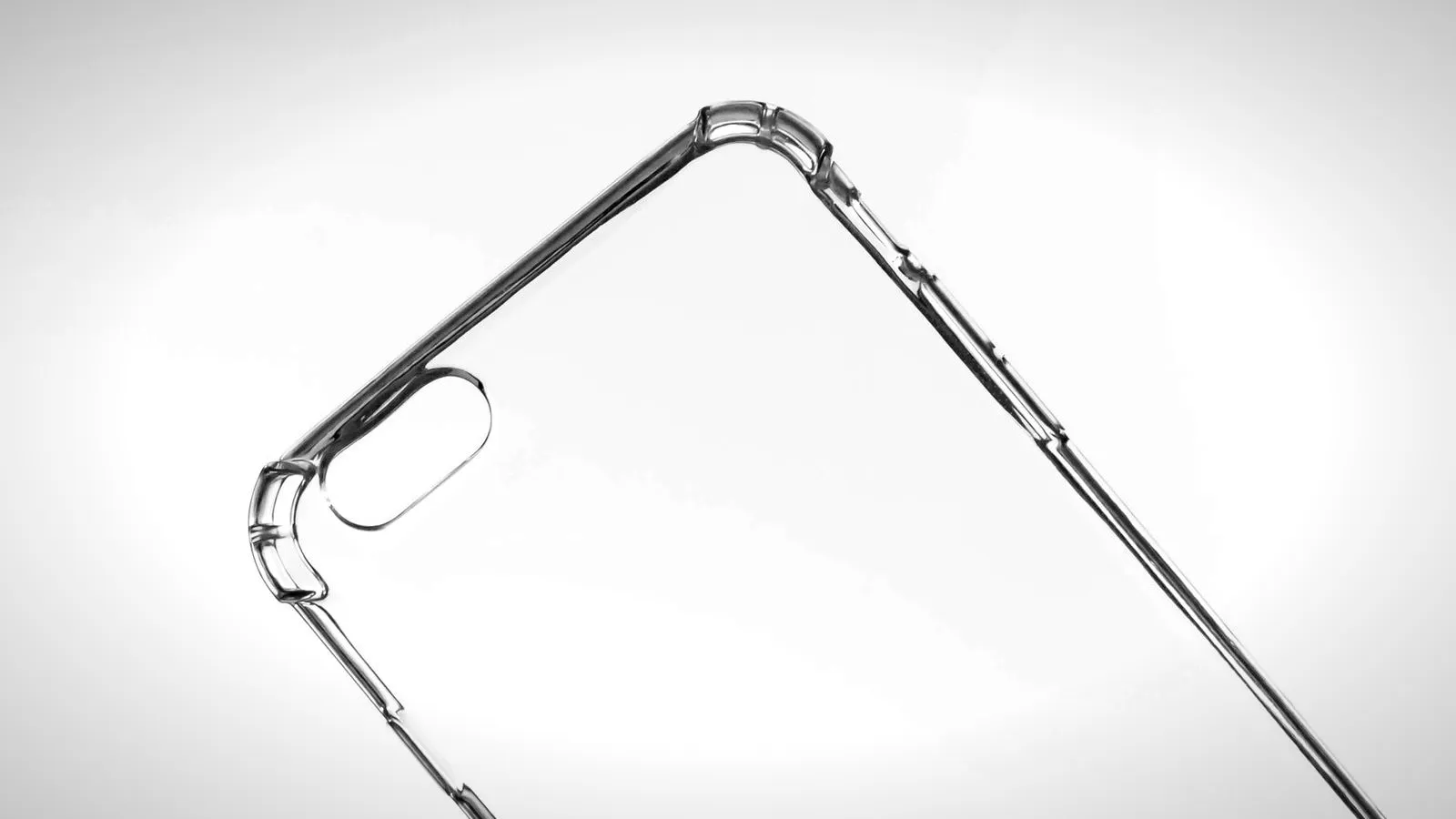
TPU filament is good for any part that must flex, cushion, seal or grip without cracking. Manufacturers list a consistent set of uses:
- Seals and gaskets: named by NinjaTek, with oil and grease resistance on Bambu Lab’s and Polymaker’s sheets.
- Bumpers, feet and protective covers: NinjaTek lists protective covers; Bambu Lab pitches its 85A and 90A grades for impact absorption and cushioning.
- Grips, tires and cable protectors: all listed for Prusament TPU 95A, along with edge covers for skis and skates.
- Spacing washers, stamps, belts and shoe soles: Prusa’s sample prints for flexible materials.
- Phone cases: named in Polymaker’s TPU guidance.
TPU also works as a flexible link between rigid parts. Prusa describes TPU as the “connective tissue” in hinges, joints and cable openings printed together with PLA or PETG; our guide to 3D printed joints covers when a flexible hinge beats a rigid one.
For gaskets that stay compressed, check the heat. In Prusament’s ISO 815-1 compression set test, TPU 95A failed to recover 33.5% of a fixed squeeze at 23 °C but 70.4% at 70 °C (158 °F), so a warm seal slowly takes a set and pushes back less.
When a part needs to be tough but not soft, TPU is the wrong tool. Nylon filament handles sliding, wear and repeated bending in a stiffer part, and carbon fiber filament goes the other way, trading flexibility for stiffness.
Is TPU filament heat and UV resistant?
TPU filament handles cold well, but its heat and UV ratings depend strongly on the grade. Data sheets report heat resistance in different ways:
| Data sheet | Heat value | Test |
|---|---|---|
| NinjaTek NinjaFlex 85A | 44 °C (111 °F) heat deflection at 0.45 MPa | ASTM D648 |
| Prusament TPU 95A | 78.6 °C heat deflection at 1.80 MPa; Vicat 101.6 °C | ISO 75, ISO 306 |
| Bambu Lab TPU 95A HF | Heat deflection and Vicat listed as not applicable | ISO 75, ISO 306 |
The brands test and report heat differently and their numbers disagree widely, so treat heat claims for soft TPU with caution and test any part that will sit near a heat source.
UV resistance is a formulation choice. Polymaker describes its PolyFlex TPU90 as resistant to UV light and sunlight, while most TPU data sheets do not mention UV at all. BASF sells separate aliphatic TPU grades for color stability and long-term UV resistance, so for parts that live outdoors, pick a spool its maker rates for UV.
The bottom line
TPU filament is the go-to plastic for flexible, grippy and shock-absorbing prints, from gaskets to bumpers. Choose the grade by Shore hardness, with 95A as the easiest starting point. Print it slowly from a dry spool, keep retraction low, and use a direct drive extruder for anything softer than 95A.
Sources
- Prusa: Flexible materials guide, Prusament TPU 95A material guide, Prusament TPU 95A page and data sheet, Prusament PETG data sheet and multi-material printing guide (TPE family, settings, speed, retraction, idler, glue, supports, uses, hardness, compression set, heat, interlocking)
- Bambu Lab: technical data sheets for TPU 95A HF, TPU for AMS, PLA Basic and PETG Basic, plus the TPU 85A / 90A product page (settings, modulus, elongation, chemical resistance, overhangs, AMS and multi-material notes)
- Polymaker: PolyFlex TPU95 and PolyFlex TPU90 data sheets and the TPU wiki page (Shore hardness per ISO 7619-1, settings, drying, UV resistance, direct drive, uses)
- NinjaTek: TPU material page, NinjaFlex product page and NinjaFlex data sheet (grades from 75A to 75D, settings, elongation, heat deflection, uses)
- BASF: Elastollan TPU product range (hardness range 37A to 83D, aliphatic UV-stable grades)