FDM 3D printing (fused deposition modeling) builds an object by melting a thermoplastic filament in a heated nozzle and laying it down line by line, one thin layer on top of the last. It is also called FFF, fused filament fabrication, and it suits functional parts, prototypes and everyday objects more than fine miniature detail.
FDM is the process behind every filament printer on a desk, from budget kits to enclosed machines with heated chambers. If you are choosing between filament and liquid resin, our resin vs filament comparison covers that decision in depth.
The short answer
| FDM 3D printing | |
|---|---|
| What it is | Additive manufacturing by extruding melted thermoplastic filament through a heated nozzle |
| Also called | FFF (fused filament fabrication); FDM is a Stratasys trademark |
| Layer thickness | Usually 0.1–0.3 mm |
| Materials | PLA, PETG, ABS, ASA, TPU, nylon, PC and fiber-filled blends |
| Strengths | Low running cost, wide material choice, little post-processing |
| Limits | Visible layer lines, supports on steep overhangs, weaker between layers |
| Best for | Functional parts, prototypes, jigs and fixtures, larger objects |
What does FDM stand for in 3D printing?
FDM stands for fused deposition modeling, the name Stratasys gave the process its co-founder Scott Crump invented and patented in 1989. Stratasys lists FDM as a registered trademark, which is why many makers, universities and slicers use the neutral name FFF, fused filament fabrication.
The two names describe the same process: a solid plastic strand is melted, pushed through a nozzle and fused onto the layer below. The University of Basel’s 3D print lab, for example, describes “Fused Deposition Modeling” as a registered trademark and FFF as the more neutral term for the same technology. On this site, FDM and FFF mean the same thing.
How FDM 3D printing works, layer by layer
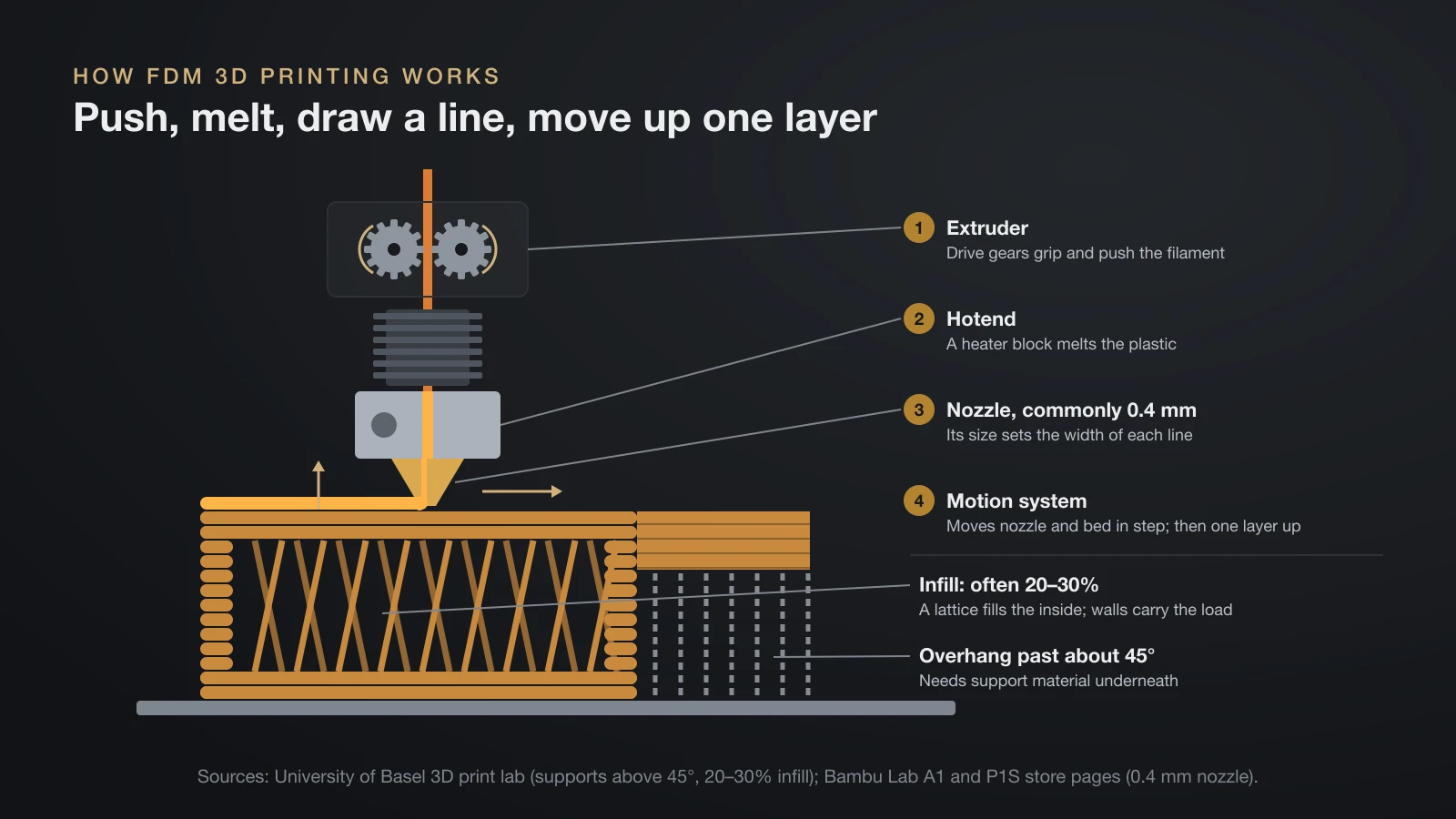
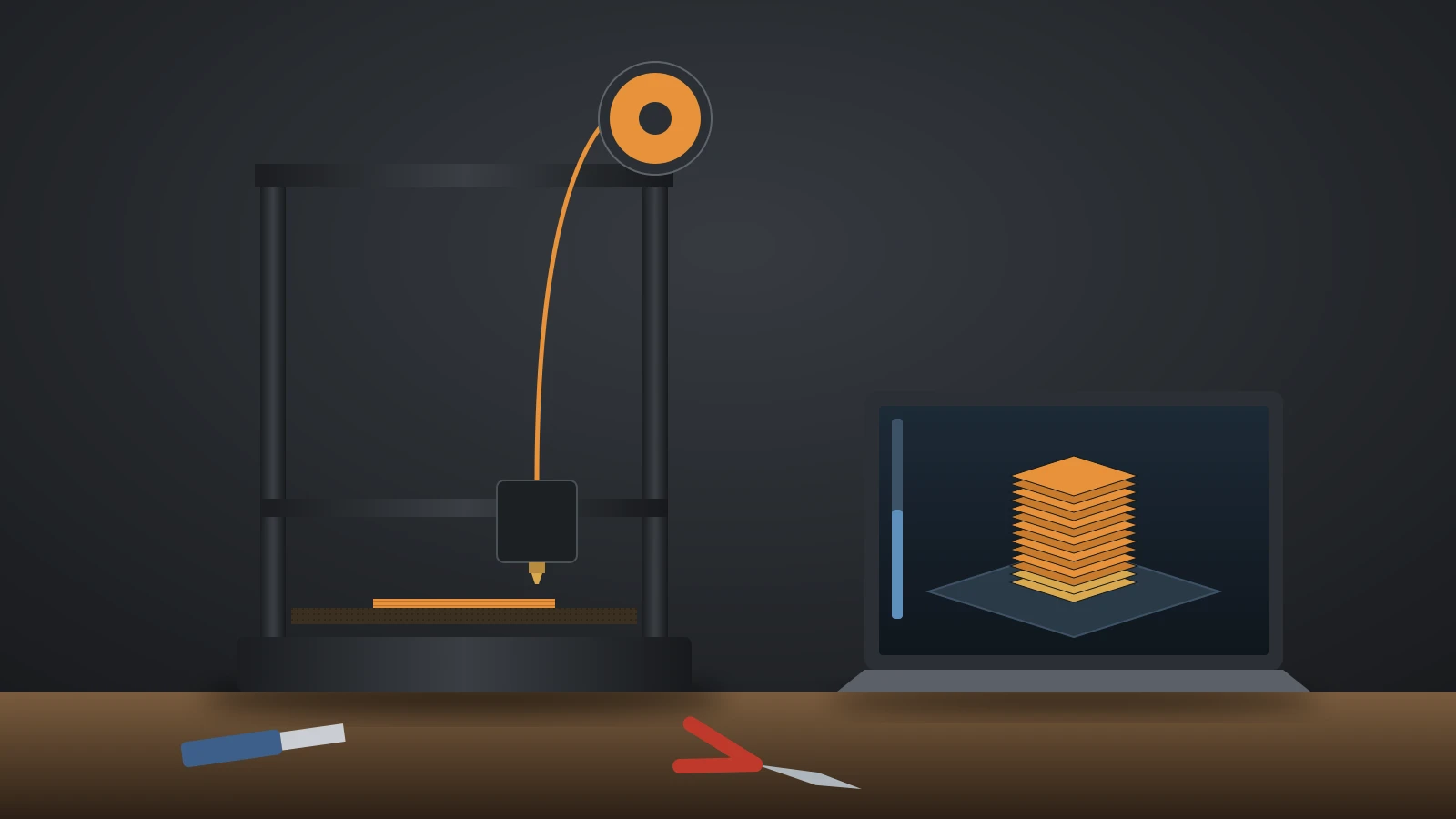
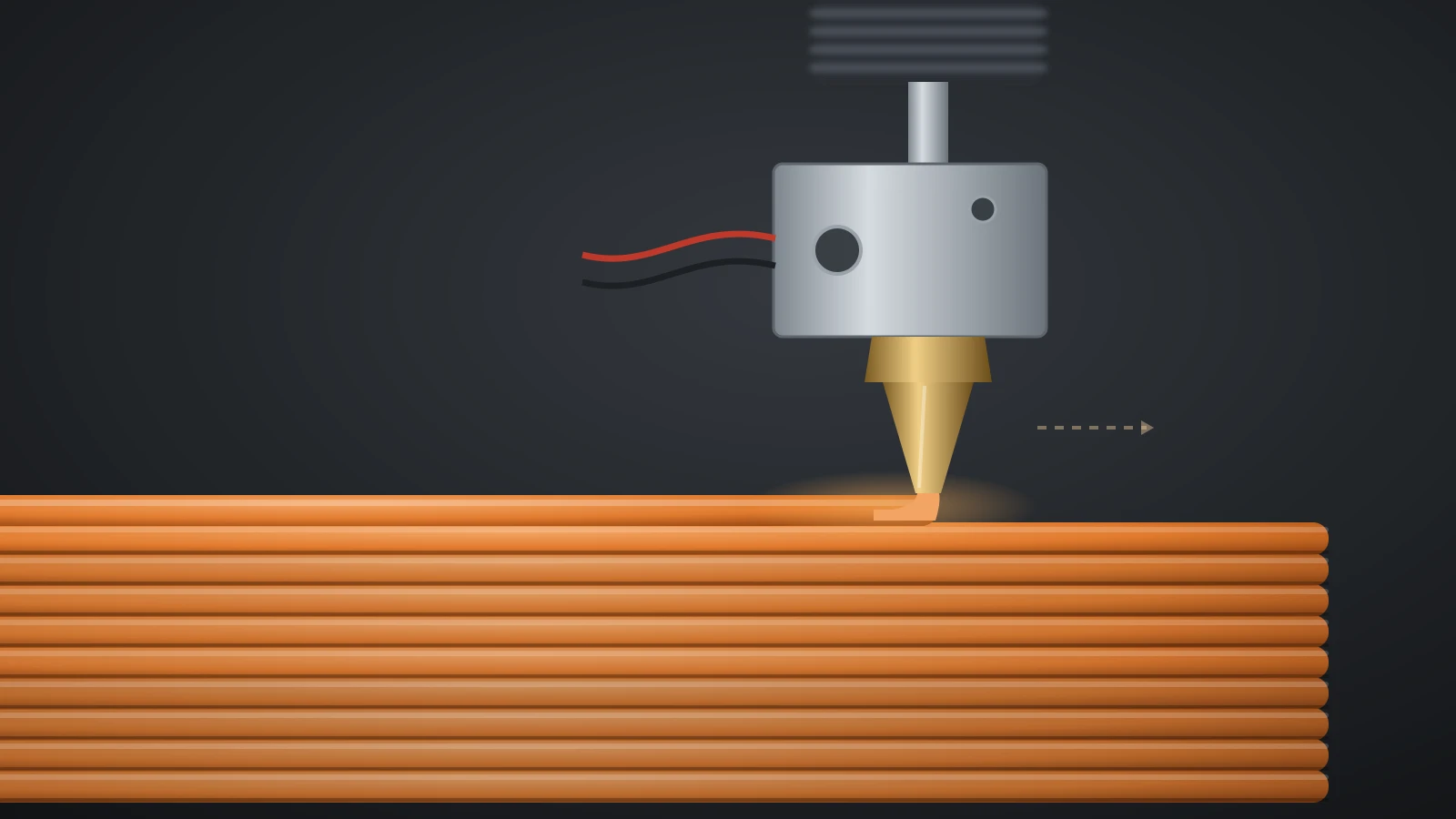
An FDM 3D printer feeds solid filament into a heated print head, melts it and draws each layer as a series of lines, then moves up by one layer height and repeats. Four parts do the work:
- Extruder: drive gears grip the filament and push it forward at a controlled rate; our 3D printer extruder guide explains the types.
- Hotend: a heater block melts the plastic until it is viscous, and the incoming filament pushes the melt onward; see how a 3D printer hotend is built.
- Nozzle: the melt leaves through a small opening, commonly 0.4 mm, and its size sets the width of each line; our 3D printer nozzle guide covers sizes and materials.
- Motion system: motors move the nozzle and the bed in step with the extrusion, so each layer gets an even line of plastic.
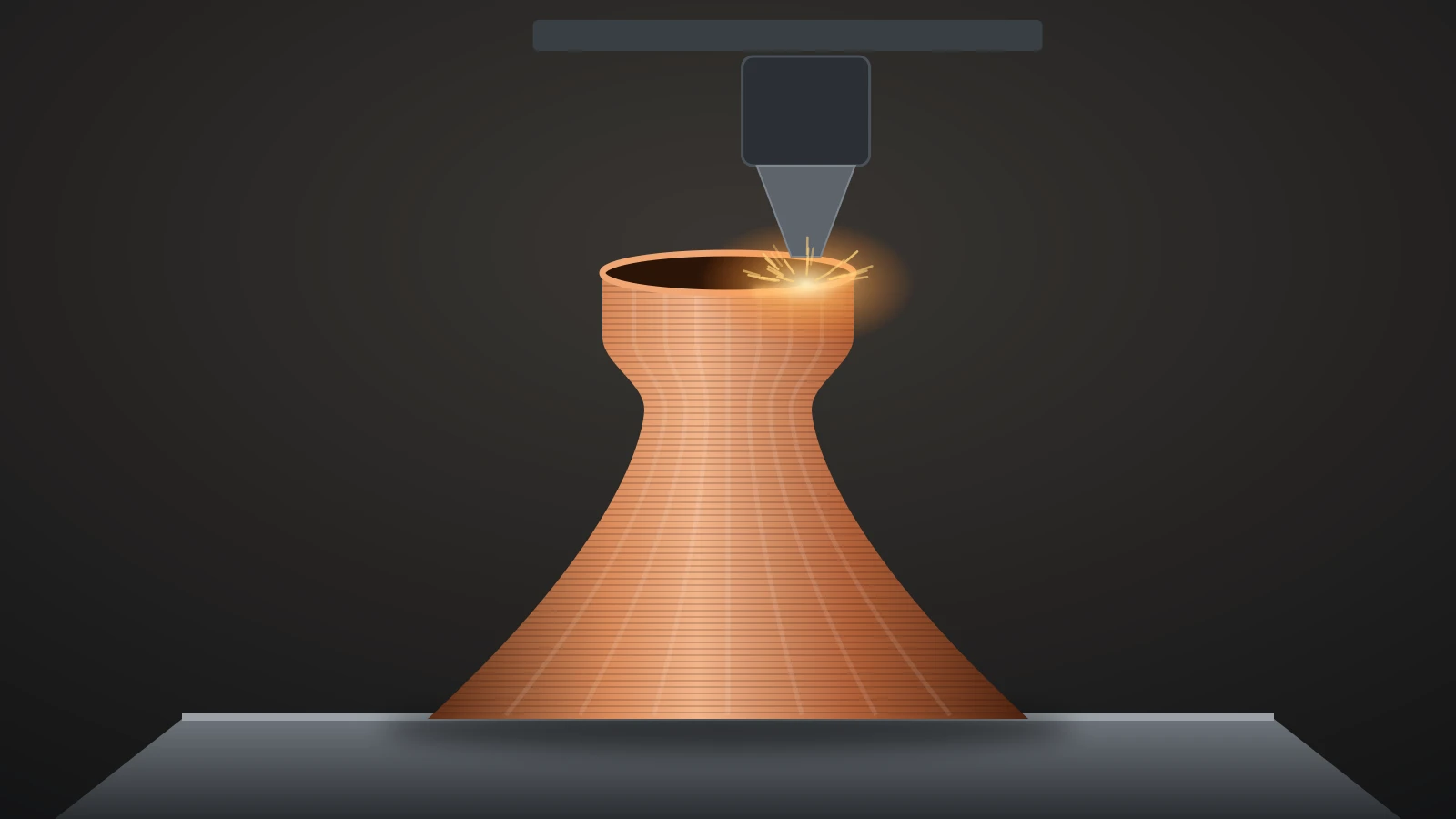
Each new line bonds by partly melting into the layer below, which hardens within seconds. When a layer is complete, the nozzle rises (or the bed drops) by one layer thickness. Overhangs steeper than about 45° need support material underneath, and most parts are filled inside with a lattice called infill, often 20–30% of the volume.
FDM printer designs: bed slinger, CoreXY, delta and IDEX
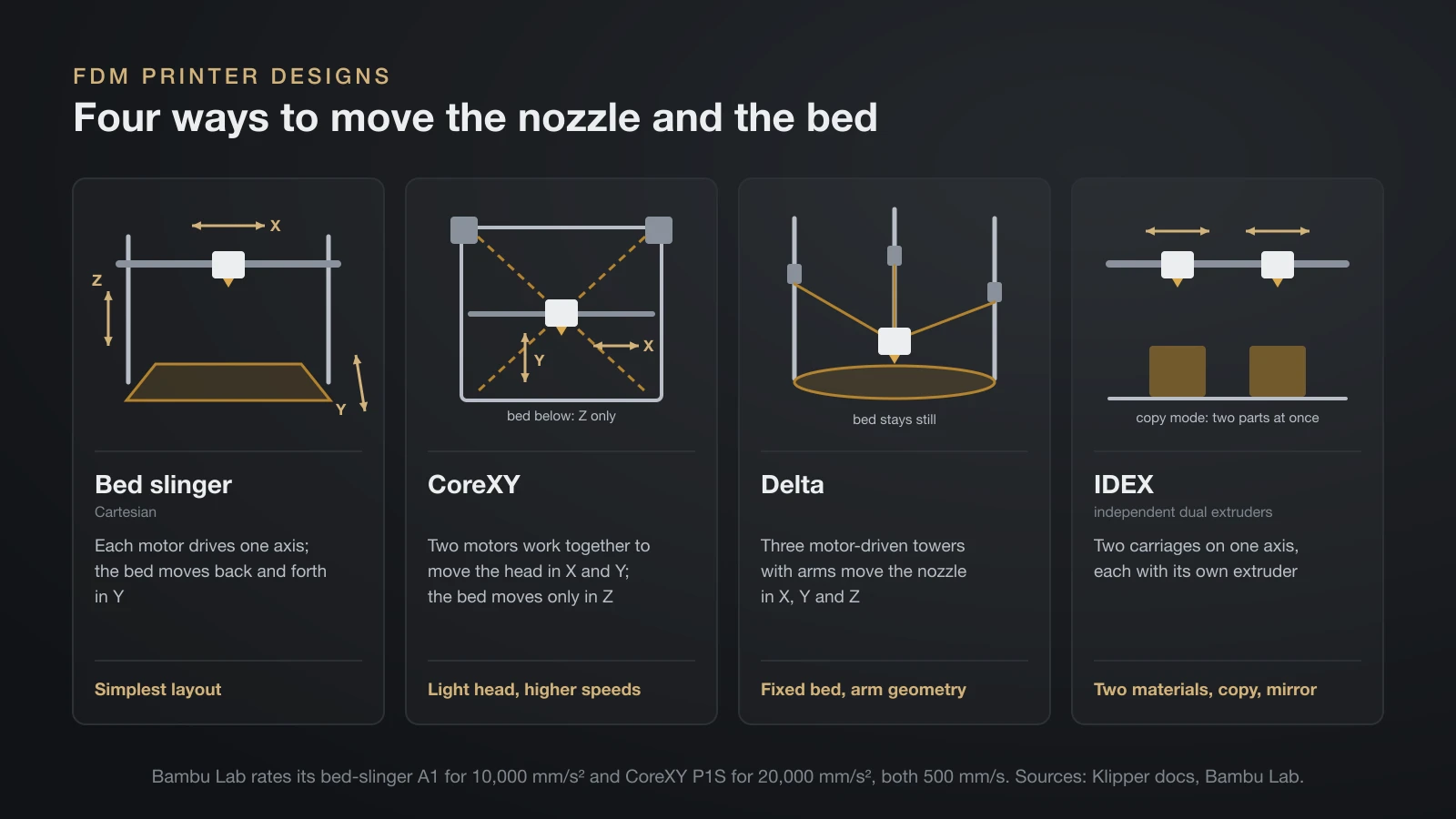
FDM printers differ mainly in how they move the nozzle and the bed, and that motion system affects speed, size and price. Klipper’s documentation describes the motion math for each layout.
| Design | How it moves | Typical traits |
|---|---|---|
| Bed slinger (Cartesian) | Each motor drives one axis; the bed moves back and forth in Y | Simplest layout; Bambu Lab’s A series uses this i3 design |
| CoreXY | Two motors work together to move the head in X and Y; the bed moves only in Z | Light moving head for higher speeds; common on enclosed printers |
| Delta | Three motor-driven towers with arms move the nozzle in X, Y and Z | The bed stays still; positions are calculated from arm geometry |
| IDEX (independent dual extruders) | Two carriages on one axis, each with its own extruder | Two materials in one part, or copy and mirror modes that print two parts at once |
The layout shows up in the spec sheet. Bambu Lab rates its bed-slinger A1 for 10,000 mm/s² of acceleration and its CoreXY P1S for 20,000 mm/s², with the same 500 mm/s top speed. At those speeds, input shaping keeps vibrations from showing on the surface.
FDM materials: from PLA to carbon fiber
FDM printers can print most thermoplastics that come as filament, and the material decides how hot the nozzle runs and whether you need an enclosure or a hardened nozzle. Stratasys points out that FDM uses many of the same thermoplastics as injection molding. Our pillar guide to 3D printer filament compares them in detail.
| Material | Good for | What your printer needs | Guide |
|---|---|---|---|
| PLA | Models, prototypes, indoor parts | Open frame is fine | PLA filament |
| PETG | Tougher, moisture-resistant parts | Open frame works; enclosure helps strength | PETG temperature |
| ABS and ASA | Heat-resistant and outdoor parts | Enclosed printer | ABS filament |
| TPU | Flexible grips, gaskets, bumpers | Slow speeds; feed soft grades directly, not through an AMS-style changer | TPU filament |
| Nylon (PA) | Gears, hinges, wear parts | Enclosure and dry filament | Nylon filament |
| PC | Tough, high-temperature parts | Enclosure, hot nozzle | Polycarbonate filament |
| Carbon or glass fiber blends | Stiff, dimensionally stable parts | Hardened steel nozzle | Carbon fiber filament |
| PVA | Water-soluble supports | Two nozzles or a filament changer | PVA filament |
Bambu Lab’s filament guide recommends enclosed printers for ABS, ASA, PC and nylon to suppress warping and keep layers bonded, while PLA, PETG and TPU print on open frames. It also calls for a hardened steel nozzle with any fiber- or particle-filled filament, and for drying engineering materials before printing.
Layer height and resolution in FDM printing
FDM resolution depends on layer height and nozzle size, and typical layers are 0.1–0.3 mm thick. Prusa’s MK4S, for example, lists 0.05–0.30 mm, while a resin printer such as Prusa’s SL1S SPEED supports 0.025–0.1 mm layers.
Thinner layers hide layer lines on curves but multiply print time, because the printer must draw more layers for the same height. The nozzle sets the horizontal detail: a 0.4 mm nozzle lays lines about 0.4 mm wide, so text and fine features smaller than that blur. Our guide to 3D printing layer height gives settings for each nozzle size.
Why FDM parts are weaker between layers
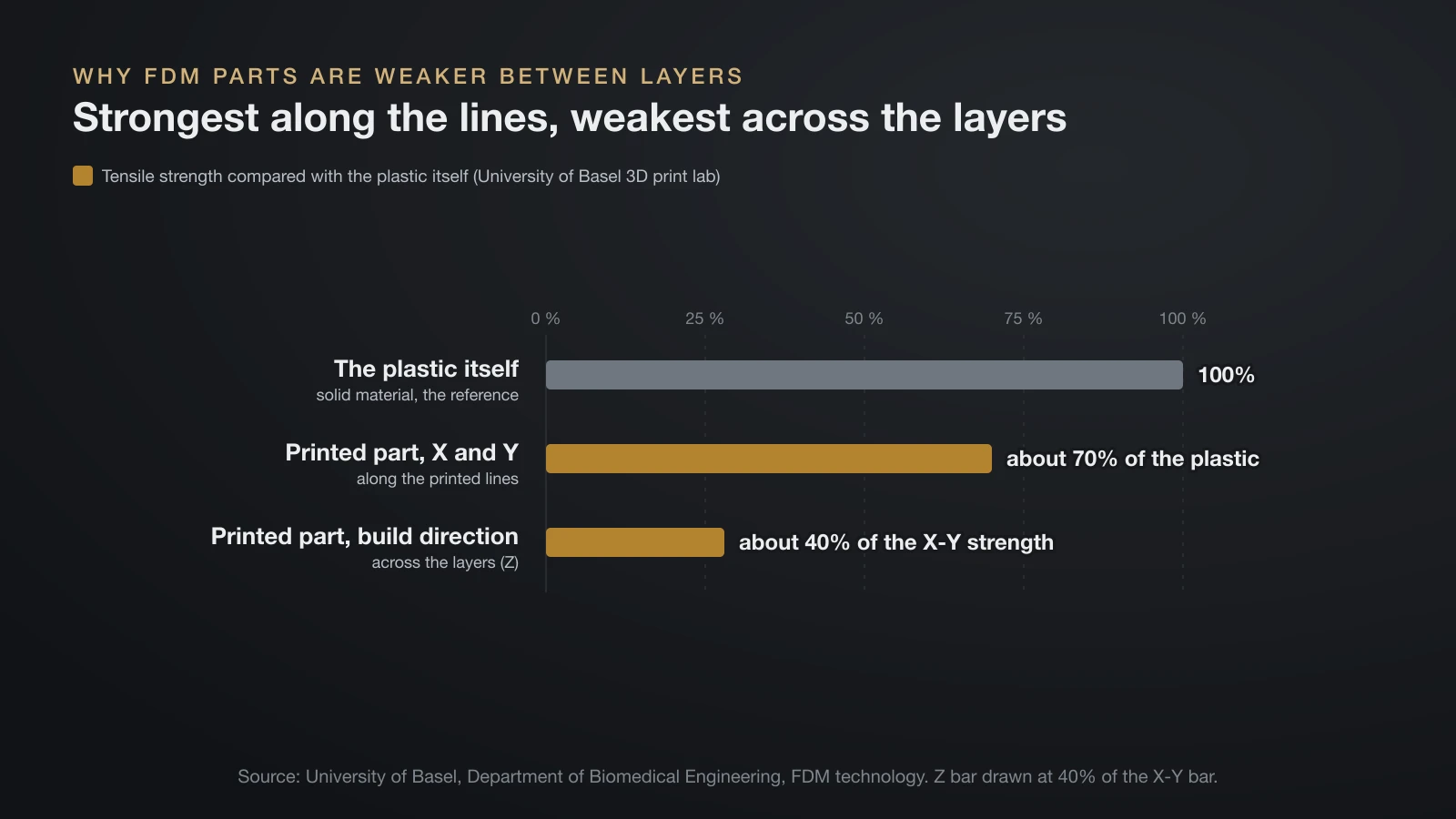
FDM parts are anisotropic: they are strongest along the printed lines and weakest across the layers, because each layer bonds to one that has already cooled. The University of Basel’s 3D print lab puts tensile and shear strength in the build direction at only about 40% of the tensile strength in X and Y as a general figure; maker data sheets show the gap varies widely by material.
It adds that a printed part reaches only about 70% of the tensile strength of the plastic itself, because the surfaces are made of adjacent lines. Three design habits follow:
- Orient for the load. Lay the part so that bending or pulling forces run along the layers, not across them.
- Add walls before infill. Outer walls carry most of the load; see our guide to 3D printing infill for when more infill helps.
- Choose the material for the job. Data-sheet strength varies a lot, as our comparison of the strongest filament shows.
FDM vs resin (SLA and MSLA) vs SLS
FDM, resin and SLS printers build parts in layers but use different raw materials and energy sources. FDM melts filament, resin printers cure liquid photopolymer with light, and SLS (selective laser sintering) fuses polymer powder with a laser.
| FDM | Resin (SLA, MSLA) | SLS | |
|---|---|---|---|
| Raw material | Solid filament on a spool | Liquid photopolymer resin | Polymer powder, such as nylon 12 or TPU |
| How a layer forms | Hot nozzle extrudes lines | Light cures a whole layer | Laser fuses powder |
| Build volume example | 250 × 210 × 220 mm (Prusa MK4S) | 127 × 80 × 150 mm (Prusa SL1S SPEED) | 165 × 165 × 300 mm (Formlabs Fuse 1+) |
| After printing | Remove supports | Wash, dry, UV cure | Free parts from the powder and clean them |
| Typical setting | Homes, schools, workshops | Desks with ventilation | Professional benchtop or industrial systems |
For most home users the real choice is FDM or resin, since SLS machines sell as professional benchtop and industrial systems. Metal parts use other processes again, covered in our guide to metal 3D printing.
The FDM workflow: from model to G-code
Every FDM print follows the same digital workflow: a 3D model, a slicer that turns it into layers, and a G-code file the printer executes. The steps are:
- Get a model. Design it in CAD, or download one from a model library; our list of sites for free STL files is a good starting point.
- Export a mesh. CAD programs export STL or 3MF, the formats slicers read.
- Slice it. The slicer cuts the model into layers and plans walls, infill, supports and temperatures; OrcaSlicer is one free option.
- Send the G-code. The printer follows the toolpaths line by line; our guide to converting STL to G-code explains the settings that matter.
- Print and finish. Watch the first layer, then remove supports once the part cools.
For a first print from unboxing to finished part, follow our walkthrough on how to use a 3D printer.
Pros and limits of FDM 3D printing
FDM 3D printing trades fine surface detail for low cost, a wide choice of plastics and parts that need little cleanup. Stratasys calls it one of the easiest 3D printing technologies to learn and operate, at home in an office as well as on a factory floor.
Strengths
- Material choice: from easy PLA to nylon, polycarbonate and fiber-filled blends.
- Little post-processing: no washing or curing; remove supports and the part is done.
- Functional uses: Stratasys lists prototyping, jigs and fixtures, tooling and low-volume production parts.
- Soluble supports: a second material such as PVA can dissolve away from complex internal shapes.
Limits
- Visible layers: curved and sloped surfaces show stair steps.
- Supports: overhangs steeper than about 45° need them, and they leave marks.
- Anisotropy: parts are weakest across the layers.
- Warping materials: ABS, ASA, PC and nylon print best in an enclosure that limits warping.
The bottom line
FDM 3D printing melts a plastic filament and builds parts one layer at a time, and FFF is simply the trademark-free name for the same process. Its strengths are cheap, varied materials and functional parts with little cleanup; its limits are layer lines, supports and weaker bonds between layers. Choose the printer layout and material for your parts, then orient each print so the load runs along the layers.
Sources
- Stratasys: FDM Technology (definition, soluble supports, injection molding thermoplastics, ease of learning, applications) and press releases on Scott Crump’s TCT Hall of Fame induction (invented and patented in 1989; FDM a registered trademark) and the Dimension anniversary (FDM and Fused Deposition Modeling trademarks)
- University of Basel, Department of Biomedical Engineering: FDM technology (FFF as neutral term, 0.1–0.3 mm layers, supports above 45°, 20–30% infill, about 40% strength in the build direction, about 70% of the plastic’s tensile strength)
- Klipper documentation: Kinematics and Configuration reference and G-Codes (Cartesian, CoreXY and delta motion; IDEX dual carriages with copy and mirror modes)
- Bambu Lab: Wiki filament guide (enclosed printers for ABS, ASA, PC and PA; hardened steel nozzles for fiber- and particle-filled filament; drying), A series timelapse (i3 layout, bed moves in Y) and the US store A1 and P1S pages (0.4 mm nozzle included; 10,000 and 20,000 mm/s² acceleration; 500 mm/s)
- Printer specifications: Prusa Research Original Prusa MK4S and Original Prusa SL1S SPEED (layer heights, build volumes) and Formlabs Fuse 1+ (SLS, 30 W fiber laser, nylon and TPU powders, 165 × 165 × 300 mm, benchtop and industrial Fuse systems, read October 19, 2026)